


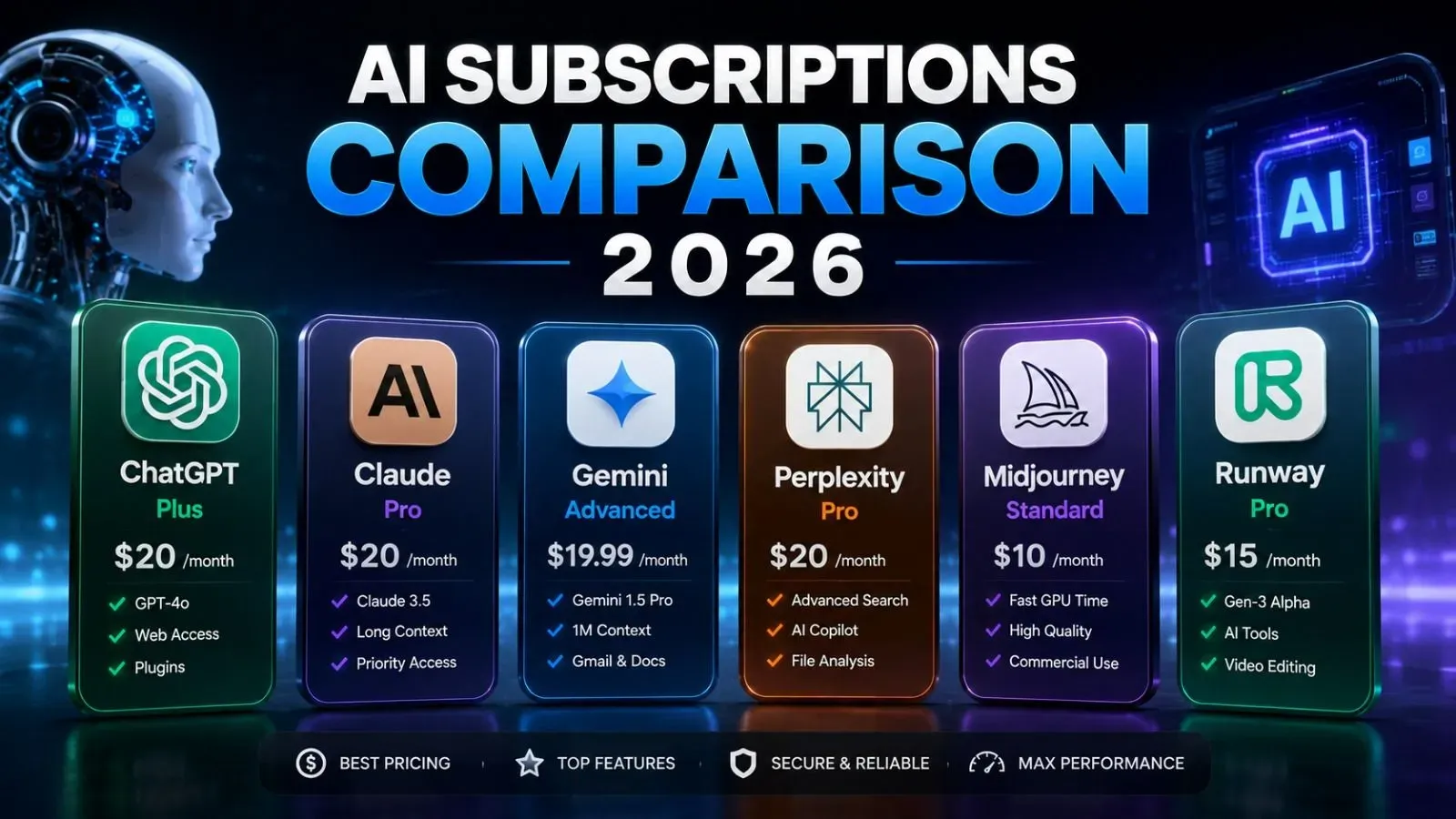
When deciding how to use artificial intelligence for daily work, coding, or data analysis, the debate usually comes down to two paths: paying a recurring monthly subscription (like ChatGPT Plus or Claude Pro) or buying dedicated computer hardware to run open-weight models locally on your own machine.
Many assume that running local models is completely free after you own a computer. Others assume you need a $5,000 server just to get started.
Neither assumption is entirely accurate.
The true cost depends on your hardware investment, monthly electric bill, token volume, and privacy requirements. This guide breaks down the exact numbers, hardware tiers, operational expenses, and break-even timelines to help you choose the most cost-effective option.
Cost Comparison at a Glance
| Option | Upfront Hardware Cost | Monthly Running Cost | Model Capability | Best For |
|---|---|---|---|---|
| Paid Cloud Subscriptions | $0 | $20 – $200 / month | Top-tier flagship models | General knowledge, complex reasoning, zero setup |
| Pay-As-You-Go APIs | $0 | $2 – $30 / month | Budget to flagship models | Moderate to heavy developers |
| Budget Local Setup (8B Models) | $200 – $400 | $3 – $8 / month | 7B – 8B parameters | Basic coding, text summarization, offline access |
| Mid-Tier Local Setup | $1,000 – $1,800 | $6 – $15 / month | 14B – 32B parameters | Serious local coding, private analysis |
| High-End Local Workstation | $3,500 – $5,500 | $18 – $35 / month | 70B parameters | Enterprise privacy, local research |
1. The True Cost of Running AI Locally
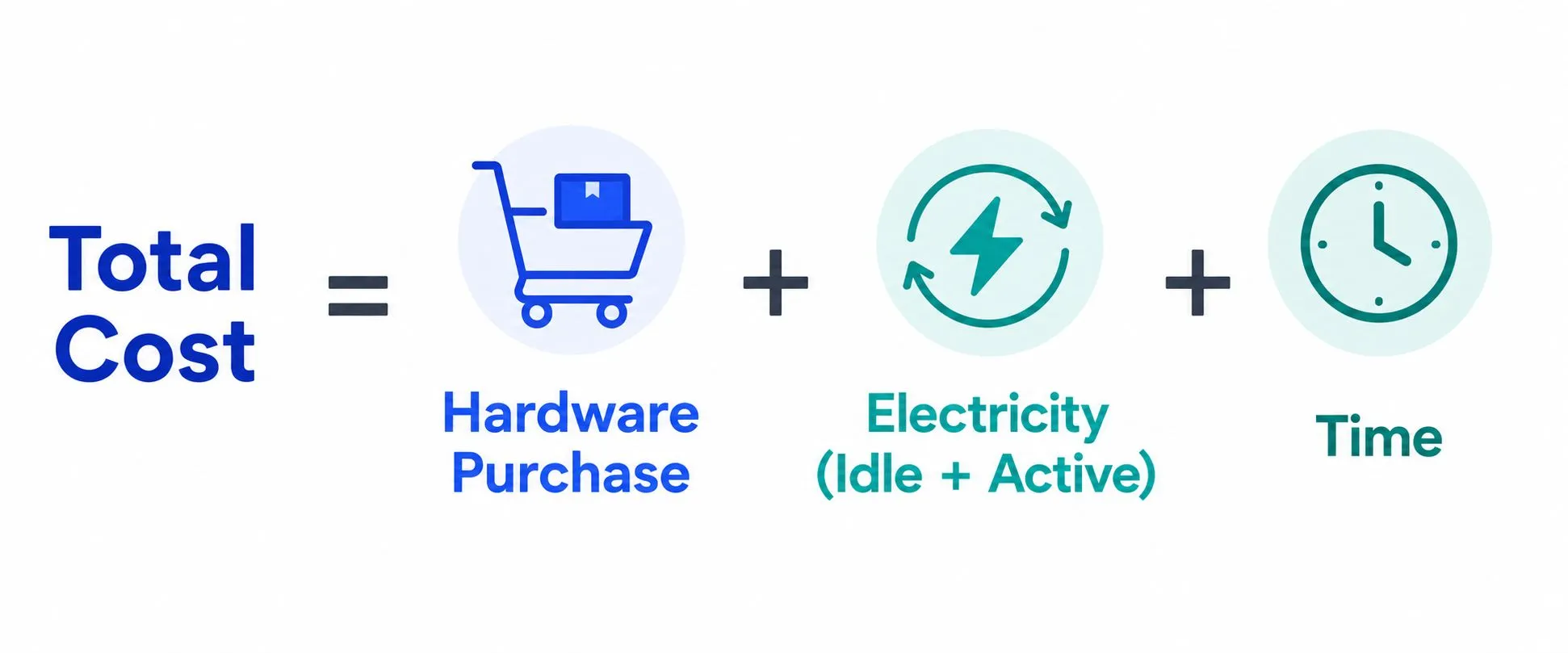
Running an AI model on your own hardware shifts your expenses from recurring operational fees (OpEx) to upfront capital investments (CapEx).
Upfront Hardware Requirements
The primary bottleneck for local artificial intelligence is Video RAM (VRAM) on graphics cards or Unified Memory on Apple Silicon. The entire model must fit into high-speed memory to generate tokens at readable speeds.
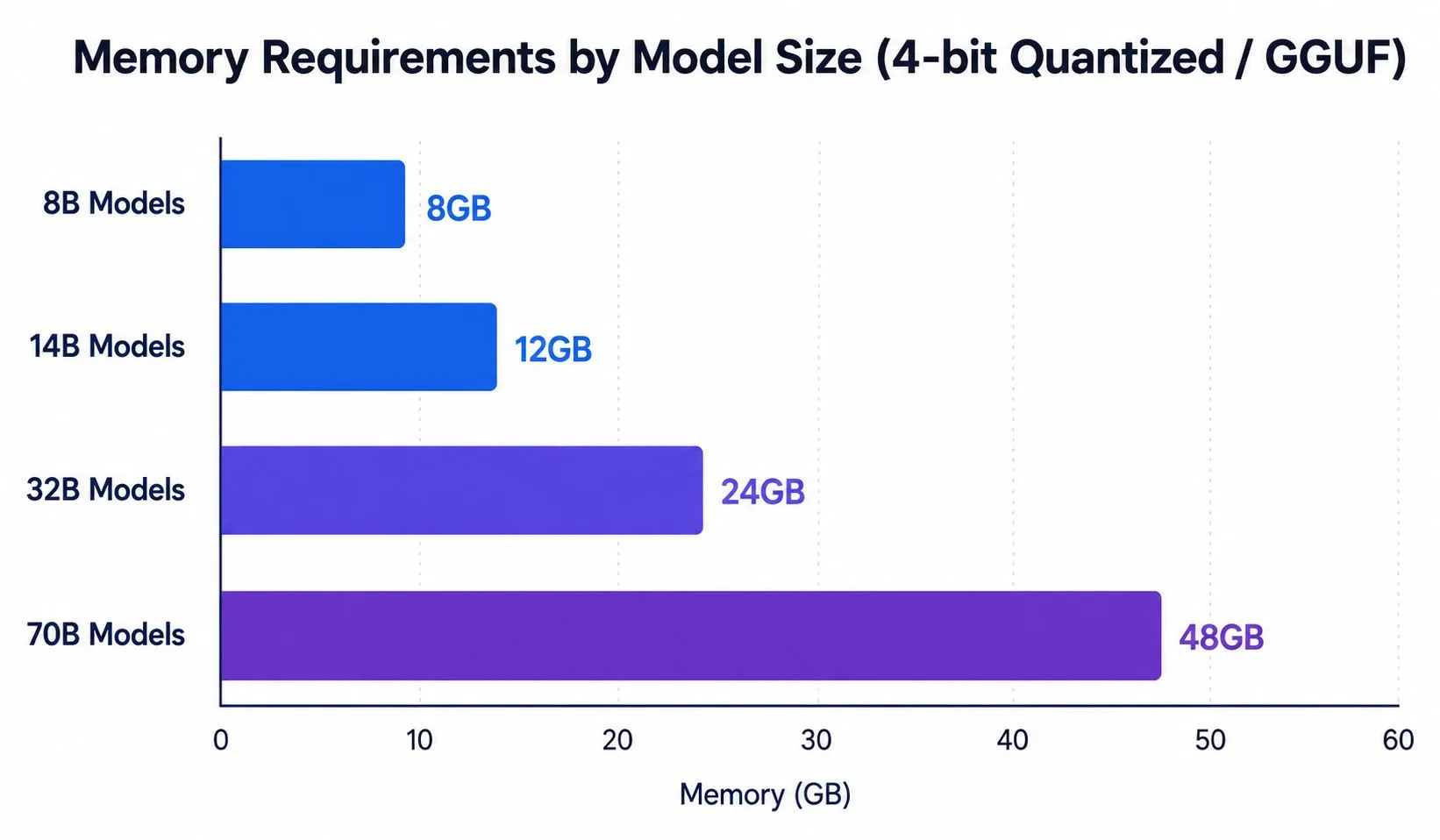
Here is what different hardware configurations cost:
- Tier 1: The Entry-Level Upgrade ($250 – $450): Used NVIDIA RTX 3060 12GB ($200 – $250) or RTX 4060 Ti 16GB ($430 – $480). Supports 8B models at 40–60 tokens/sec.
- Tier 2: Dedicated Mid-Range AI Machine ($1,100 – $1,800): Complete desktop build with used RTX 3090 24GB or RTX 4070 Ti Super 16GB (~$1,200 – $1,600). Mac Mini with M4 Pro 48GB (~$1,800).
- Tier 3: Enthusiast 70B Workstation ($3,500 – $5,200): Dual GPU build with Dual RTX 3090 / 4090 (~$3,800 – $4,800). Mac Studio with 64GB to 128GB Unified Memory (~$3,500 – $4,500).
Electricity Costs: The Hidden Operational Expense
Graphics cards draw significant power under heavy inference loads.
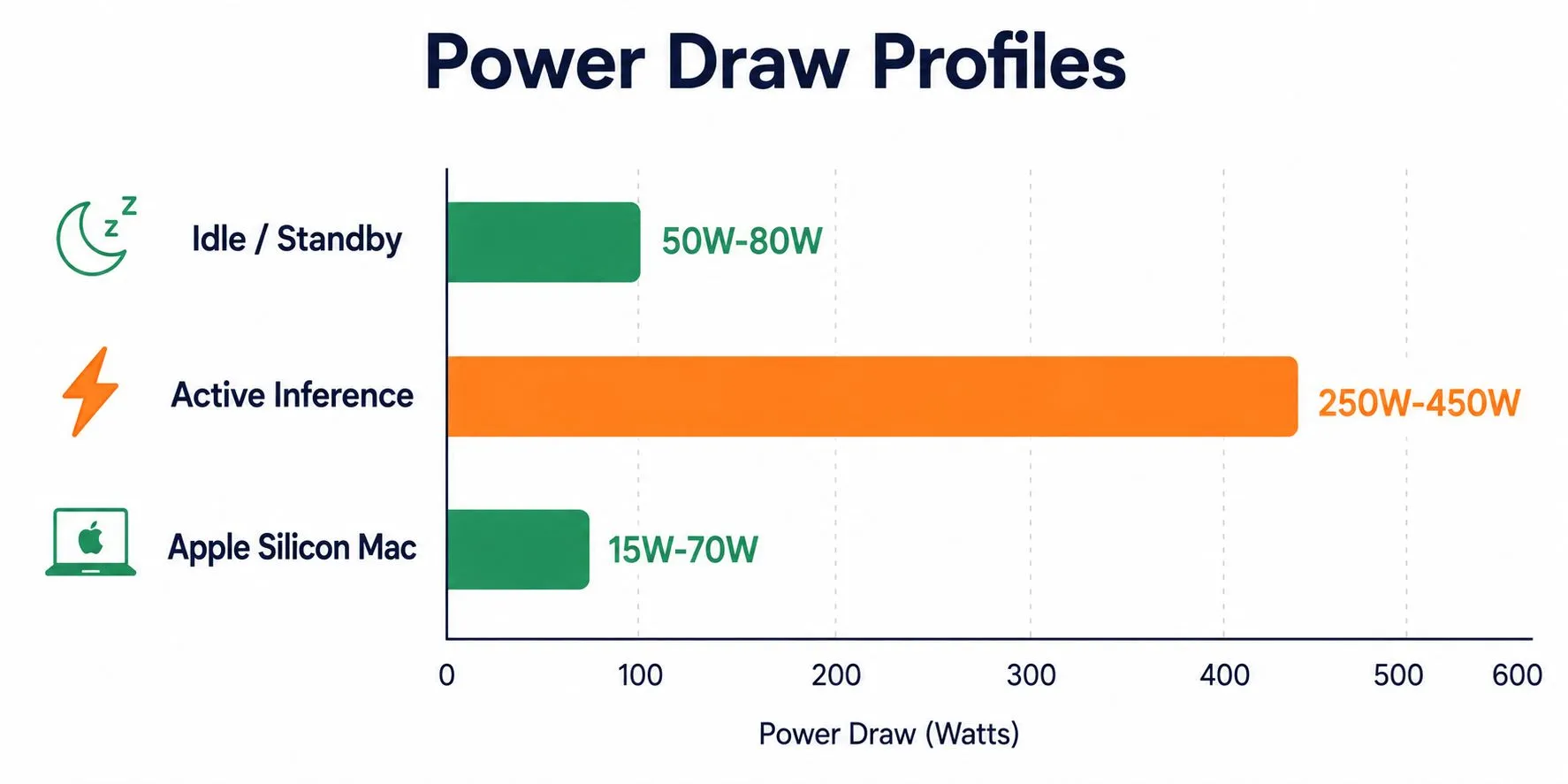
Assuming an electricity rate of $0.18 per kWh (average US household rate) and 3 hours of active daily use plus standard idle standby:
- Mid-Range Desktop (Single RTX 3090/4090): Monthly electricity: ~53 kWh = $9.50 / month (~$114 / year).
- Apple Silicon (Mac Mini / Studio): Monthly electricity: ~12 kWh = $2.15 / month (~$26 / year).
- Dual GPU Workstation (Dual 3090/4090): Monthly electricity: ~110 kWh = $19.80 / month (~$237 / year).
2. The Cost of Paid Cloud Subscriptions
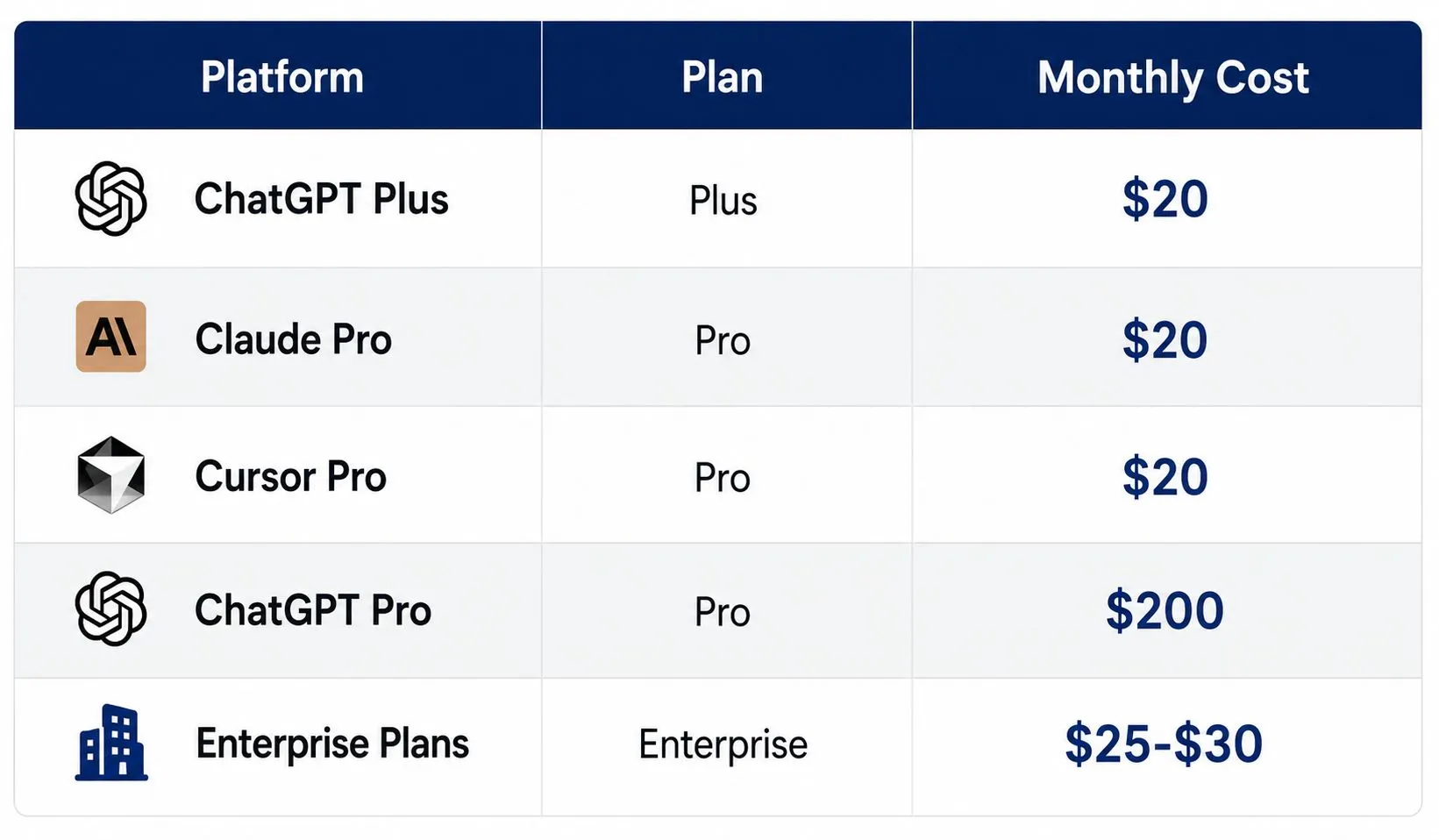
Cloud AI platforms offer zero-setup access to massive frontier models hosted on industrial server clusters.
The Advantages of Subscriptions
- Access to Giant Frontier Models: Subscriptions give you access to models with hundreds of billions of parameters that cannot run on home computers.
- Zero Maintenance: No driver updates, CUDA installations, or hardware troubleshooting.
- Multi-Modal Features: Built-in web browsing, image generation, voice interactions, and automated code interpreters out of the box.
The Limitations of Subscriptions
- Rate Limits: Even on paid tiers, you face usage caps (e.g., 40–80 messages every 3 hours during peak periods).
- Data Privacy: Your prompts and proprietary documents are sent over the internet to third-party data centers.
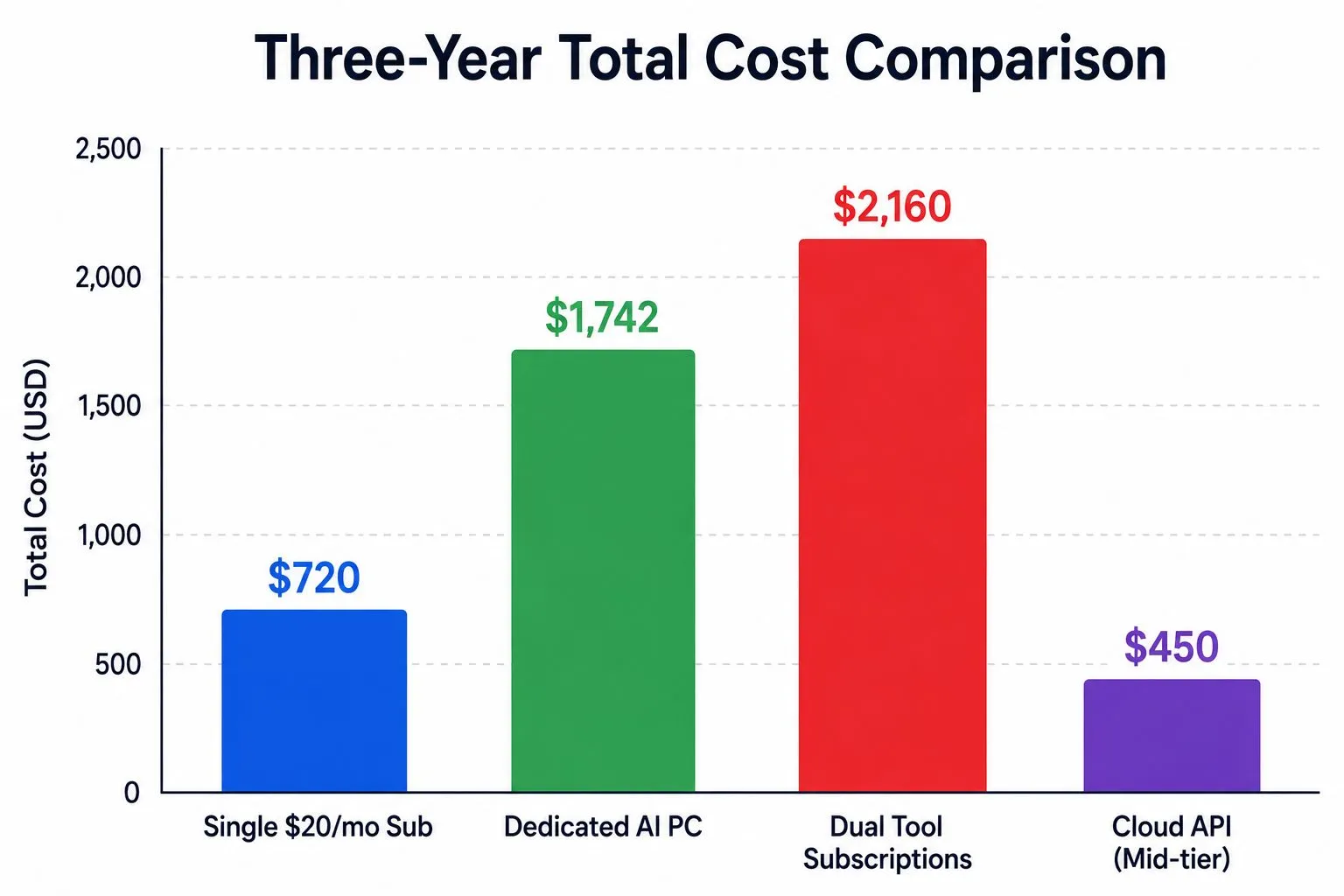
- Ongoing Cost: The subscription fee never ends. Over three years, a single $20/month subscription costs $720, while a dual tool stack (e.g., Claude Pro + Cursor) costs $1,440.
3. The Third Contender: Pay-As-You-Go Cloud APIs
Before comparing local hardware directly to subscriptions, you must consider pay-as-you-go APIs (via OpenRouter, Groq, Together AI, or direct provider APIs).
If you generate 500,000 tokens per day (roughly 375,000 words—a heavy workload for a single user):
- Using Lightweight Models (Llama 3.1 8B / GPT-4o-mini) at ~$0.15 to $0.30 per million tokens: Monthly cost: $2.25 – $4.50 / month.
- Using Mid-Tier Models (DeepSeek-V3 / Llama 3.3 70B) at ~$0.70 to $1.20 per million tokens: Monthly cost: $10.50 – $18.00 / month.
- Using Frontier Reasoning Models (Claude 3.5 Sonnet / o1) at ~$3.00 to $15.00 per million tokens: Monthly cost: $45.00 – $225.00 / month.
For many users, switching from a flat $20/month subscription to pay-as-you-go APIs for open models is cheaper than both a full subscription and buying local hardware.
4. Break-Even Analysis: When Does Local AI Pay for Itself?
To find out whether buying hardware makes financial sense, calculate your Break-Even Point:
Break-Even Months = Upfront Hardware Cost / (Monthly Subscription/API Cost - Monthly Electricity Cost)
Scenario A: The Single Subscription Replacement
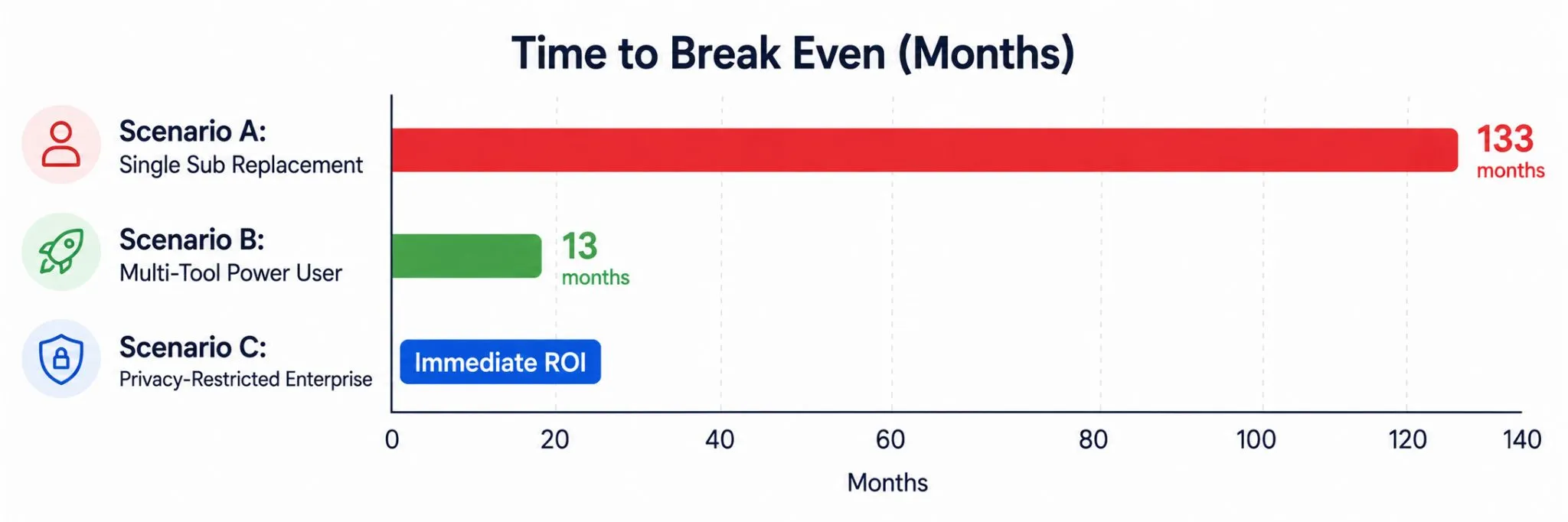
You currently pay $20/month ($240/year) for ChatGPT Plus. You spend $1,400 building a dedicated local AI PC. Monthly electricity is $9.50. Net Monthly Savings: $20 - $9.50 = $10.50 / month. Time to Break Even: $1,400 / $10.50 = 133 months (11.1 years).
Verdict: If you only use one $20 subscription, building a high-end PC purely to save money does not make financial sense. The hardware will become obsolete long before you break even.
Scenario B: The Multi-Tool Power User / Developer
You pay for Claude Pro ($20/mo) + Cursor ($20/mo) + ChatGPT Plus ($20/mo) = $60 / month ($720/year). You buy a used RTX 3090 and drop it into your existing desktop for $650. Monthly electricity is $10.00. Net Monthly Savings: $60 - $10 = $50.00 / month. Time to Break Even: $650 / $50 = 13 months (1.1 years).
Verdict: If you replace multiple active subscriptions and already have base computer parts, a local GPU pays for itself in just over a year.
Scenario C: The Privacy-Restricted Enterprise or Freelancer
Handling client healthcare records, financial books, or proprietary source code where cloud terms of service are prohibited.
Value of Local AI: Compliance protection, zero data retention risk, and elimination of data breach liabilities.
Verdict: The investment is justified immediately by legal and client privacy requirements, regardless of token math.
5. Non-Financial Factors to Weigh
Model Quality Gap
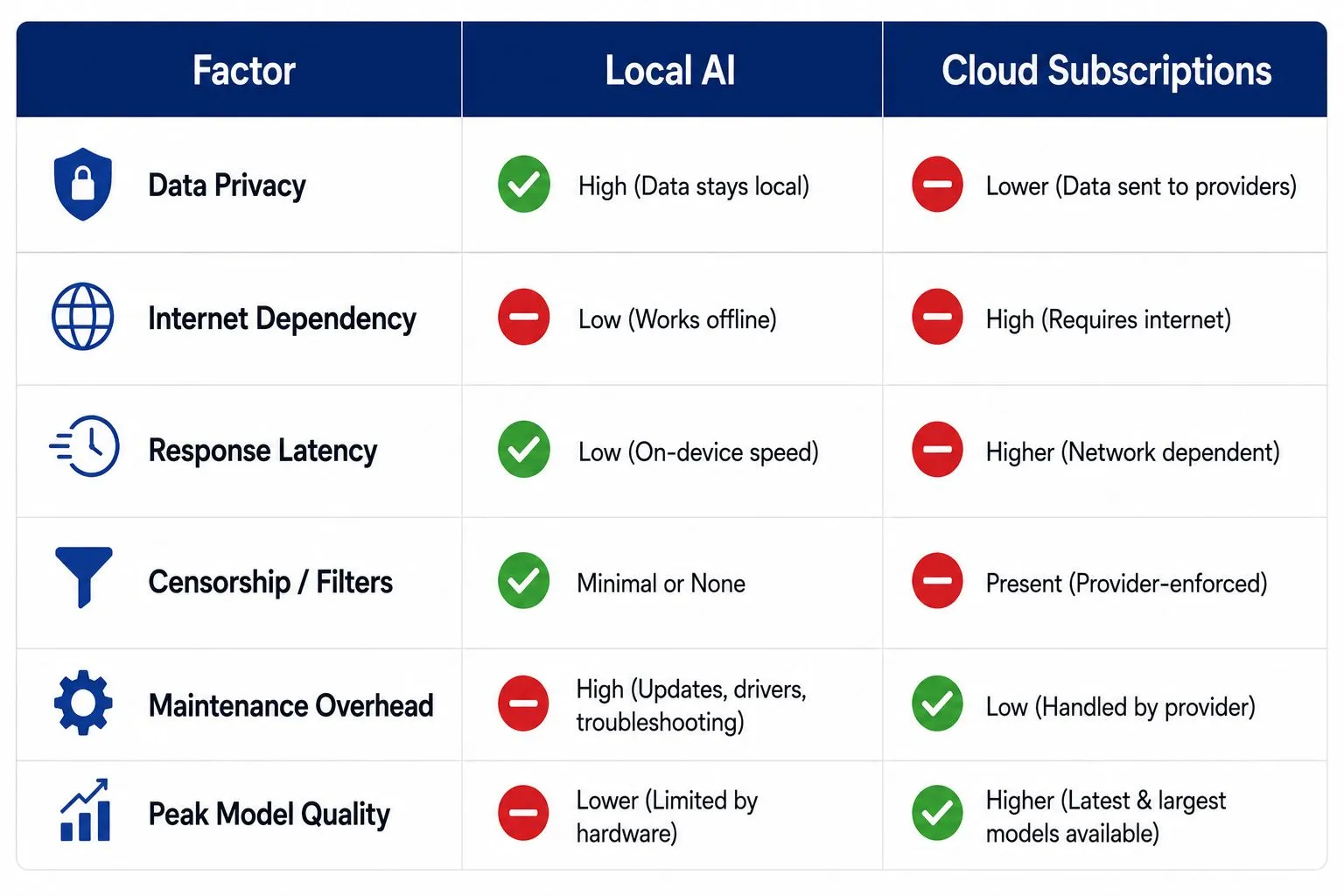
A local 8B or 14B model excels at code autocompletion, summaries, and structured data extraction. However, for deep multi-step logic, complex legal analysis, or creative writing, frontier cloud models remain noticeably ahead.
Context Windows
Cloud services offer context windows ranging from 128k to 2 million tokens. Local models are limited by your VRAM; loading a 32k context on a local 70B model requires significant extra memory.
Censorship and Control
Local models let you modify system prompts, adjust temperature parameters, and run uncensored models without corporate content filters blocking valid queries.
The Practical Recommendation
Choose a Paid Subscription if:
- You want the smartest available models (Claude 3.5 Sonnet, o1) for writing, complex reasoning, and research.
- You do not want to manage hardware, install drivers, or troubleshoot software libraries.
- Your workflow benefits from integrated mobile apps, speech mode, and web browsing.
Choose Pay-As-You-Go Cloud APIs if:
- You use AI intermittently and want to spend only $3 to $10 a month instead of a fixed $20 fee.
- You want to access diverse models (DeepSeek, Llama, Mistral) through tools like OpenRouter without running local hardware.
Choose Local AI if:
- You handle sensitive financial, legal, or personal data that must never leave your computer.
- You already own a gaming desktop or Apple Silicon Mac with high RAM.
- You want unmetered, offline access with zero rate limits and full control over your software environment.


Leave a Comment
Your comment is completely private and secure. We never publish comments publicly on our website. Your message will be sent directly to our team.