


The AI market is crowded. Every week, a new model launches. Every app asks for $20 per month. You cannot subscribe to all of them. That would cost you over $200 per month. So, what should you actually pay for? In 2026, the answer depends on your job. A writer needs different tools than a coder. A marketer needs different tools than a student. This guide breaks down the real value of each major AI subscription. I tested ChatGPT Plus, Claude Pro, Gemini Advanced, GitHub Copilot, Midjourney, and Perplexity Pro. I calculated the cost-per-hour for heavy users. By the end, you will know exactly which ai tool fits your budget and your workflow.
The $20 Problem: Why Choosing One Tool Matters
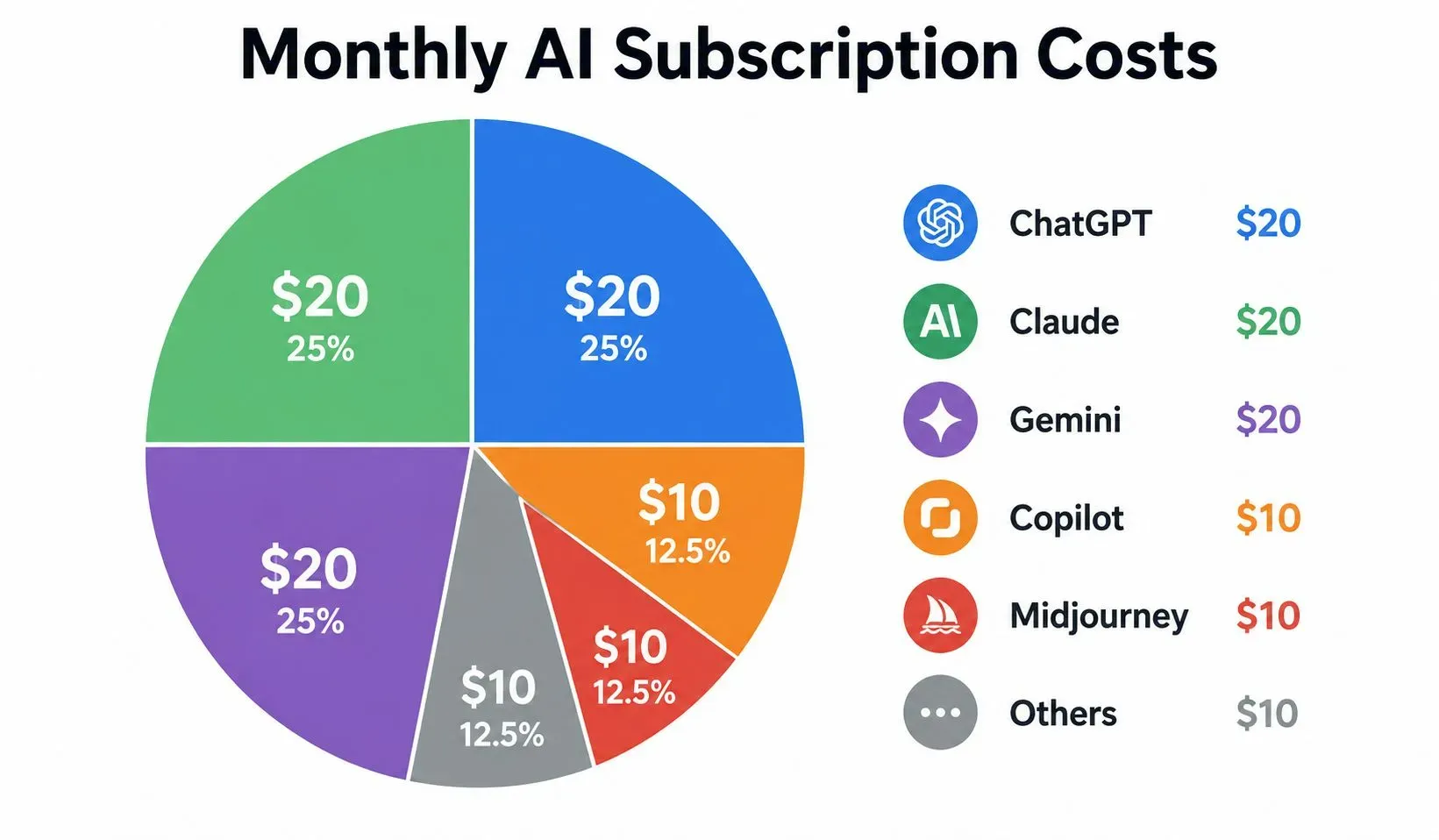
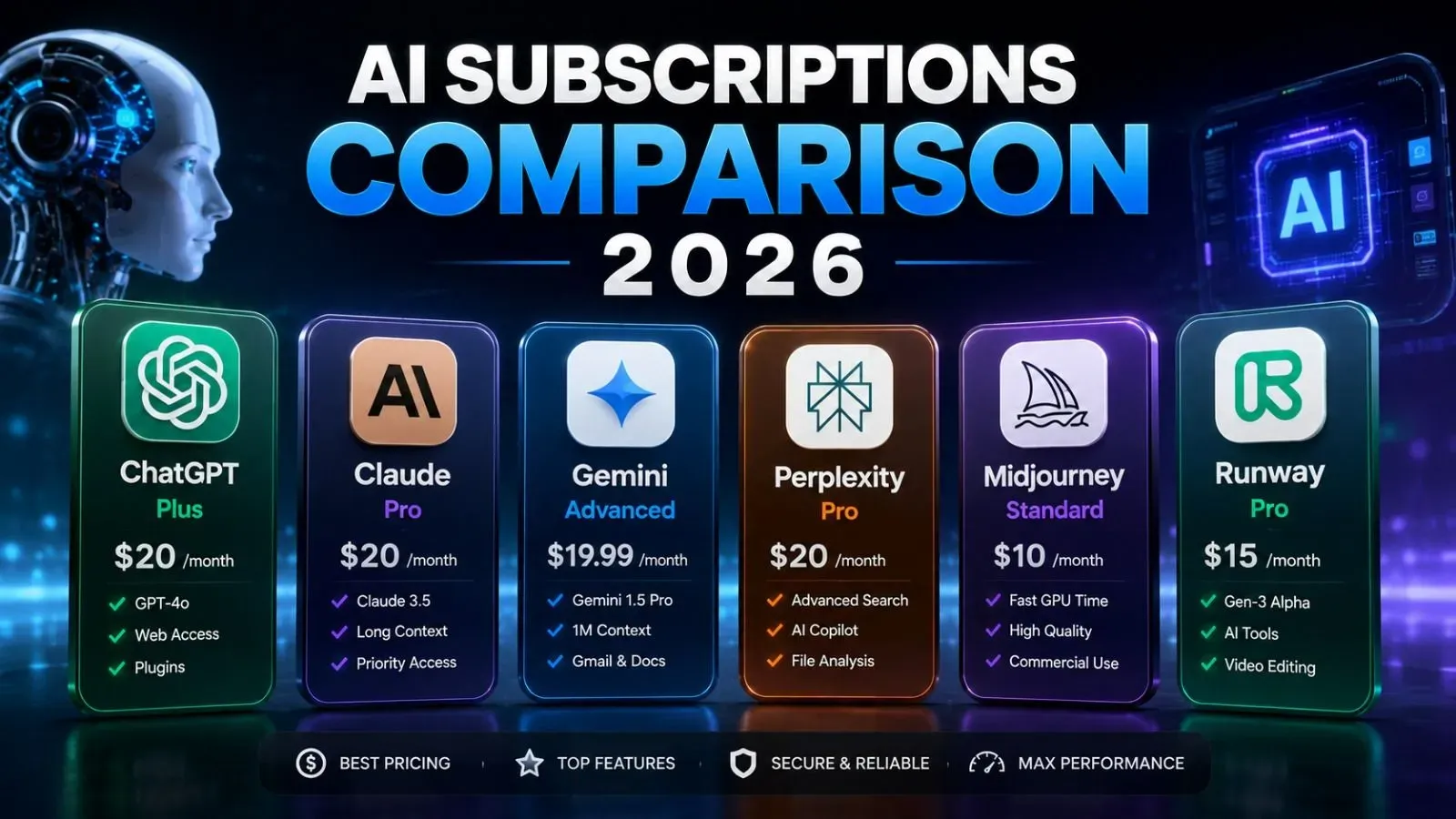
Almost every major AI platform costs around $20/month. ChatGPT Plus is $20. Claude Pro is $20. Gemini Advanced is $19.99. If you pay for all three, you spend $60/month. Add GitHub Copilot ($10) and Midjourney ($10), and you are at $80/month. For a student or a freelancer, that adds up fast. The key is to pick the one that matches your primary use case.
The 5 Major AI Subscriptions in 2026
1. ChatGPT Plus ($20/month) – The All-Rounder
ChatGPT Plus runs on GPT-5.5. It offers the best balance of writing, coding, and image generation. It has a huge ecosystem of Custom GPTs. You can build specialized assistants for SEO, email drafting, or data analysis. It is also the fastest tool for quick tasks. If you do a mix of writing, research, and light coding, this is your best bet.
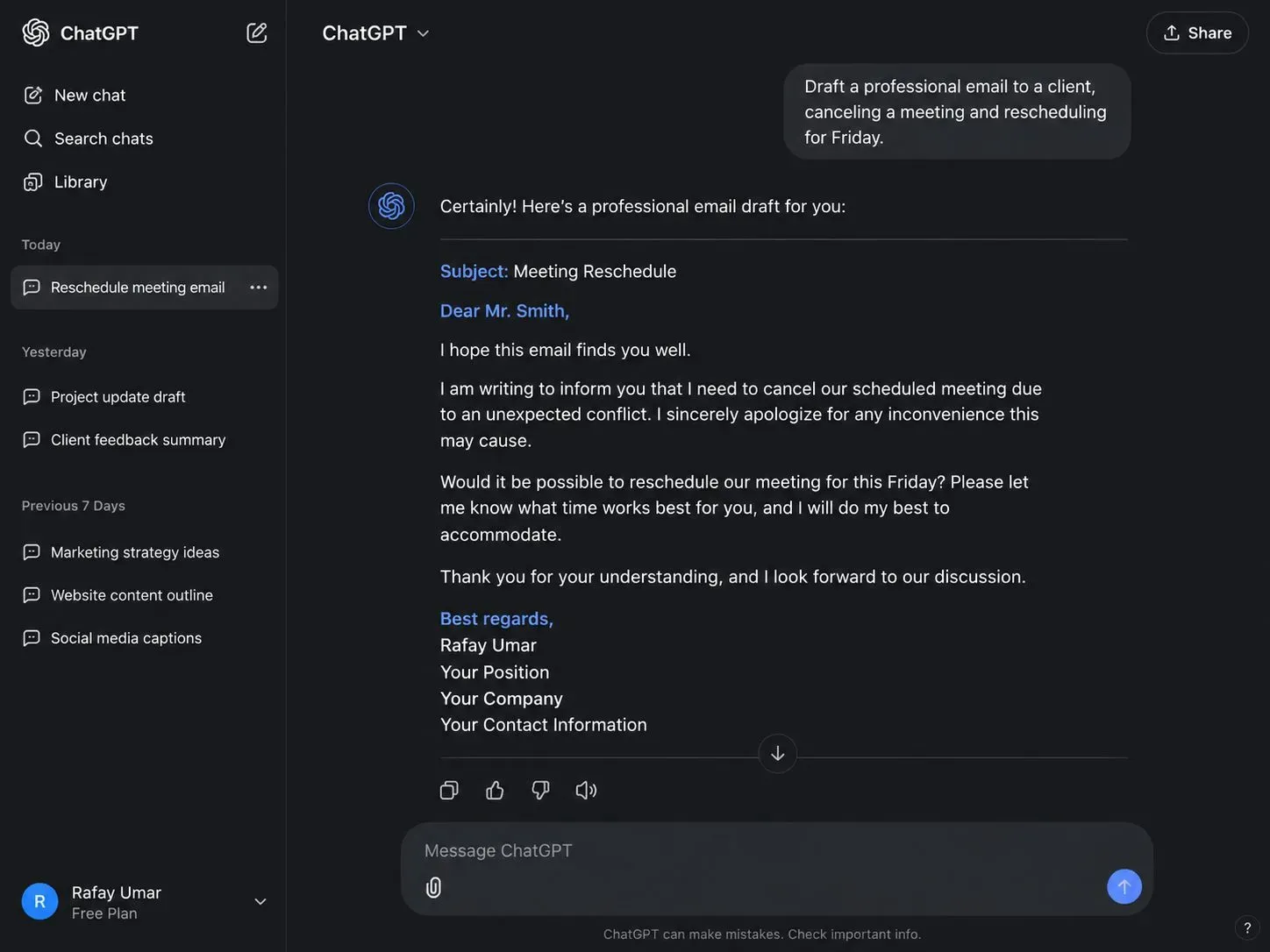
User: Draft a professional email to a client, canceling a meeting and rescheduling for Friday.
ChatGPT Plus: [Generates a full email draft with subject line and body.]
Best For: Writers, marketers, students, and general office work.
Limitation: It hallucinates on complex math.
2. Claude Pro ($20/month) – The Deep Thinker
Claude Pro runs on Opus 4.6. It has the best reasoning ability of any model. It handles 200K tokens of context (roughly 150,000 words). You can paste an entire book into its chat window. It excels at analyzing long PDFs, legal contracts, and technical documents. It also writes the most human-like prose. If you are a researcher, lawyer, or novelist, Claude Pro is worth the money.
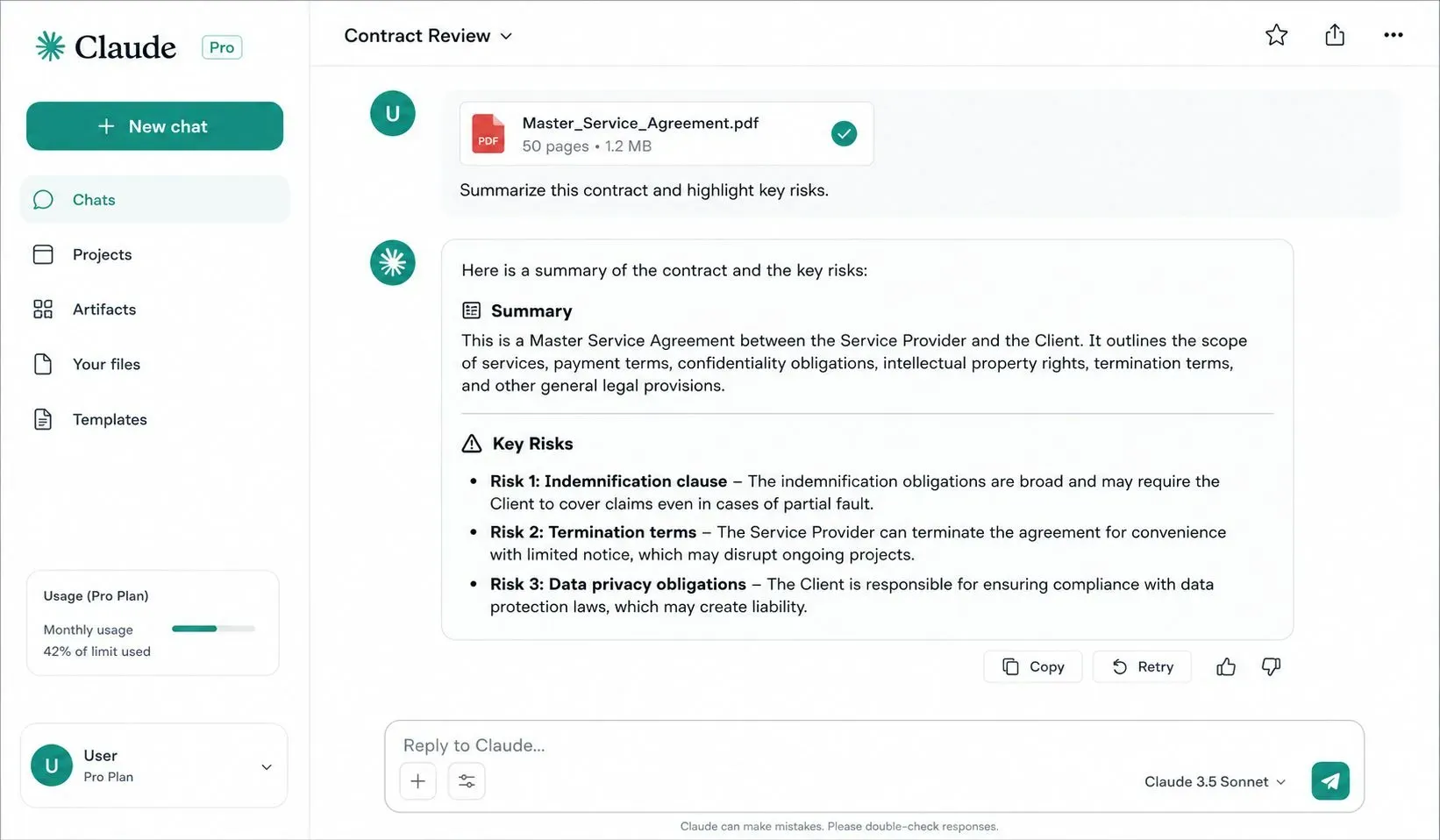
Best For: Researchers, legal professionals, novelists, and deep analysis.
Limitation: Slower than ChatGPT for quick tasks.
3. Gemini Advanced ($19.99/month) – The Google Ecosystem Tool
Gemini Advanced integrates directly with Google Workspace. It lives inside Gmail, Google Docs, and Google Sheets. You can ask it to summarize an email thread or draft a response in Docs. It has a 1M token context window. That is massive for reading long research papers. If you live inside the Google ecosystem, this is the smartest $20 you will spend.
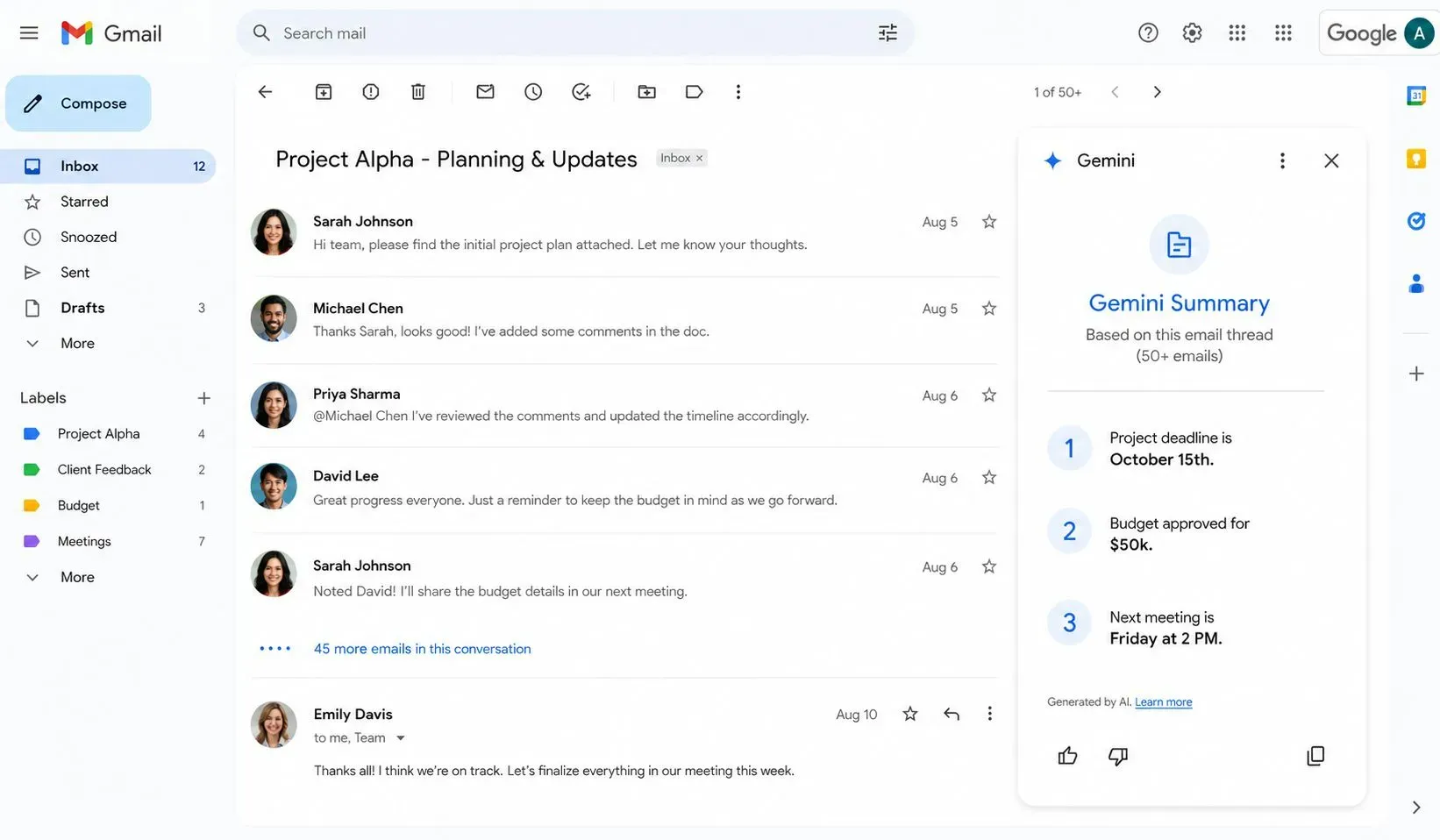
Best For: Google Workspace users, students, and long-document readers.
Limitation: Creative writing feels more generic than Claude.
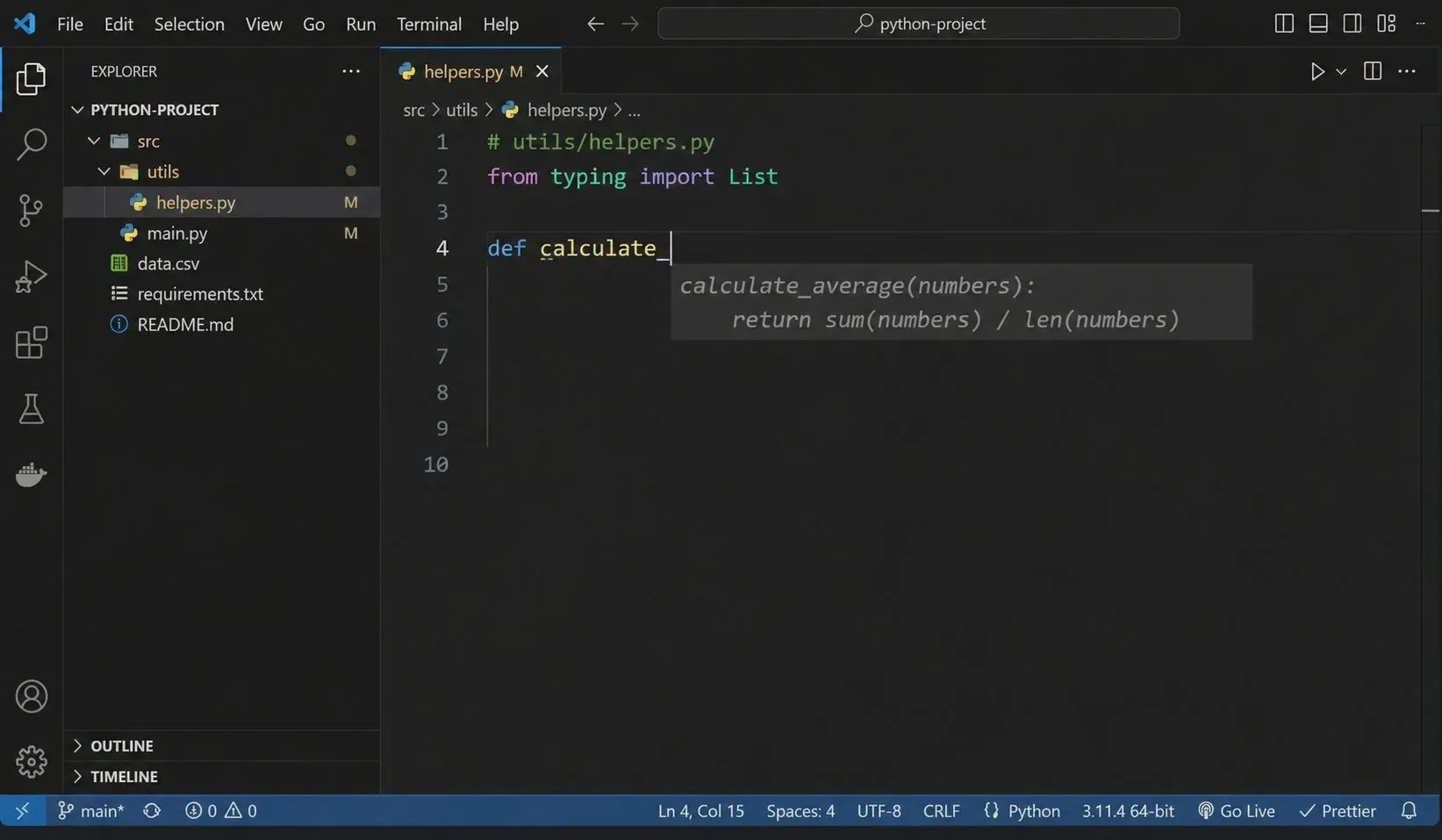
4. GitHub Copilot ($10/month) – The Coder's Best Friend
GitHub Copilot is the cheapest of the major AI subscriptions. It integrates directly into VS Code, IntelliJ, and other IDEs. It autocompletes code, writes functions, and explains errors. It makes developers 55% faster, according to a 2026 GitHub study. If you write code daily, this $10/month saves you 10 hours per week.
Best For: Software developers, data scientists, and DevOps engineers.
Limitation: Poor at writing natural language prose.
5. Midjourney ($10/month) – The Visual Artist
Midjourney is the gold standard for AI image generation. It produces stunning, cinematic-quality images. Designers use it for concept art, product mockups, and social media graphics. It is not a writing tool. It is a creative tool. If you need visual content, Midjourney is the best $10 you can spend.

Best For: Graphic designers, marketers, and content creators.
Limitation: No text generation capabilities.
6. Perplexity Pro ($20/month) – The Research Assistant
Perplexity Pro is the best AI for real-time research. It searches the web live and provides citations for every fact. It does not hallucinate as much as other models. It is perfect for journalists, students, and analysts who need accurate information. If you verify facts daily, this tool is a lifesaver.
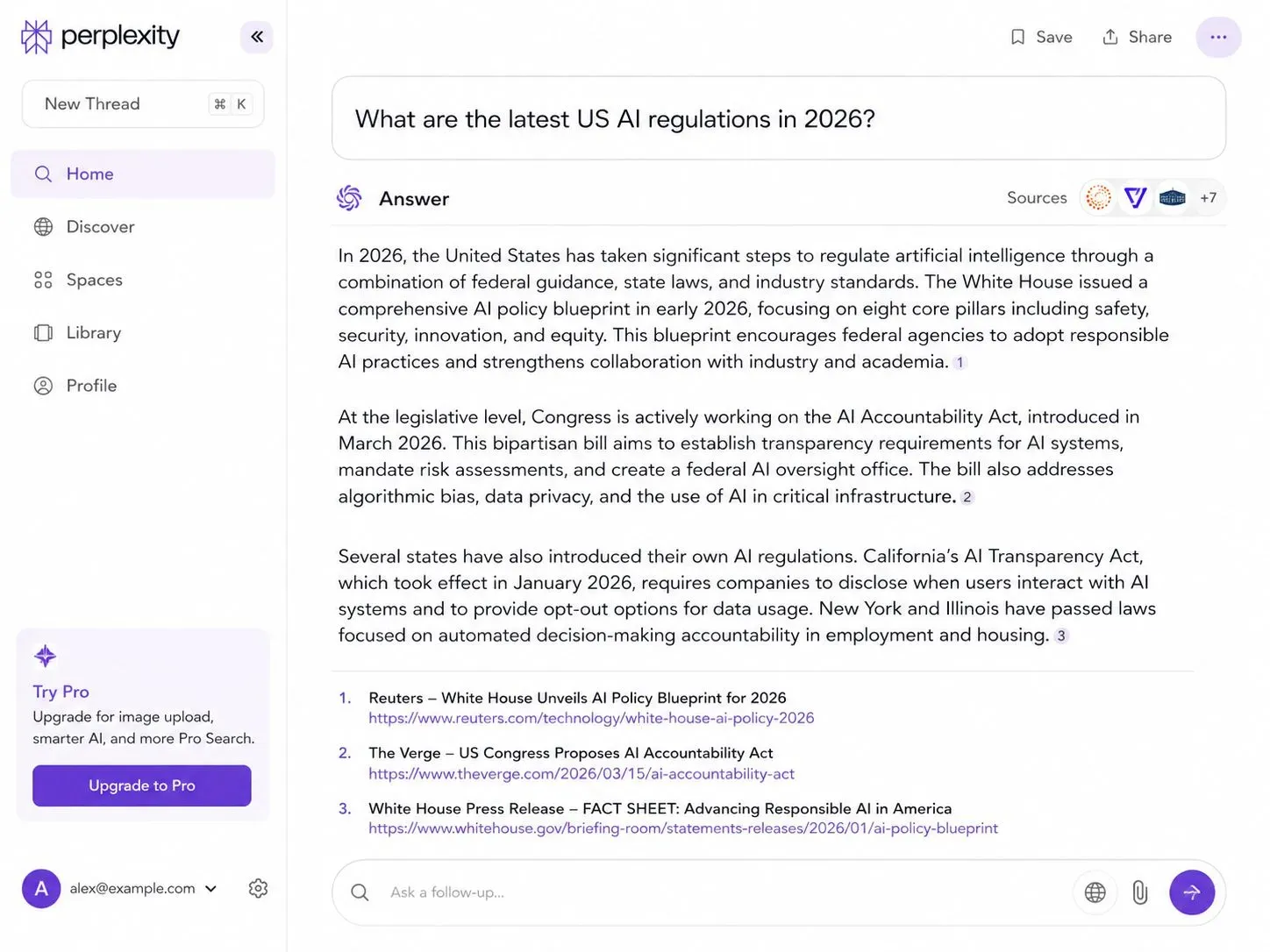
User: What are the latest US AI regulations in 2026?
Perplexity Pro: [Provides a summary with numbered citations and source links.]
Best For: Journalists, researchers, and fact-checkers.
Limitation: Not a creative writing tool.
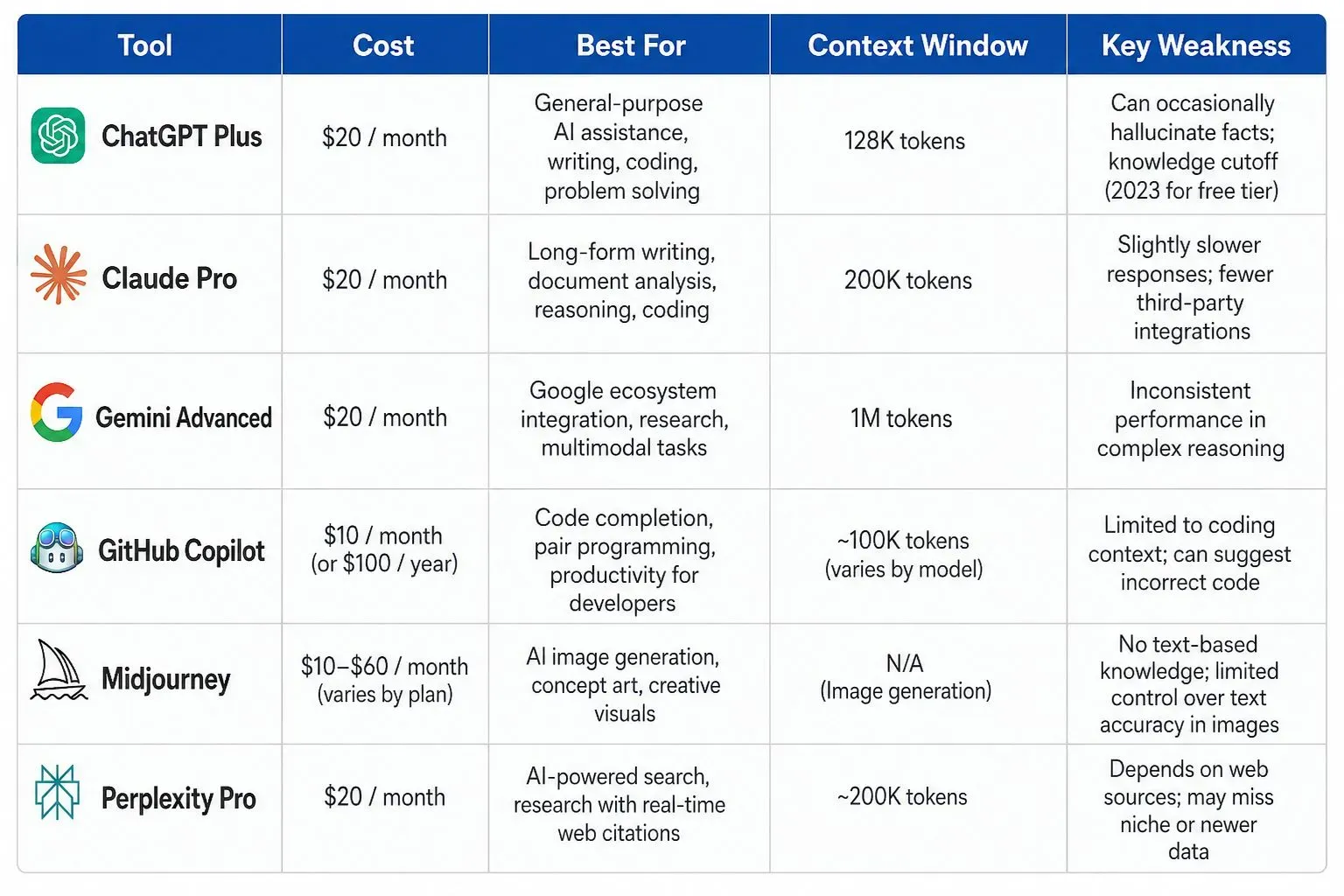
Quick Comparison Table: Which AI Tool Should You Pay For?
Real-World Scenarios: Who Should Pay for What?
Scenario 1: The Freelance Writer
You write blog posts, emails, and social media content. You need a tool that writes well and quickly. Claude Pro gives you the best prose. ChatGPT Plus is faster for quick drafts. Both are good, but Claude Pro's 200K context window allows you to paste entire research PDFs and summarize them. Choose Claude Pro.
Scenario 2: The Software Developer
You write Python, JavaScript, and SQL daily. GitHub Copilot is non-negotiable. It autocompletes your code instantly. For debugging complex issues, add ChatGPT Plus for extra reasoning. Together, they cost $30/month. This is cheaper than one hour of a developer's time.

"I saved 15 hours per week using GitHub Copilot."
James is a freelance developer from Chicago. He used to spend 20 hours a week writing boilerplate code. He subscribed to Copilot and reduced that to 5 hours. He now works on higher-value tasks and earns 30% more per project.
Scenario 3: The University Student
You take notes, write essays, and research papers. Gemini Advanced integrates with Google Docs, which is free for most students. Perplexity Pro helps with citations and fact-checking. For $19.99/month, Gemini is the best investment for a student.
Scenario 4: The Graphic Designer
You create logos, social media graphics, and concept art. Midjourney is the only tool you need. It costs $10/month and produces professional-quality images. Pair it with ChatGPT Plus to write the text prompts for the images. The total cost is $30/month.
How to Calculate Your "Cost Per Month" to See if It's Worth It
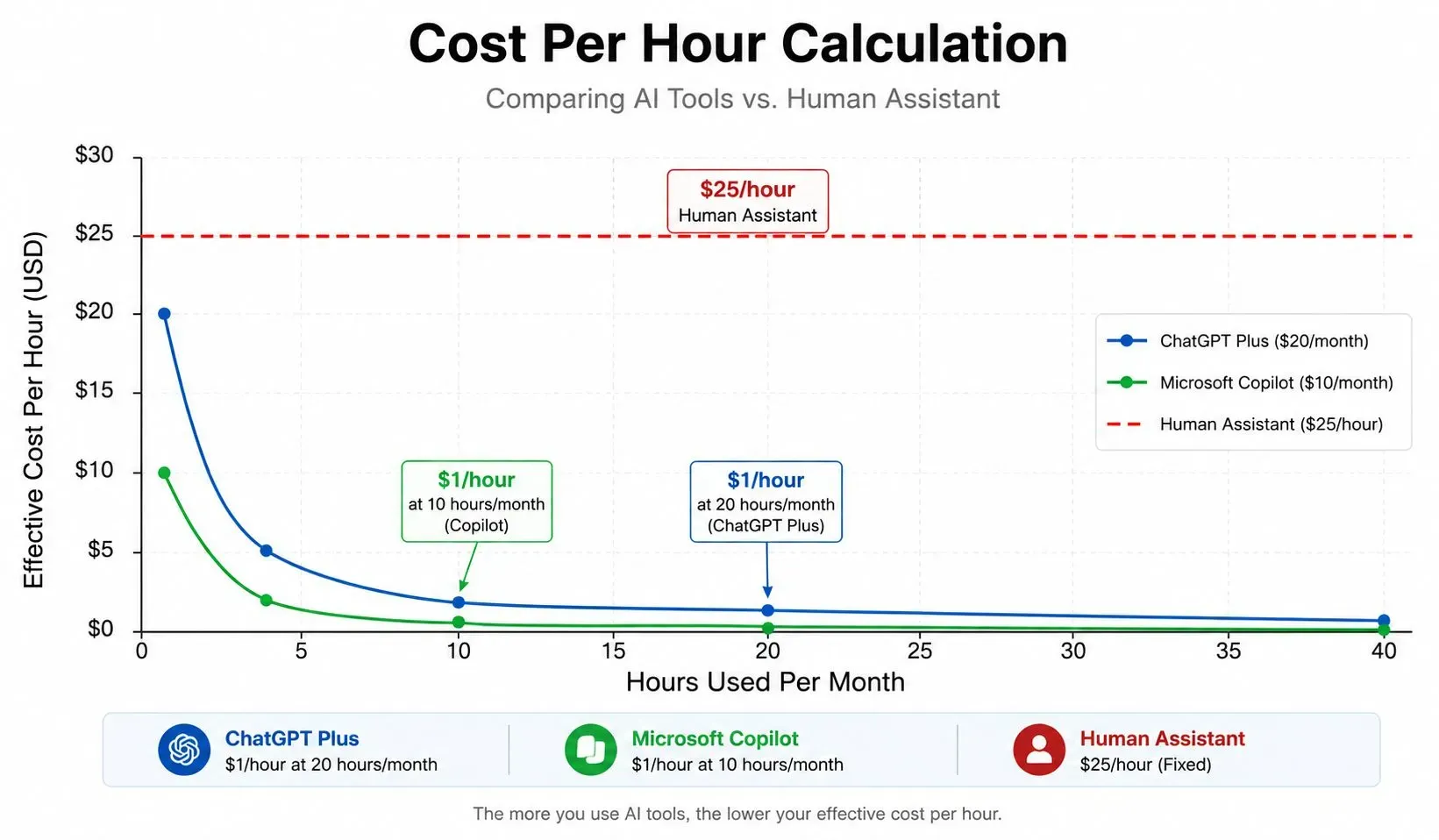
Many people treat AI subscriptions as monthly bills. Instead, treat them as an hourly rate. If you use ChatGPT Plus for 5 hours per week, that is 20 hours per month. $20 divided by 20 hours equals $1 per hour. That is incredibly cheap. Compare that to a human assistant who costs $25 per hour. The math is clear. If you use an AI subscription for more than 4 hours per month, it pays for itself.
The "Free Tier" Trap: When to Upgrade
Almost every tool has a free tier. ChatGPT has GPT-4o mini. Claude has a basic free tier. But these free versions have strict rate limits. You might get 10-20 messages per day. Once you hit that limit, you wait. This kills productivity. If you use AI for work, the free tier is a trap. You will waste time waiting for resets. Upgrade to the paid tier the moment you find yourself hitting the limit daily.
Future Trends in 2026: AI Price Wars
In August 2026, OpenAI announced a new "Work" tier for $30/month with double the GPT-5.5 quota. Google is rumored to release a cheaper student plan for $9.99/month. Anthropic introduced a "Team" plan at $25/user/month. Prices are dropping, and features are improving. If you are on the fence, wait for Black Friday or Cyber Monday. Most platforms offer 50% off discounts.


Leave a Comment
Your comment is completely private and secure. We never publish comments publicly on our website. Your message will be sent directly to our team.