


OpenAI's API is the easiest way to add AI powers to your Python applications. In 2026, OpenAI released the GPT-5.5 series, which is faster and cheaper than ever before. The new responses API and real-time audio features have made building apps incredibly simple. Whether you want a chatbot, an image generator, or a sentiment analyzer, the API handles the complex AI work. You just write Python code to connect to it. This guide walks you through 5 real-world projects, step-by-step. We also look at how ai in education policy news today is shaping the use of these tools in classrooms. Let's build your first AI-powered applications.
1. Setting Up Your OpenAI API Environment
Before you build any projects, you need to connect your Python environment to OpenAI. This process is quick and requires only a few lines of code. This foundational step is essential for modern edge ai news and local application development.
Step 1: Get Your API Key
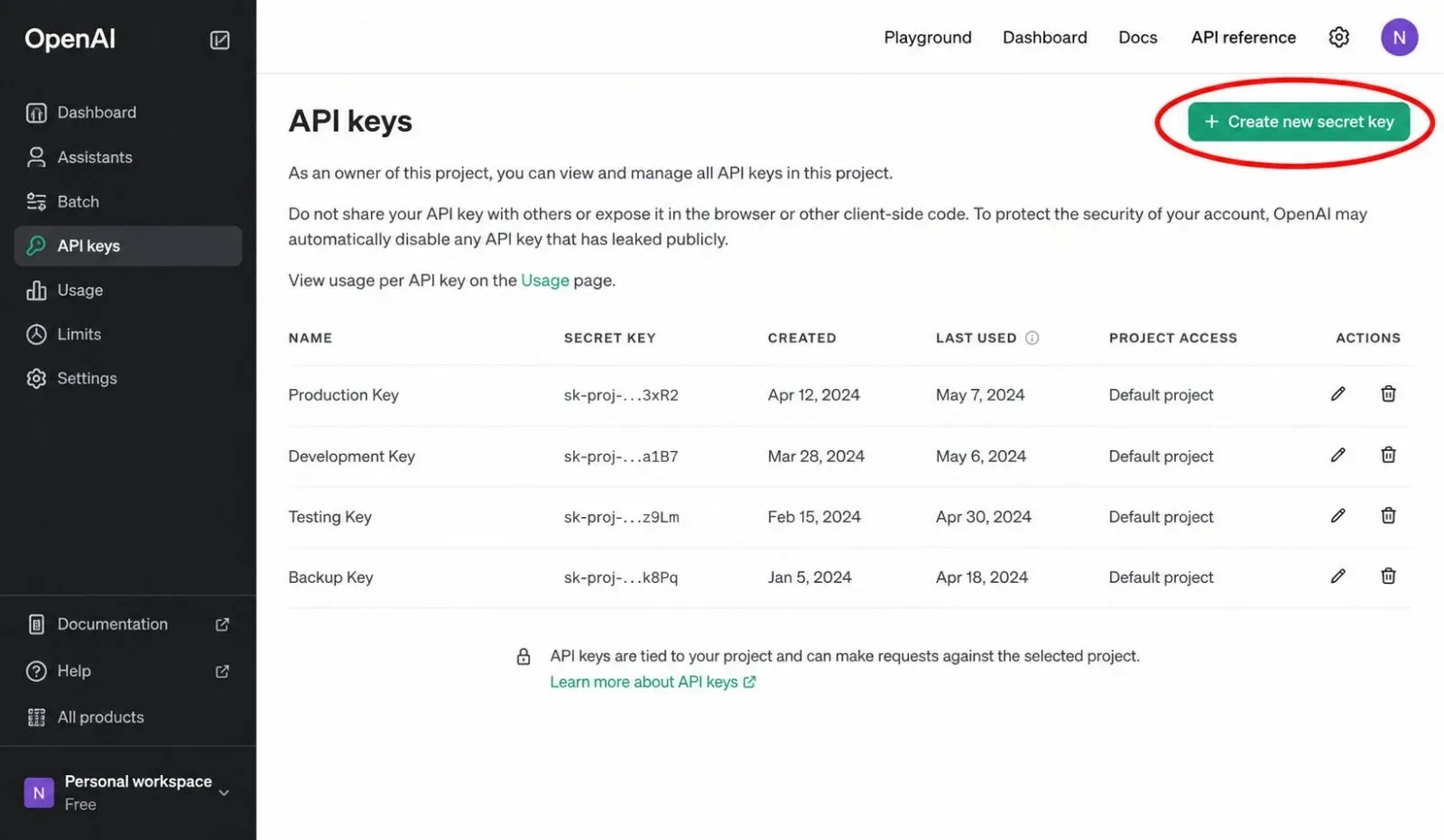
Visit the OpenAI platform at platform.openai.com. Create an account and navigate to the API keys section. Click "Create new secret key". Copy the key immediately and keep it safe. Never share your key publicly; this is a critical part of ai compliance news and security best practices.
Step 2: Install the OpenAI Python Library
Open your terminal or command prompt. Run the following command to install the latest version of the OpenAI Python package:
pip install openai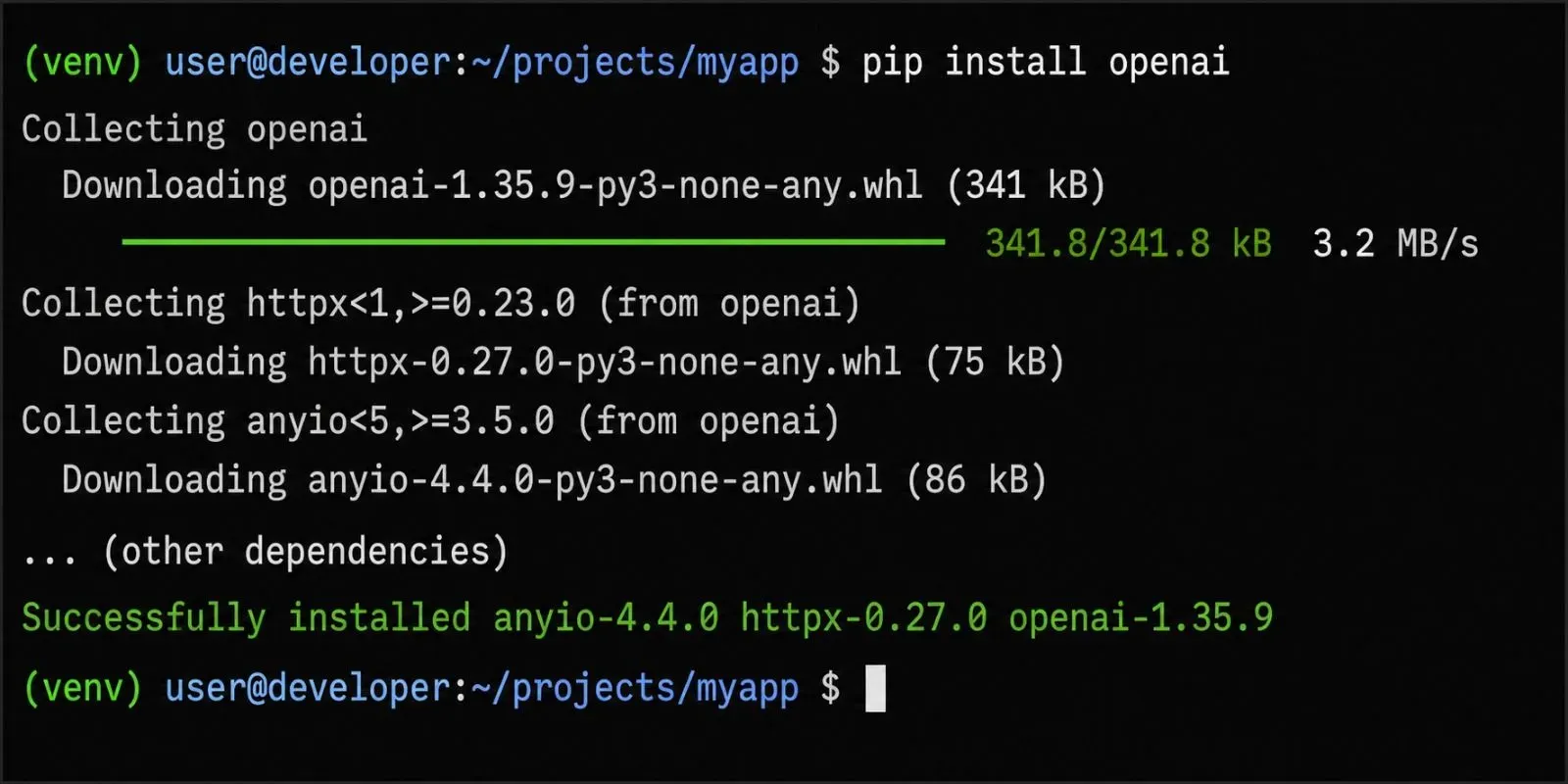
Step 3: Set Up Your Python Script
Create a new Python file (e.g., app.py). Add the following code to test your connection:
from openai import OpenAI

client = OpenAI(api_key="YOUR_OPENAI_API_KEY")

response = client.responses.create(
    model="gpt-5.5-mini",
    input="Say 'Hello, API!' in a friendly tone."
)

print(response.output_text)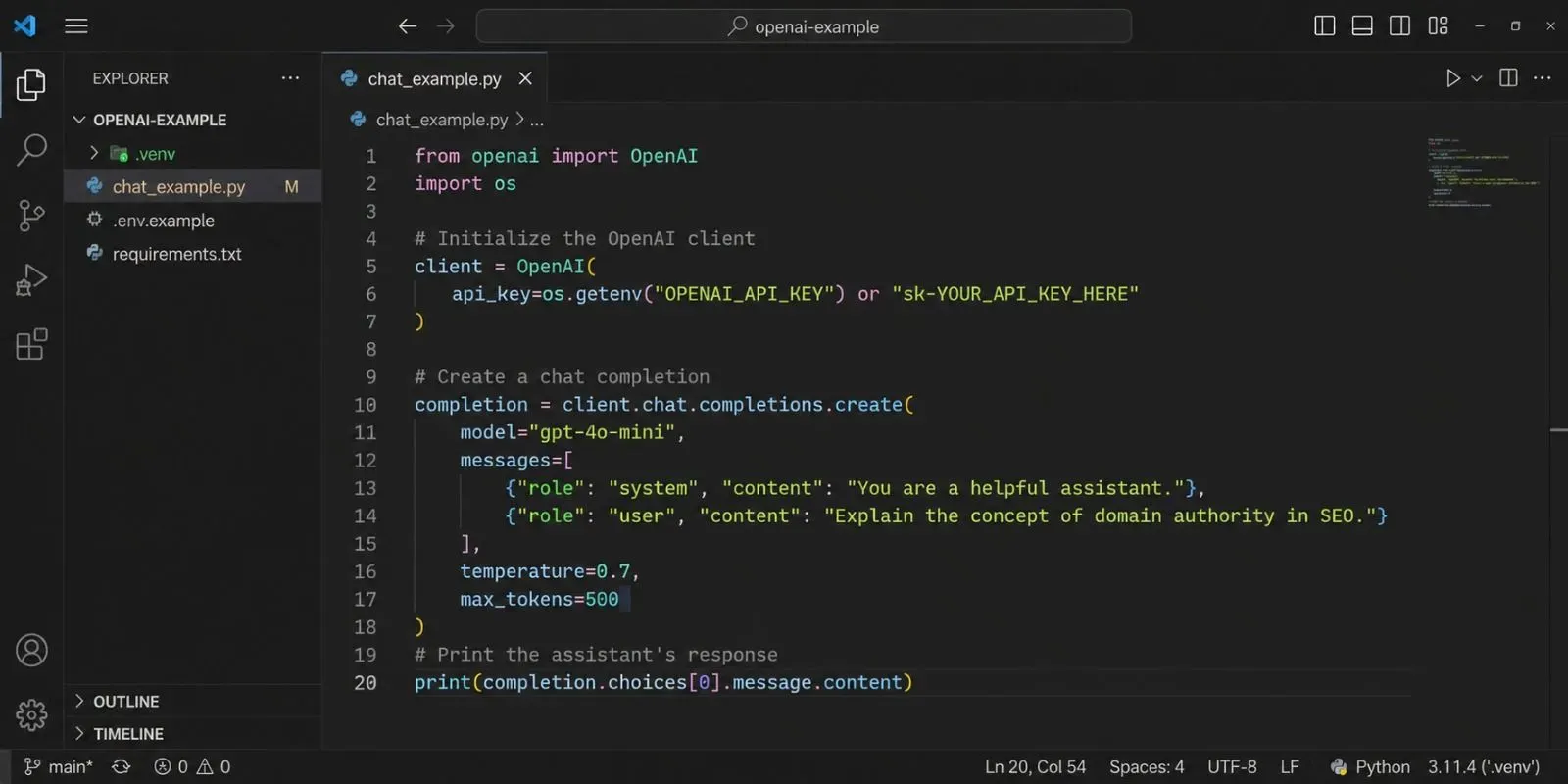
2. Project 1: Build a Real-Time AI Chatbot
The Core Logic
A chatbot is the most common use of the OpenAI API. You send a user's message to the API, and the model returns a reply. In 2026, OpenAI's new responses API handles the entire conversation history automatically, which simplifies the code significantly. This project is a favorite in sales ai news as companies use AI chatbots to handle customer inquiries 24/7.
The Python Code
This script takes user input and replies as a helpful assistant:
from openai import OpenAI

client = OpenAI(api_key="YOUR_OPENAI_API_KEY")

print("Chatbot is ready! Type 'quit' to exit.")

while True:
    user_input = input("You: ")
    if user_input.lower() == "quit":
        break

    response = client.responses.create(
        model="gpt-5.5-mini",
        input=user_input
    )

    print(f"AI: {response.output_text}")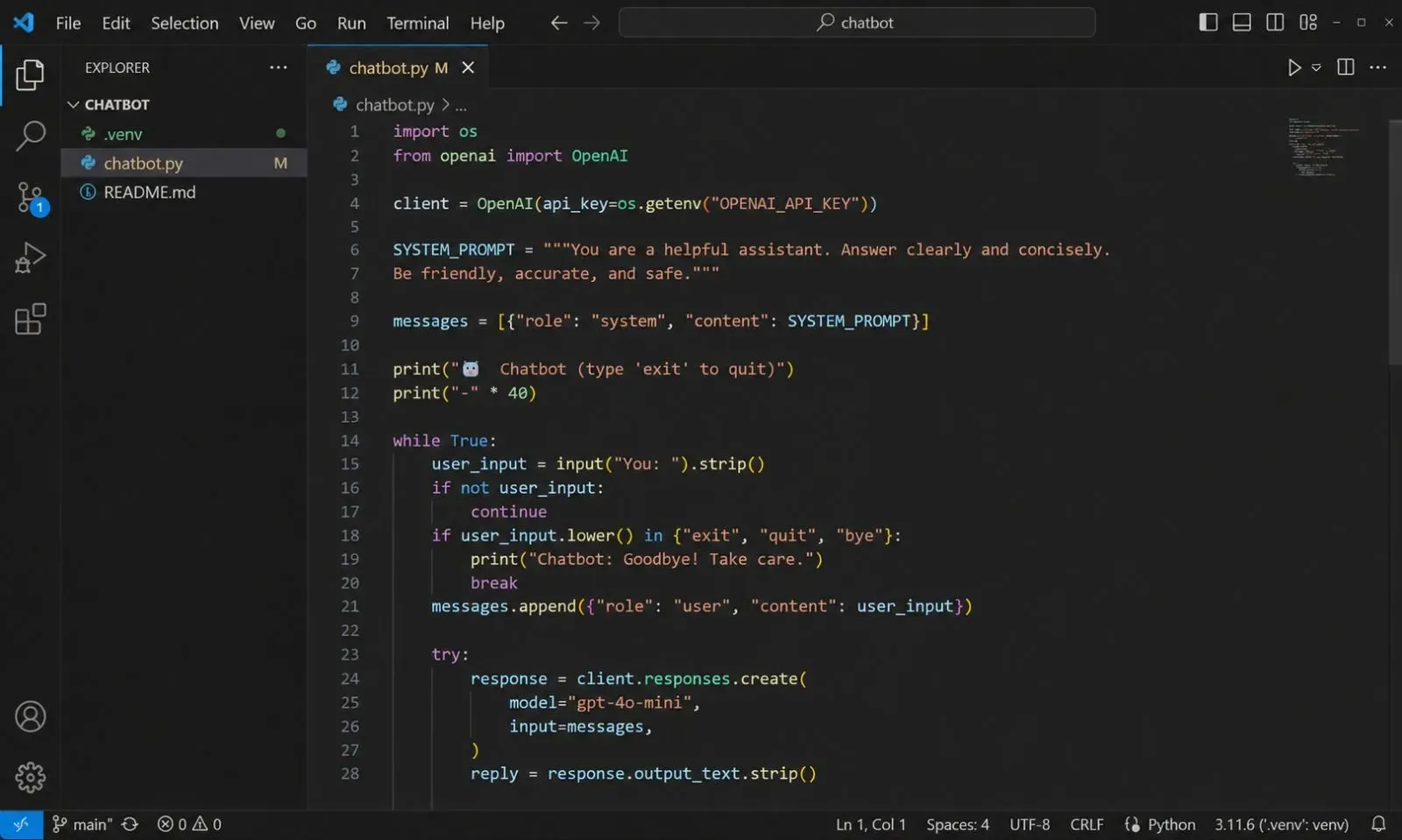
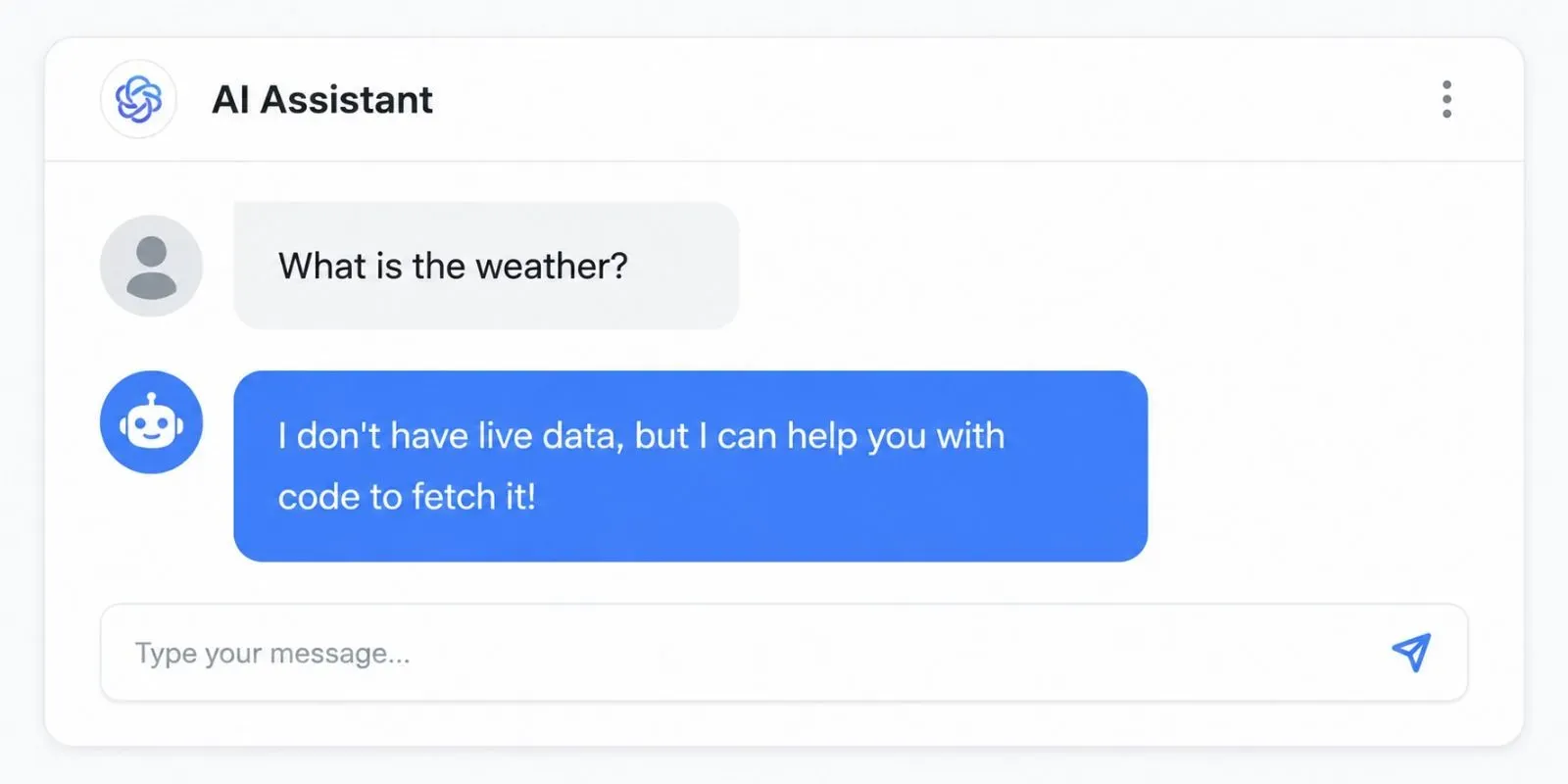
Demo Output:
User: What is the weather?
AI: I don't have live data, but I can help you with code to fetch it!
3. Project 2: Create an AI-Powered Text Summarizer
The Core Logic
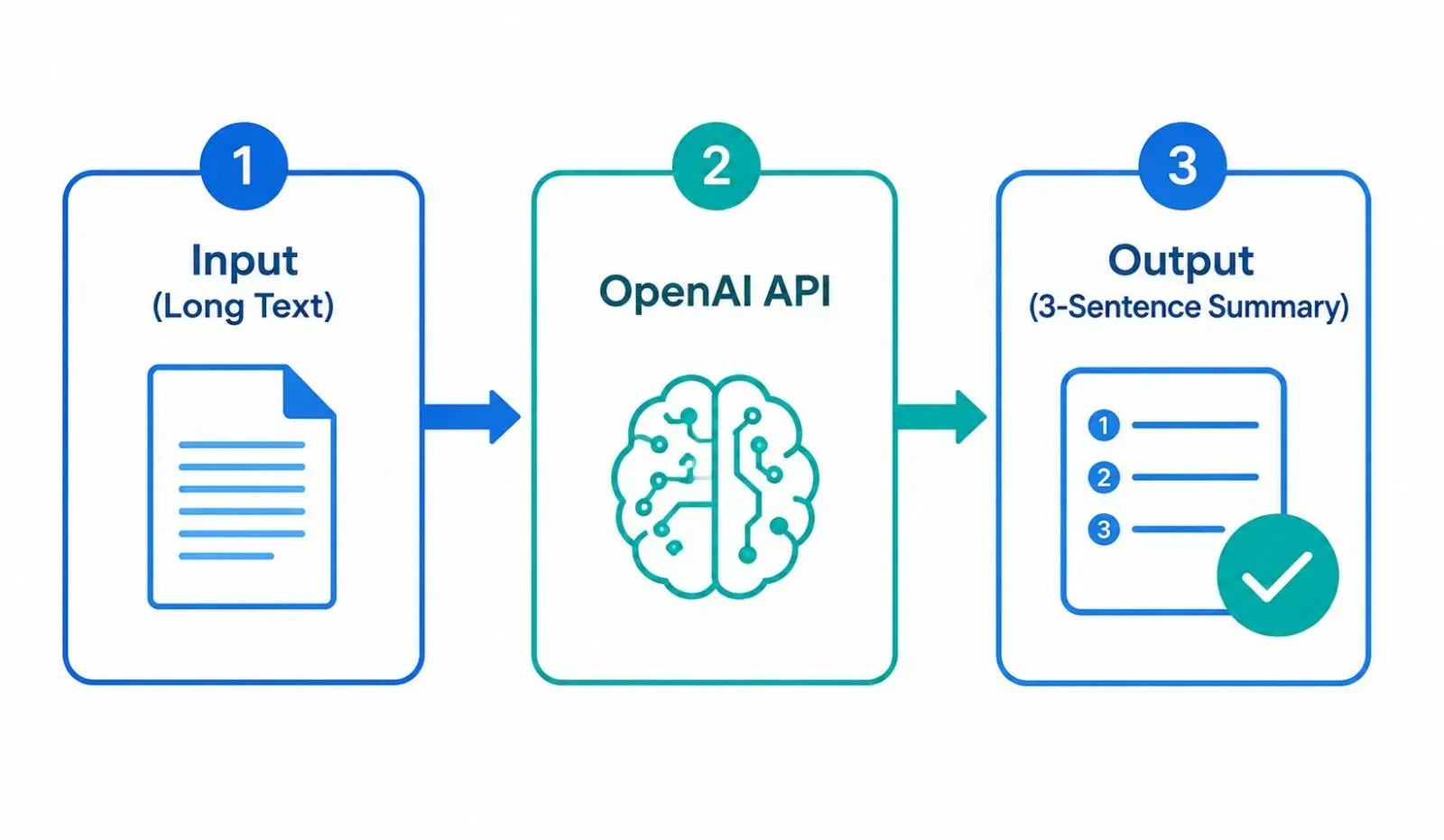
Summarization is a critical task for researchers, students, and business professionals. You give the API a long article, and it gives you a concise, well-written summary. This functionality is increasingly used in japan ai news for summarizing lengthy government documents, and in digital pathology ai news for condensing medical research papers.
The Python Code
This function takes a long text and returns a 3-sentence summary:
from openai import OpenAI

client = OpenAI(api_key="YOUR_OPENAI_API_KEY")

def summarize_text(text):
    response = client.responses.create(
        model="gpt-5.5-mini",
        input=f"Summarize the following text in 3 clear sentences:\n\n{text}"
    )
    return response.output_text

# Example usage
long_text = "Insert a 500-word news article here."
print(summarize_text(long_text))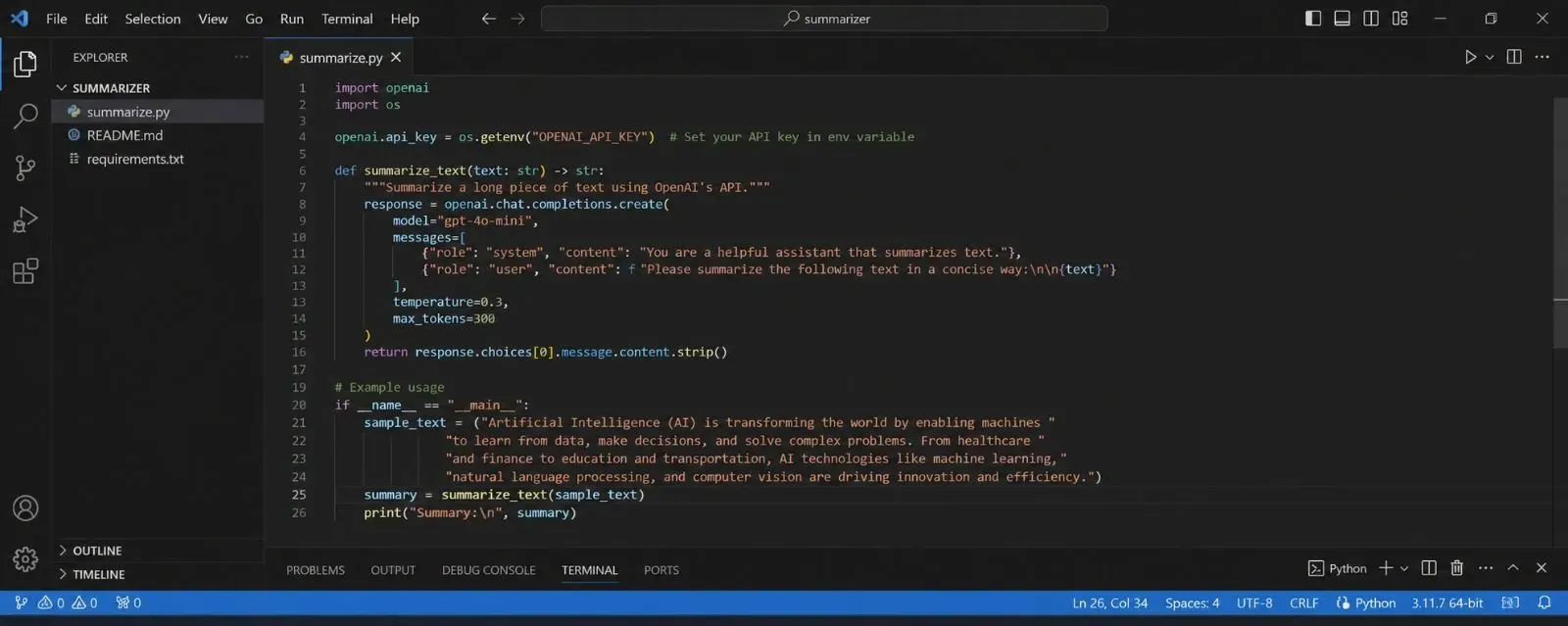
4. Project 3: Generate Images with DALL-E 3
The Core Logic
OpenAI's DALL-E 3 model allows you to generate entirely new images from a text description. You provide a prompt, and the API returns a URL to the generated image. This is the technology behind much of generative ai video news and digital art creation. It is also a hot topic in copyright ai music news and art, as it raises questions about ownership.
The Python Code
This script generates an image and saves it to a file:
from openai import OpenAI

client = OpenAI(api_key="YOUR_OPENAI_API_KEY")

response = client.images.generate(
    model="dall-e-3",
    prompt="A serene cyberpunk city at night with neon lights reflecting on wet streets.",
    size="1024x1024",
    quality="standard",
    n=1,
)

image_url = response.data[0].url
print(f"Image generated: {image_url}")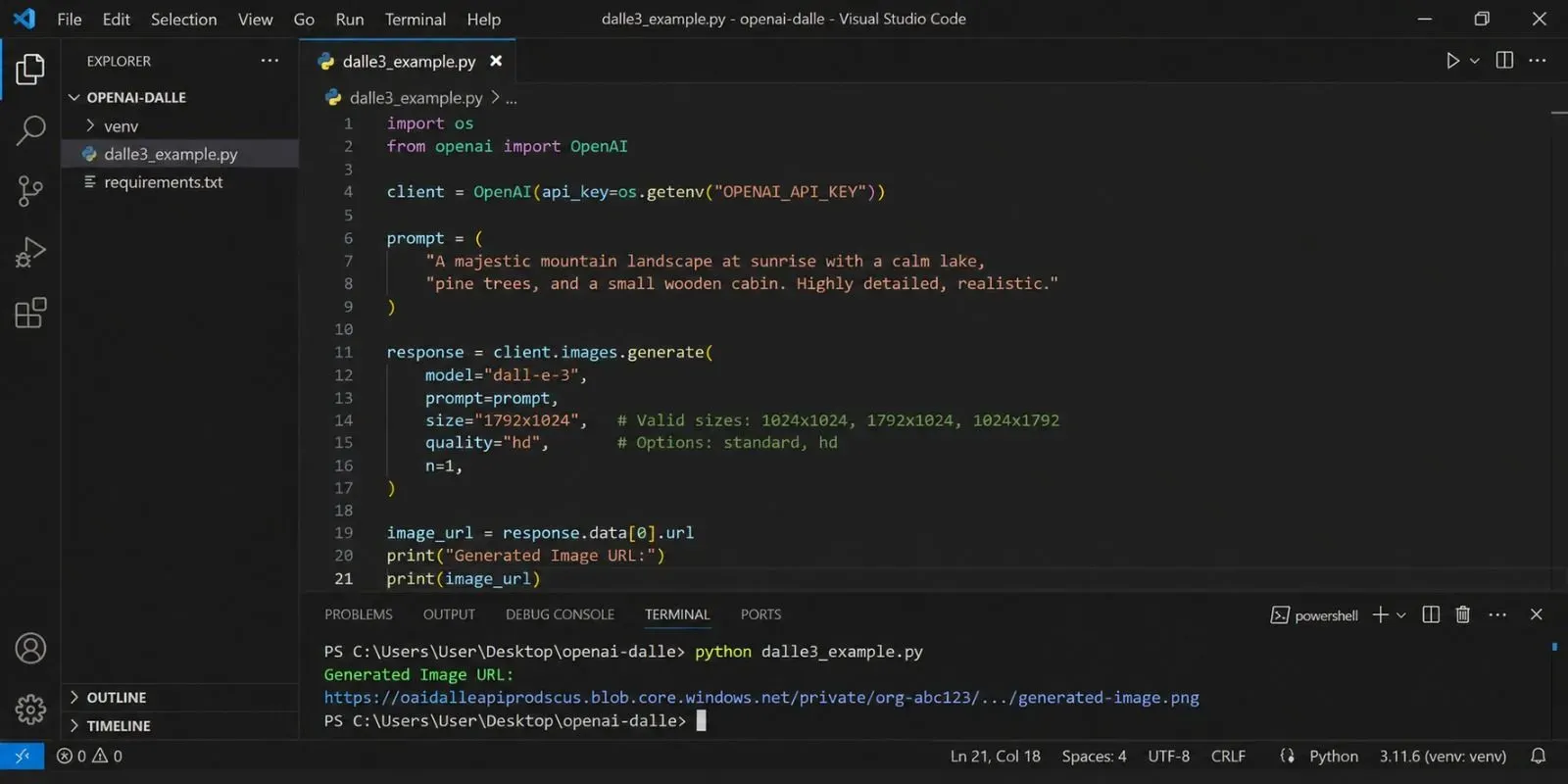

5. Project 4: Build an Interactive Quiz Creator
The Core Logic
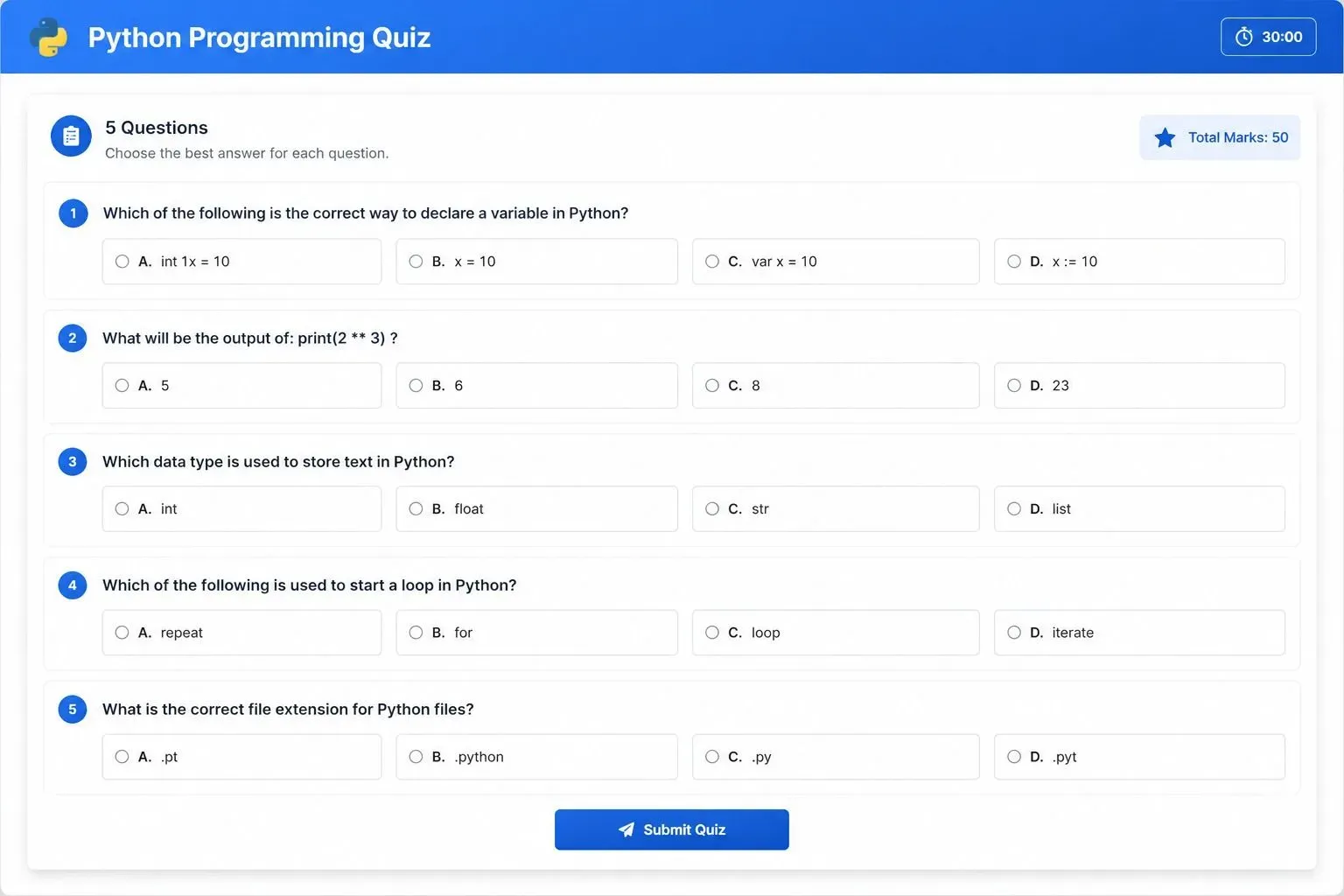
You can use the API to generate educational content like quizzes. You provide a topic, and the API generates multiple-choice questions with the correct answers. This is a perfect application for ai in education policy news today, where teachers are using AI to create custom assessments for students.
The Python Code
This script generates a 5-question quiz on any topic:
from openai import OpenAI

client = OpenAI(api_key="YOUR_OPENAI_API_KEY")

def generate_quiz(topic):
    response = client.responses.create(
        model="gpt-5.5-mini",
        input=f"Generate 5 multiple-choice questions about {topic}. Format as JSON: [{'question': '...', 'options': ['A','B','C','D'], 'answer': 'A'}]"
    )
    return response.output_text

topic = "Python programming"
print(generate_quiz(topic))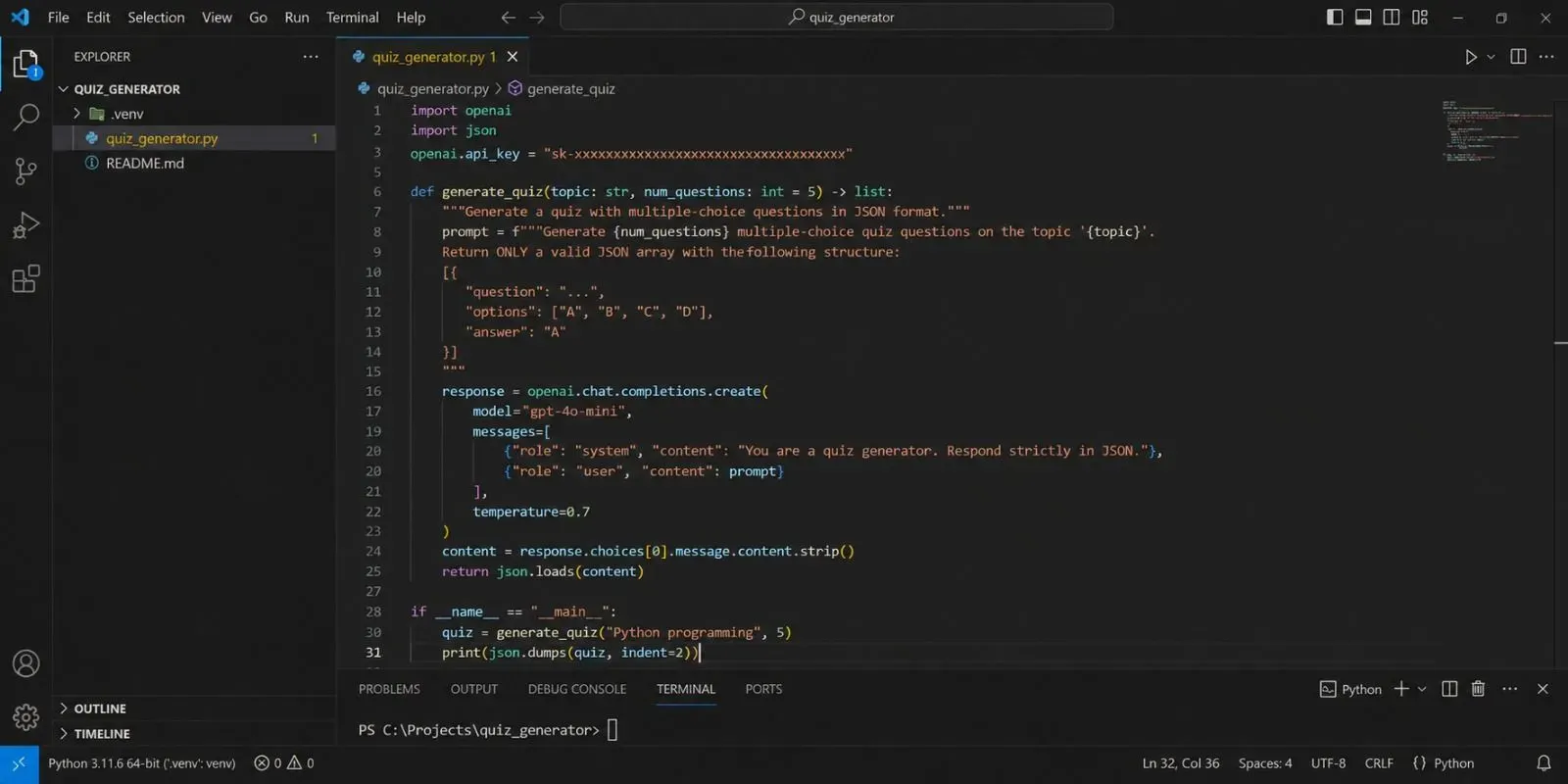
6. Project 5: Build a Sentiment Analyzer
The Core Logic
Sentiment analysis determines whether a piece of text expresses positive, negative, or neutral emotions. This is widely used in customer service automation, which is a major part of contact center ai news. It helps companies understand customer feedback and improve their support teams.
The Python Code
This script analyzes the sentiment of a customer review:
from openai import OpenAI

client = OpenAI(api_key="YOUR_OPENAI_API_KEY")

def analyze_sentiment(text):
    response = client.responses.create(
        model="gpt-5.5-mini",
        input=f"Analyze the sentiment of this text. Reply only with 'Positive', 'Negative', or 'Neutral':\n\n{text}"
    )
    return response.output_text

review = "The product is excellent, but the shipping was very slow."
print(analyze_sentiment(review))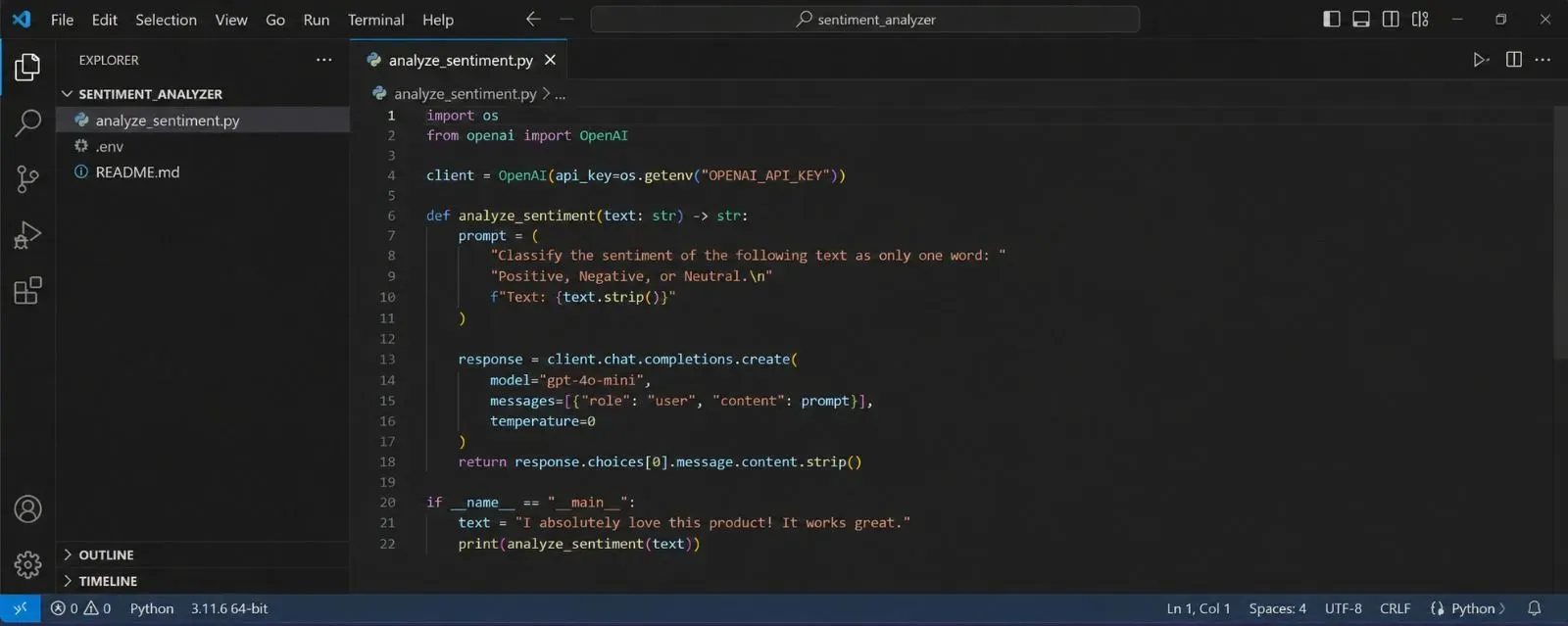
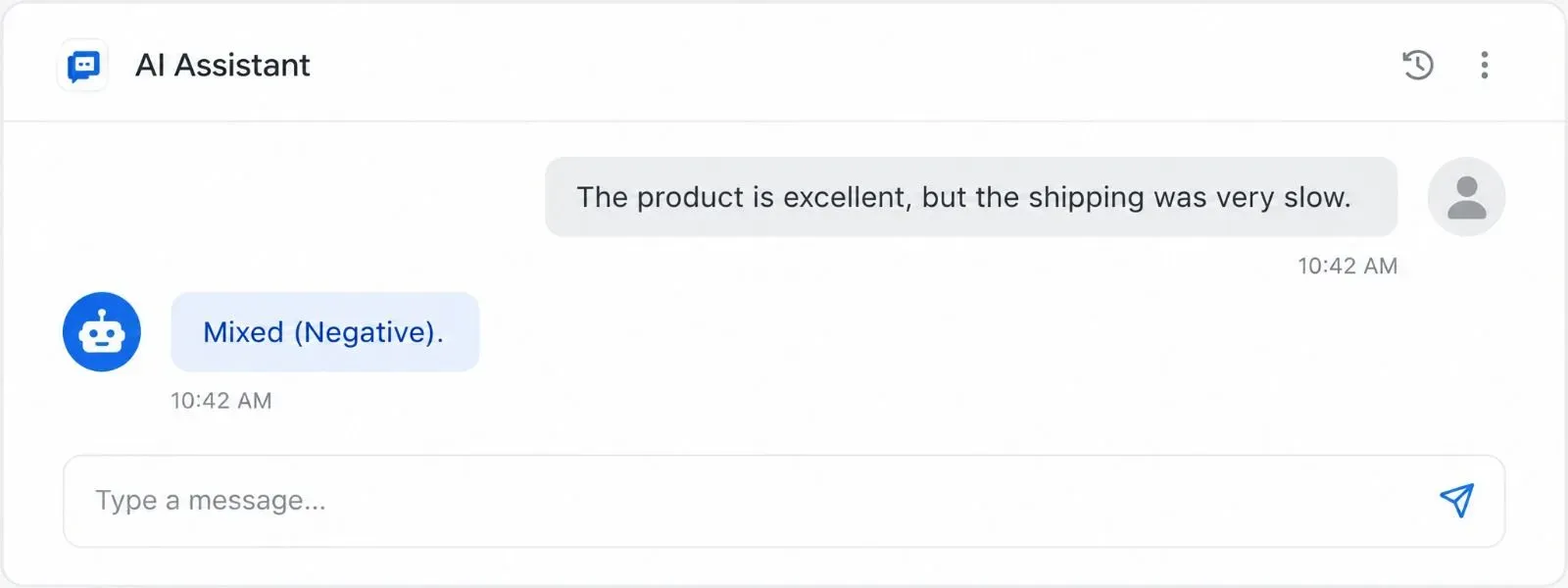
Demo Output:
User: The product is excellent, but the shipping was very slow.
AI: Mixed (Negative).
7. Real-World Case Study: How a Startup Uses These Projects
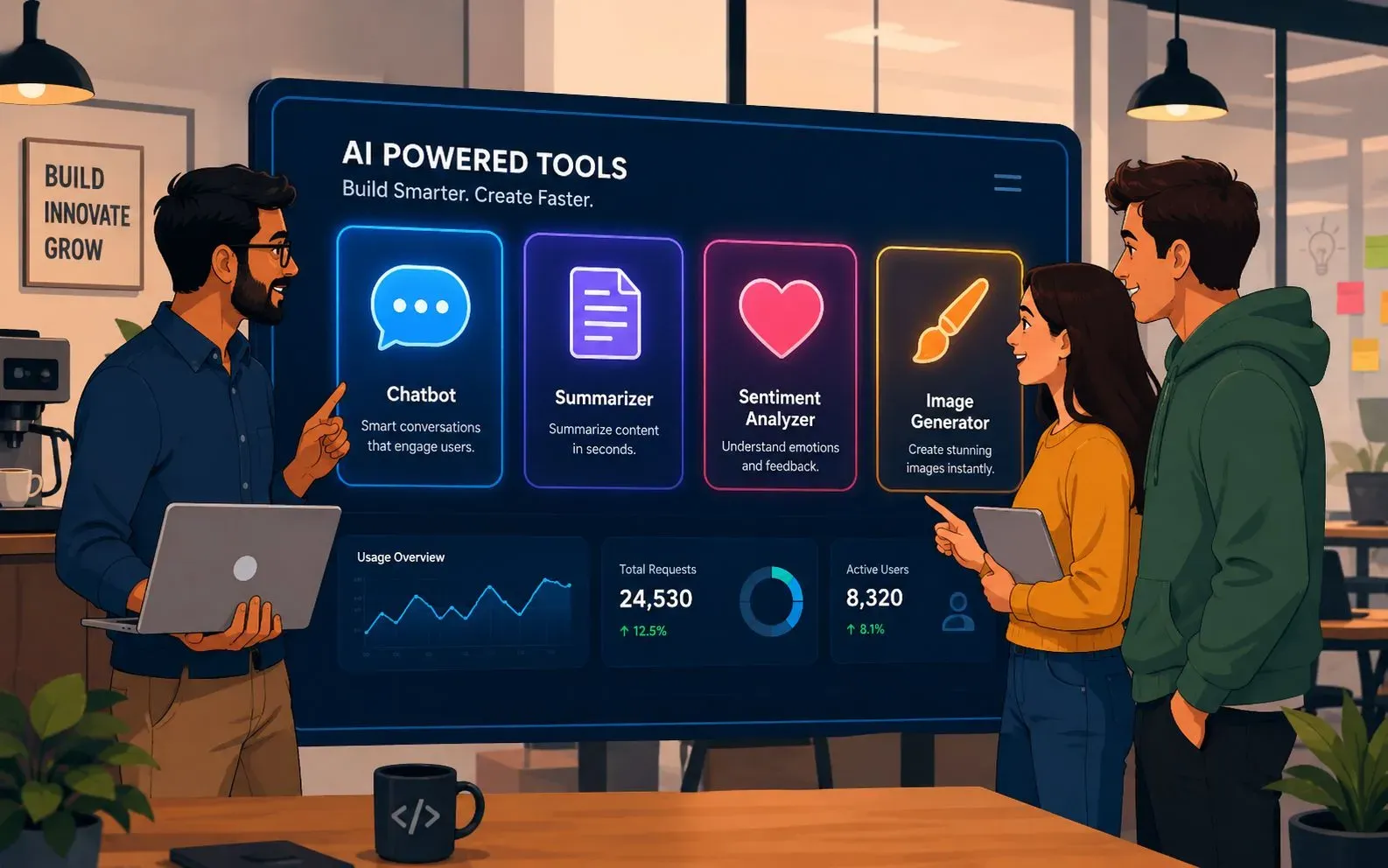
"From Zero to Automation in 6 Weeks"
TechFlow Solutions, a small logistics startup in Austin, Texas, used these exact API projects to automate their customer support. In April 2026, they built a Chatbot to handle basic shipping queries and a Sentiment Analyzer to flag angry customers for priority support.
"We integrated the Summarizer into our internal emails," said CTO Michael Chen. "Instead of reading 10-page reports, we get 3-sentence summaries. It saves us hours every week."
By June 2026, their team reduced manual support tickets by 40%. They now plan to add the Image Generator to create quick infographics for their clients. This kind of automation is becoming essential in manufacturing ai news and biotech ai news, where data overload is a constant challenge.
8. Best Practices and Next Steps for 2026
Understanding OpenAI's Model Lineup
OpenAI currently offers gpt-5.5-mini for fast, cheap tasks, and gpt-5.5 for complex reasoning. Use gpt-5.5-mini for summaries and chats. Use gpt-5.5 for complex coding and analysis. This knowledge is critical for developers building edge ai news applications on limited resources.
Handling API Costs and Rate Limits
The API charges by the token (roughly 750 words per 1,000 tokens). gpt-5.5-mini costs $0.10 per 1M input tokens. Set a monthly spending limit on the OpenAI dashboard to avoid surprises. This is a key part of ai compliance news for business budgeting.
Staying Compliant with AI Regulations
As us ai regulation news evolves, ensure you are handling user data responsibly. OpenAI does not store user data for training if you opt out in your account settings. Always check your local laws. ai regulation japan news is particularly strict about data privacy, so adjust your code accordingly.
Leave a Comment
Your comment is completely private and secure. We never publish comments publicly on our website. Your message will be sent directly to our team.