

Today you do not need a team, editing skills, or a high end system for editing to start a YouTube channel. You only need a YouTube channel, Claude, and a proper setup, and you can build a successful YouTube career, step by step.
Before AI, a channel needed a camera, a face, a voice, an editor, and a lot of time. Now Claude can plan the channel, write the script, make the title and description, and even help upload the video. You are still the owner, you still decide the niche, you still check the video, and you still press publish. Claude is your team, not your replacement.
In this blog I will tell you, in full sequence, how to attach Claude to your YouTube channel, which plugins and third party things you need to add in Claude to create content, how Claude auto uploads a video to YouTube, how to use Gemini and DeepSeek for content ideas, and what YouTube AI policy says, with the official policy pages to visit.
All figures in this guide are before tax. YouTube income is not fixed, and no one can promise you a fixed amount. Your result depends on your niche, your content, your country, and how much work you do.
First, the honest truth: what Claude can and cannot do
Let me be clear first, because most videos about AI YouTube channels hide this part.
Claude can do these things very well: research a topic, find 10 video ideas, write a full script in easy words, write 10 titles, write a description and tags, make a thumbnail idea, make an upload checklist, read your channel analytics and tell you what to fix, and, with the right connector, upload a video file to your channel.
Claude cannot do these things by itself: it cannot record your voice, it cannot shoot a video, it cannot render a video file by itself, and it cannot publish a video without your review. You still need a video file, made with another tool, or made with your own phone, and you still need to check it in YouTube Studio before you press publish.
That is why this system is Claude plus other tools, not Claude alone. Claude is the brain, the planner, the writer, and the manager. The video, voice, and editing come from other tools, which I will tell you below.
If you want the full start from zero guide first, read this: YouTube AI Channel in 2026: Best Tools, Monetization Requirements and Earning Tips
That guide is here: https://micronirala.com/youtube-earning-pakistan/youtube-ai-channel
If you want to use Muse and Gemini also with Claude, read this: No Face YouTube Channel With Muse, Claude, and Google
That guide is here: https://micronirala.com/youtube-earning-pakistan/no-face-youtube-channel-muse-claude-google
How do you earn money from YouTube with Claude
Claude does not pay you. YouTube pays you, when your channel meets the rules, and when your videos get views.
Here is the earning path, in simple words:
- You make a video with Claude help, and you upload it to your channel.
- People watch it, subscribe, and watch more videos.
- When you reach 1,000 subscribers plus 4,000 valid public watch hours in 12 months, or 10 million Shorts views in 90 days, you can apply for the YouTube Partner Program.
- After approval, YouTube shows ads on your videos, and you earn a share of that ad money, before tax.
- Later, you can also earn from affiliate links in your description, from sponsorships, from channel memberships, and from your own products, like a course, or a template.
Claude helps you reach that point faster, because it helps you publish more videos, with better titles, better scripts, and better consistency. But Claude cannot make people watch a boring video. Your idea, your hook, and your value are still the main thing.
Do not expect money in 1 week. Most channels take 3 to 6 months of regular posting, 2 to 3 videos per week, to reach monetization. Anyone who promises you 1,000 dollars in 1 week from an AI channel is not telling you the truth.
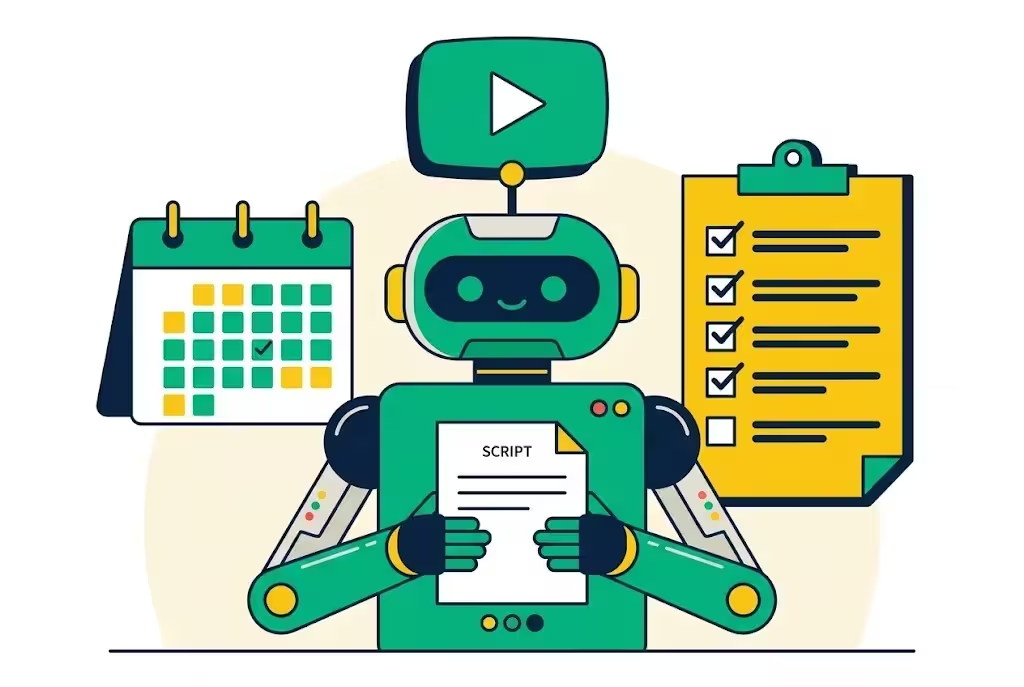
Step 1: Set up your YouTube channel the right way
Do not connect Claude first. Set up the channel first, in 30 minutes.
- Create a Google account only for your channel, or use your main Google account, but keep the channel name separate from your personal name if you want to stay faceless.
- Create a YouTube channel, pick a clear name, pick one niche, and write a short channel description in simple words, like Easy tech tips in simple English, or Short stories for beginners.
- Pick one niche, and stick to it for at least 30 days. Do not mix tech, motivation, cooking, and gaming on one channel. YouTube will not know who to show your videos to.
- Make a channel banner, a profile photo, and a channel trailer, even a 30 second trailer made with Claude script and your voice, or an AI voice.
- Turn on 2 step verification on your Google account. This is very important, because your channel is your asset, and you do not want to lose it.
- Go to YouTube Studio, Settings, Channel, and set your country, your language, and your keywords. That helps YouTube understand your channel.
For the full start guide, with tools, monetization, and earning tips, read this again: https://micronirala.com/youtube-earning-pakistan/youtube-ai-channel
For the no face system, with Muse, Claude, and Google together, read this: https://micronirala.com/youtube-earning-pakistan/no-face-youtube-channel-muse-claude-google
Step 2: How to connect Claude with YouTube
Here is the part most people get wrong. Claude does not have a direct YouTube button inside it. You need a connector, called an MCP server, plus YouTube Data API access, with OAuth.
MCP means Model Context Protocol. In simple words, it is a safe bridge between Claude and YouTube. Claude talks to the bridge, the bridge talks to YouTube, and YouTube talks back. You do not give your password to anyone, you sign in with Google, and you approve only the upload scope for the channel you own.
There is no official YouTube MCP server from Google. Every option today is third party, so read the code or the README before you give it your login, and use a paid or open source tool you trust.
There are 2 routes. Route A is easy, Route B is free but longer. Pick Route A if you want to start fast, pick Route B if you want full control and no monthly fee.
Route A: Use a hosted MCP server, easy, fast
A hosted MCP server already passed the YouTube API audit, and it carries its own quota. You do not need a Google Cloud project, you do not need an API key, and you do not need to wait for OAuth verification.
Here are 3 hosted options, with their links. Prices change, so check the price page on the day you join.
- Upload-Post: https://www.upload-post.com/mcp/youtube/ Free plan: 10 uploads a month, 2 profiles, no card. Unlimited uploads from 24 dollars a month, or 16 dollars a month billed yearly. It uploads videos and Shorts to your channel through the official YouTube Data API, from Claude, ChatGPT, or Cursor.
- Outstand: https://www.outstand.so/blog/youtube-mcp-server-upload-videos-from-claude Hosted MCP server, 19 dollars a month with 3,000 posts, as listed in their guide. You connect the channel, approve the upload scope, and add the server to Claude.
- Blotato: https://www.blotato.com/blog/how-to-post-to-youtube-with-claude Paid plan only for MCP access, Starter 29 dollars a month, Creator 97 dollars a month, Agency 499 dollars a month, as listed in their guide. One connection lets Claude publish to YouTube plus 8 more platforms.
How to connect, in Route A, step by step:
- Create an account on the hosted MCP service you picked, and connect your YouTube channel inside its dashboard, on Google own sign in screen. Approve only the upload scope, for the channel you own.
- Open Claude, go to Customize, then Connectors, and search for that service, or add a custom connector with the MCP URL the service gives you. For example, Upload-Post gives you a connector in the Claude directory, and a URL like mcp.upload-post.com/mcp.
- Click Connect, sign in with your account on that service, and approve the connection.
- Test with 1 short video, as private, not public. Ask Claude, upload this video as private, with this title, and give me the Studio link. Check the video in YouTube Studio, then change it to public yourself.
Route B: Build it yourself with YouTube Data API v3, free, longer
Route B is free, fully under your control, and slower to get running. Use it if you do not want to pay a monthly fee, and you are ready to do 20 to 30 minutes of setup.
- Go to Google Cloud Console, create a new project, and enable YouTube Data API v3. Also enable YouTube Analytics API if you want Claude to read your analytics.
- Go to APIs and Services, Credentials, create OAuth client ID, Desktop app type, and download the client secret JSON file. Save it on your computer, in a safe folder, and never share it in chat, or on a public site.
- Go to OAuth consent screen, add your own Google account as a test user, and request the upload scope. Google classifies upload as a sensitive scope, so you may need to submit for OAuth verification for more users, but for your own channel, test user access is enough to start.
- Pick an open source YouTube MCP server that supports OAuth uploads, for example pauling-ai/youtube-mcp-server, or youtube-creator-mcp on PyPI: https://pypi.org/project/youtube-creator-mcp/ Read its README first, and check the code before you give it your login.
- Follow its README: put your client secret JSON where it says, then add the server to Claude. In Claude Desktop, open Settings, Developer, Edit Config, paste the entry, and restart Claude Desktop. In Claude Code, use the command the README gives you, like claude mcp add, with the server name and URL.
- Sign in once with the Google account that owns your channel. The token stays on your computer.
- Test with 1 short video, as private, and check it in YouTube Studio before you publish.
Quota to know: a project of your own starts with a small daily allowance. YouTube Data API gives you 10,000 units per day by default, and one upload costs 1,600 units. That means about 6 uploads a day, which is enough for a beginner. A hosted MCP service uses its own quota, so you do not need to worry about this limit.
Never share your YouTube or Google password with Claude, with a plugin, or with any third party tool. Use OAuth only. If a tool asks for your password, stop, and do not use it.
Step 3: Which plugins and third party things to add in Claude
Claude alone is a writer and planner. With plugins and third party tools, it becomes a full channel manager. Add these, one by one, not all at once.
| Thing to add | What it does | Link |
|---|---|---|
| YouTube MCP server | Uploads videos and Shorts, reads analytics, manages comments | Upload-Post, Outstand, Blotato, or open source youtube-creator-mcp |
| Claude skills pack | Writes and checks script, title, thumbnail, SEO, before upload | youtube-agent-skill, 11 Claude skills, free, MIT, on GitHub, read the code first |
| Zapier or Make or n8n | Automates the flow: new video file, to Claude, to YouTube, to social media | zapier.com, make.com, n8n.io, use the official site |
| Google Flow and Veo | Makes AI video clips from your script, for faceless videos | Use Google Flow, with Gemini, see the No Face guide below |
| ElevenLabs | Makes a natural AI voice for your script, in many languages | elevenlabs.io, use the official site, check the price first |
| CapCut | Edits the video, adds captions, cuts, and effects, beginner level | capcut.com, free version is enough to start |
| Canva | Makes thumbnails, 1280 by 720, with big text and a clear face or object | canva.com, free version is enough to start |
How to add a skill pack in Claude, in simple words:
- Download the skill pack, for example youtube-agent-skill, from its GitHub page. Read the README, and check what it does. It writes and checks, it never publishes by itself.
- Add the skill files to your Claude project, or to Claude Code, as the README says.
- Use the skill commands, like /yt-script to pick the best hook, /yt-package to check the title and thumbnail, and /yt-seo for the description and tags.
- Always check the output yourself. A skill is a helper, not a boss. You are the editor, you are the publisher.
Do not add 10 plugins on day one. Add the YouTube MCP server first, then the skill pack, then CapCut and Canva. Add Zapier, Make, or n8n only when you are posting 3 to 5 videos per week, and you want to save time.
For the full no face system, with Muse, Claude, and Google together, read this: https://micronirala.com/youtube-earning-pakistan/no-face-youtube-channel-muse-claude-google
Step 4: How Claude manages your channel, day by day
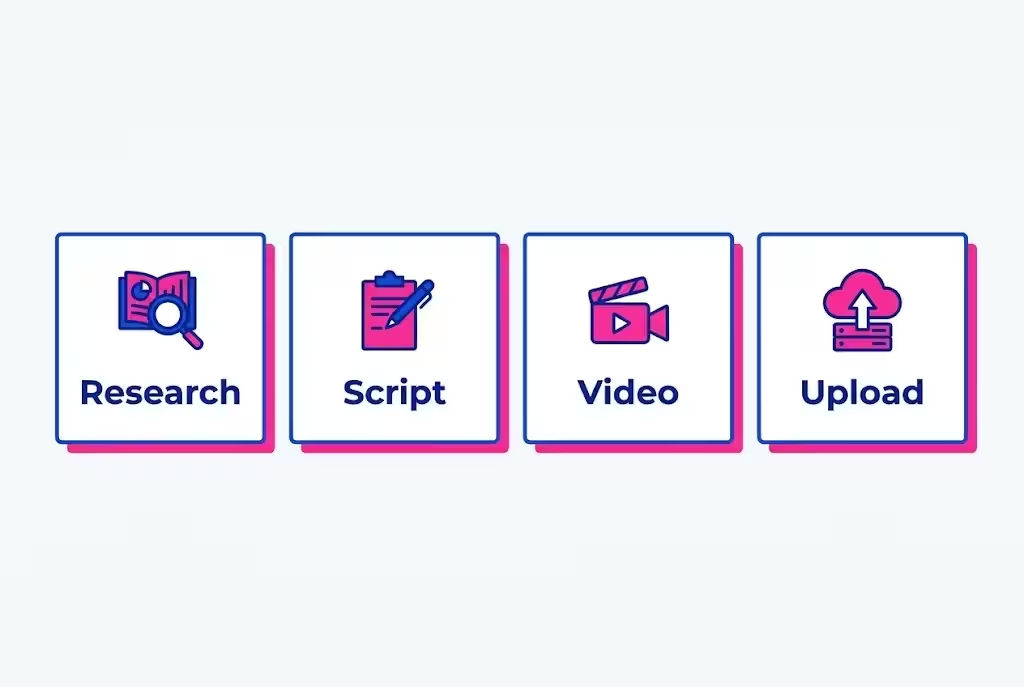
Here is the daily system Claude manages for you. Use it for every video, in the same order.
- Research: Ask Claude, find 10 video ideas for my niche, with search volume, and with a hook for each. Claude will give you ideas, you pick the best 1, not all 10.
- Script: Ask Claude, write a script for this idea, 800 to 1,200 words, in easy English, with a hook in the first 15 seconds, 3 main points, and a call to action at the end. Read the script aloud, fix any hard words, and add your own story or example.
- Title: Ask Claude, write 10 titles for this script, under 60 characters, with the main keyword in the first 40 characters. Pick the best 1, and check it on YouTube search, to see if it is too common.
- Description and tags: Ask Claude, write a description in 150 to 250 words, with the main keyword in the first 2 lines, and 5 to 8 tags. Add your affiliate links, and your social media links, at the end of the description.
- Thumbnail idea: Ask Claude, give me 3 thumbnail ideas for this title, with 3 to 5 words on the image, and a clear object or face. Make the thumbnail in Canva, 1280 by 720, with big text, and check it on your phone, if you cannot read it in 2 seconds, make the text bigger.
- Video: Make the video with Google Flow and Veo, or with your phone, or with stock video and an AI voice from ElevenLabs. Edit it in CapCut, add captions, and export it in 1080p, or 4K if your tool supports it. Note: Claude does not create a 4K video file by itself, do not believe a tool that says it does.
- Upload checklist: Ask Claude, check this video before upload, title, description, tags, thumbnail, disclosure, and end screen. Fix any mistake, then upload.
- Analytics: After 48 hours, ask Claude, read my analytics for this video, what worked, what did not, and what should I do next. Claude will tell you if the title worked, if the hook worked, and if people watched till the end.
Keep a simple sheet for every video: idea, script date, upload date, title, views after 7 days, watch time, and what you learned. Claude can manage that sheet for you, if you give it the data, and it will tell you which topics to repeat, and which topics to stop.
Step 5: How Claude auto uploads a video to YouTube
Auto upload does not mean Claude presses publish without you. It means Claude does the upload work, and you do the final check and publish.
Here is the exact flow, step by step:
- Make your video file, and save it on your computer, with a clear name, like my-video-1.mp4. The file must be ready, Claude cannot make the file for you.
- Ask Claude, upload this video to my channel, with this title, this description, these tags, and set visibility to private. Give me the Studio link after upload.
- Claude calls the MCP server, the MCP server calls the YouTube Data API, with videos.insert, and uploads the file. The upload is asynchronous, YouTube processes the file after the transfer finishes, so a video can be accepted and still be unwatchable for a few minutes. Wait, do not panic.
- Open YouTube Studio, Content, and check the video. Play it, check the sound, check the captions, check the thumbnail, and check the AI use setting below.
- Change visibility from private to public yourself, in Studio, and press Save. This is the one step Claude never does for you, and that is good, because you are the final check.
- For a Short, the same flow works, but the video must be vertical, under 60 seconds, and with the Shorts tag in the title or description if your tool needs it.
Important limits to know:
- Uploads often land private first, especially from a new Google Cloud project. YouTube keeps uploads from new, unverified projects private until the project passes an audit. You review in Studio and press publish.
- One video per upload, YouTube has no multi video upload, so every upload needs exactly one video file.
- About 6 uploads a day, on a free quota, because one upload costs 1,600 units, and the daily limit is 10,000 units. That is enough for a beginner, and a hosted MCP service uses its own quota, so you do not need to worry about this limit there.
- Re sign in weekly, while your Google app is in test mode, the token can expire, and you will need to sign in again. That is normal, not a bug.
Do not set Claude to auto publish every video as public, without your review. One wrong title, one wrong thumbnail, or one policy mistake can get your video removed, or your channel a strike. Auto upload, manual publish, that is the safe rule.
Step 6: Use Gemini and DeepSeek for content ideas, with Claude
Claude is best for writing and managing. Gemini and DeepSeek are best for fresh ideas. Use all 3, in this order, and you will never run out of ideas.
Gemini, from Google, is best for trends and research. Ask Gemini, what is trending on YouTube in my niche this week, and give me 10 video ideas with a hook for each. Gemini can read the web, and it can tell you what people are searching for right now.
DeepSeek is best for fresh angles and script ideas. Ask DeepSeek, give me 10 different angles for this topic, that no one else is using, and give me a simple outline for each. DeepSeek is good at finding a new way to say an old topic.
Then bring the best idea to Claude, and ask Claude, turn this idea into a full script, title, description, and upload plan, in easy English. Claude will make it ready to record, and it will keep the same voice for your whole channel.
Other AI tools you can use, if you want more help: ChatGPT for ideas, Perplexity for research with sources, and NotebookLM for turning a long article or a PDF into a script outline. Do not use all of them for every video, pick 2, Gemini and DeepSeek, plus Claude, and stick to them.
Do not copy AI text untouched. AI text all sounds the same, and viewers can tell. Read it, rewrite it in your own voice, add your own story, and check every fact before you publish. That is what makes your video original, and that is what YouTube wants.
Step 7: How to make the video itself, with AI
Claude writes the script, but it does not make the video file. Here is how to make the video, in simple words, for a faceless channel.
- Voice: Use ElevenLabs, or the voice inside Google Flow, or your own voice recorded on your phone. A clear, slow, easy voice is better than a fast, robotic voice. If you use an AI voice, do not present it as a real person voice.
- Video: Use Google Flow with Veo, to make AI video clips from your script. Or use stock video from a free site, like Pexels, or Pixabay, with your voice on top. Or record your screen, with your voice, for a tutorial.
- Editing: Use CapCut, free version is enough. Cut the long pauses, add captions, add a zoom in at the start, and add a simple end screen. Do not add 10 effects, 1 or 2 effects are enough.
- Thumbnail: Use Canva, 1280 by 720, big text, 3 to 5 words, one clear object. Do not use a small font, and do not use a clickbait thumbnail that the video does not deliver.
For the full no face system, with Muse, Claude, Gemini, Google Flow, and Vids, read this: https://micronirala.com/youtube-earning-pakistan/no-face-youtube-channel-muse-claude-google
For the start guide, with free and paid AI tools for video, images, voice, and music, read this: https://micronirala.com/youtube-earning-pakistan/youtube-ai-channel
Start with 1 video per week, then go to 2 to 3 videos per week, when you are comfortable. Consistency beats a burst. 1 video per week for 3 months is better than 10 videos in 1 week, and then nothing for a month.
Step 8: YouTube AI content policy, in simple words
This is the most important part of this blog. If you ignore the policy, you can lose monetization, even if your videos get views.
Visit these official pages first, and read them yourself, before you upload your first AI video:
- Disclosing use of GenAI content, YouTube Help: https://support.google.com/youtube/answer/14328491?hl=en
- Channel monetization policies, YouTube Help: search YouTube Help for Channel monetization policies, and read the Inauthentic content part, updated 15 July 2025.
- Community Guidelines, YouTube: search YouTube Help for Community Guidelines, and read the spam, deceptive practices, and impersonation parts. YouTube applies these rules to all content, including AI content.
Rule 1: Disclose realistic synthetic content
YouTube requires you to disclose when you use AI to meaningfully alter or generate photorealistic content. That means content a viewer could mistake for a real person, place, or event.
You must disclose if your video:
- Makes a real person appear to say or do something they did not say or do.
- Alters footage of a real event or place.
- Generates a realistic scene that did not actually occur.
- Creates music that is the main focus of the video.
You do not need to disclose if your content is clearly unrealistic, like animation, or a fantasy scene, or if AI was only used for minor edits, like colour correction, or for writing the script, or for captions.
How to disclose: in YouTube Studio, when you upload, go to Attributes, under AI use, select Yes if your content meets the rule, or No if it does not. After you select Yes, YouTube will add a label, in the expanded description, or on the video player for photorealistic content. Disclosing will not limit your audience, and it will not impact your eligibility to earn money. Not disclosing, again and again, can lead to removal of content, or suspension from the YouTube Partner Program.
Rule 2: No mass produced, repetitive content, for monetization
On 15 July 2025, YouTube renamed its repetitious content policy to inauthentic content, and clarified it. The rule was not new, it was already ineligible for monetization, but YouTube made it clear: mass produced and repetitive content is not eligible to earn.
What does that mean in simple words? If you make 100 videos with the same template, the same voice, the same script, and no original idea, no personal story, and no real value, YouTube will not monetize your channel, even if you disclose the AI use.
What survives is AI assisted work with a human decision on top. A video with your own research, your own script, your own hook, your own examples, and your own review, is original, even if AI helped you write it. A video with only AI text, AI voice, and AI clips, with nothing added by you, is not original.
YouTube spam policy also bans using AI to churn out high volumes of near identical videos, whether your channel is monetized or not.
Rule 3: No reused content, no fake real person
Reused content is a separate rule, and it did not change in July 2025. Content taken from other people is only monetizable when you add a substantial amount of original work on top, like commentary, teaching, or a clear review. Simply re uploading someone else video, or a movie clip, is not allowed, even if you add a small intro.
Never make a realistic AI video of a real person saying something they never said, especially a politician, a celebrity, or a news anchor. That is not only a YouTube policy problem, it is a privacy and impersonation problem, and the person can ask YouTube to remove it.
Never make fake health claims, fake finance advice, or fake news with AI. Those videos get demonetized faster than anything else, label or no label.
Check the policy pages again on the day you start, because YouTube updates these pages often. The links above are the official pages, not a blog post, so trust them more than any video that says AI is banned, or AI is free money.

Your 30 day plan to start earning with Claude and YouTube
Do not just read this blog. Do this plan, starting today.
| Week | What to do | Result |
|---|---|---|
| Week 1 | Set up your channel, pick 1 niche, write 10 ideas with Gemini and DeepSeek, pick the best 3, write 1 script with Claude. | Channel ready, 3 ideas, 1 script |
| Week 2 | Make 2 videos, with voice and editing, upload 1 as private with Claude MCP, review in Studio, publish 1 public, publish 1 Short. | 2 videos live, upload system tested |
| Week 3 | Publish 2 more videos, 2 to 3 videos per week now, reply to all comments, check analytics with Claude, fix the hook and title. | 4 videos live, first data |
| Week 4 | Publish 2 more videos, make 3 Shorts from your long videos, share them on Instagram and Facebook, plan next month topics. | 6 videos live, system running |
Repeat this plan every month, until you reach 1,000 subscribers and 4,000 watch hours, or 10 million Shorts views. That is the monetization line, and it takes time, but it is a clear line, not a mystery.
Mistakes that kill an AI YouTube channel
- Publishing AI text untouched: AI text all sounds the same, and viewers can tell. Rewrite it in your own voice, and add your own story.
- Mass producing 100 templated videos: YouTube will call it inauthentic content, and you will not get monetization.
- Not disclosing realistic AI content: YouTube can label it for you, and repeat offenders can lose monetization, or get content removed.
- Sharing your YouTube password: Never share it with Claude, a plugin, or a third party tool. Use OAuth only, and remove access if you stop using a tool.
- Auto publishing without review: Claude uploads, you publish. If you let Claude publish everything as public, one mistake can get a strike.
- Copying other channels: Reused content without original work will not monetize, and it can get a copyright strike.
- Expecting money in 1 week: Most channels take 3 to 6 months to reach monetization. Patience is part of the system.
- No niche, no consistency: Mixing 5 topics on 1 channel, and posting once a month, will not grow. Pick 1 niche, post 2 to 3 times per week.
Final words: Claude is your team, you are the boss
Today you do not need a team, editing skills, or a high end system for editing. You only need a YouTube channel, Claude, and a proper setup, and you can make a successful YouTube career.
Claude plans, writes, and helps upload. Gemini and DeepSeek give you fresh ideas. Google Flow, ElevenLabs, CapCut, and Canva help you make the video, voice, edit, and thumbnail. You decide the niche, you check the video, you disclose the AI use, and you press publish. That is the full system, in one line.
Start today, stay consistent, and follow YouTube policy. That is how an AI channel earns, not by a shortcut, but by a system.
Start guide: https://micronirala.com/youtube-earning-pakistan/youtube-ai-channel
No Face guide with Muse, Claude, and Google: https://micronirala.com/youtube-earning-pakistan/no-face-youtube-channel-muse-claude-google
YouTube AI disclosure policy: https://support.google.com/youtube/answer/14328491?hl=en
If you have a question, tell us through our contact page: https://micronirala.com/contact
Disclaimer: All figures in this guide are before tax. YouTube rules, prices, and third party tools change often, and they are not fixed. This guide does not promise a fixed income, a fixed number of subscribers, or YouTube Partner Program approval. Your results depend on your niche, your content, your country, and how much work you do. Check the official YouTube Help pages, and the third party tool pages, on the day you start, and never share your YouTube or Google password with any tool.
Share this article
Link copied to clipboard!