
Let me be honest with you at the start.
Making a YouTube channel with AI tools is easy now. Anyone can make a video in one day. But making a channel that YouTube agrees to monetize, and that real people want to watch again and again, is a different thing.
That is where most beginners fail. They copy the same style of videos that thousands of other channels are already posting. Same AI voice. Same stock clips. Same script style. Then they apply for monetization and get rejected, and they never understand why.
This guide is not that type of guide.
I will not waste your time with basic lines like make a channel and upload videos. You already know that. In this post, I will show you the exact tools you need for every part of a video, free tools for students who have no money, paid tools for when you are ready, the latest monetization rules of YouTube, and the small practical tips that actually decide whether an AI channel grows or dies in the first three months.
First, Understand What an AI Channel Really Is
An AI channel does not mean AI does everything and you do nothing.
Think of AI as your small team. One tool helps you write. One tool makes your images. One tool gives you a voice. One tool makes short video clips. But the idea, the story, the order of scenes, and the final decision must come from you.
YouTube has no problem with AI help. YouTube has a problem with lazy and repeated content. Keep this one line in your mind for the whole post, because everything else depends on it.
If your video gives the viewer something new, it can earn. If your video looks like a copy of ten other videos, it will not.
Part 1: All the AI Tools You Need, Category by Category
You do not need twenty paid tools. You need one good tool for each job. Here is the full list, job by job, with free options first because most readers of this site are students.
Tools That Do Almost Everything in One Place
Start with these, because a beginner gets confused when he has to open ten websites for one video.
- Google Gemini
Gemini is the best starting point in 2026 because it is not only a chat tool. With Gemini you can plan your channel, research a topic, write and improve your script, generate images with its image model, and create short video clips with Veo. In Google Vids and in Gemini, music can also be created with the Lyria music model. For a student, this one account can cover half of the full work. - ChatGPT
ChatGPT is strong for ideas, outlines, and scripts. It can also create images, and it is very good at fixing a weak script and making it sound natural. Many creators use ChatGPT for writing and Gemini for video and images. You do not need both in the start. Pick one and learn it well. - Google Vids
Google Vids is a full video maker inside your Google account. You can write your script, add scenes, generate Veo video clips, add an AI voice, add AI avatars, create music with Lyria, and publish to YouTube. Every Google account gets a small number of free Veo video generations every month, so a beginner can practice without paying. For simple explainer and educational videos, this is one of the easiest tools to start with. - NotebookLM, now also called Gemini Notebook
This tool is made for research. You give it your notes, a PDF, or links, and it helps you understand the topic. It can also turn your material into an audio overview, like a short podcast discussion. It is very useful when your video topic is new for you and you want to learn it fast before writing the script. - Microsoft Copilot and Microsoft Designer
Copilot can help with ideas and writing, and Microsoft Designer can create images for free with a Microsoft account. Clipchamp, which is also from Microsoft, is a free video editor with a free text to speech feature. Many beginners ignore these tools, but they are a good zero cost option. - Meta AI
Meta AI can create images for free and can animate some images into short clips. It is a handy extra tool when your main image tool has finished its daily free limit.
Script and Idea Tools
This is the most important part of your video, and sadly this is the part most people rush.
- Free tools: ChatGPT free plan, Gemini free plan, Claude free plan, and NotebookLM.
- Paid tools: The paid plans of ChatGPT and Gemini give you higher limits and better models. Pay only when the free limits start stopping your work.
One honest tip from experience. Never post the first script that an AI tool gives you. That script is a draft, not your final video. Read it out loud once. You will quickly find lines that no real person would ever say. Fix those lines in your own words. Add one real example from your own life or from your own country. This small human touch is a big reason why one channel passes the monetization review and another channel fails.
Also use YouTube search itself for ideas. Type the start of your topic in YouTube search and see what YouTube suggests. Those suggestions are real questions that real people are searching. Google AI Overview in search can also give you a quick first picture of a topic, but always check the facts from a proper source before you put them in a video.
Image Generation Tools
You need images for your scenes, your background visuals, and many times for your thumbnail base.
- Free tools: Gemini image generation, Microsoft Designer Image Creator, Meta AI, Leonardo AI, Ideogram free plan.
- Paid tools: Midjourney, ChatGPT and Gemini paid plans, Recraft and Adobe Firefly.
Practical tip. For a story channel, always create your main character image first. Save it. Then use that same image as a reference in every new scene. If your character changes his face in every scene, viewers feel something is wrong and leave the video. Character consistency is not a small detail. It is the detail that makes an AI story channel look professional.
Video Generation Tools
These tools turn your text or your image into a short moving clip. Most clips are short, around five to ten seconds, so a full video is made by joining many small clips in an editor.
- Free tools: Google Veo through Gemini, Google Flow, and Google Vids. Kling AI, Hailuo by MiniMax, PixVerse and Luma Dream Machine.
- Paid tools: Runway, Kling AI paid plans, Pika, Sora inside ChatGPT paid plans.
Practical tip. Do not write a long and complex prompt and hope for a perfect clip. One clip means one scene and one action. A boy walking in rain is a good prompt. A boy walking in rain, then meeting a friend, then running to a shop, then talking, is a bad prompt for one clip. Split it into four clips. Your video will look ten times better, and you will waste fewer free credits.

Voice Over Tools
Your voice is the soul of your channel. A bad robotic voice can kill a good video.
The best free option is honestly your own voice. You do not need a costly mic. A quiet room, your phone, and a blanket over your head to stop echo can give a clean recording. Channels with a real human voice build trust faster. This is a fact most AI gurus will not tell you.
- Free AI voice tools: CapCut text to speech, Clipchamp text to speech, Google AI Studio voice tools, ElevenLabs free plan.
- Paid AI voice tools: ElevenLabs (most popular, supports Urdu), Murf and PlayHT.
Practical tip. Whichever voice you choose, use the same voice in every video. Viewers start to recognize a voice the same way they recognize a face. Changing your voice every week breaks that connection. And never clone the voice of a famous person. That can get your channel in serious trouble.
Music and Sound Tools
Music sets the mood, but wrong music can give you a copyright claim on day one.
- Free and safe tools: YouTube Audio Library, Pixabay Music, Suno free plan, Google Lyria inside Gemini and Google Vids.
- Paid tools: Suno and Udio paid plans, Epidemic Sound and Artlist.
Practical tip. Keep background music low, much lower than the voice. If a viewer has to fight to hear your words, he will leave, and watch time is the thing that grows a new channel. Also remember, if your video music is made by AI and the music is a main part of the video, YouTube asks you to disclose AI use during upload. I explain disclosure in a simple way in the policy part below.
Video Editing Tools
AI clips alone are not a video. Editing is where a pile of clips becomes a story.
- Free tools: CapCut, DaVinci Resolve, Canva video editor.
- Paid tools: Adobe Premiere Pro, Filmora, Descript.
Practical tip. Captions are not optional in 2026. Many people watch videos with the sound off, on a bus, in a classroom break, or at night. A video without captions loses those viewers in the first ten seconds. CapCut can add captions in one click. Use it for every video.
Thumbnail and Title Tools
A great video with a weak thumbnail will die quietly. I have seen this happen again and again.
- Free tools: Canva free plan, Photopea, Ideogram.
- Paid tools: Photoshop and Canva Pro.
Practical tip. Keep only three or four big words on a thumbnail. If a person cannot read your thumbnail on a small phone screen in one second, it is too full. Make two thumbnails for every important video and test which one people click more.
All in One Faceless Video Makers
Tools like InVideo AI, Fliki, and Pictory can take your text and build a full video with voice, clips, and captions.
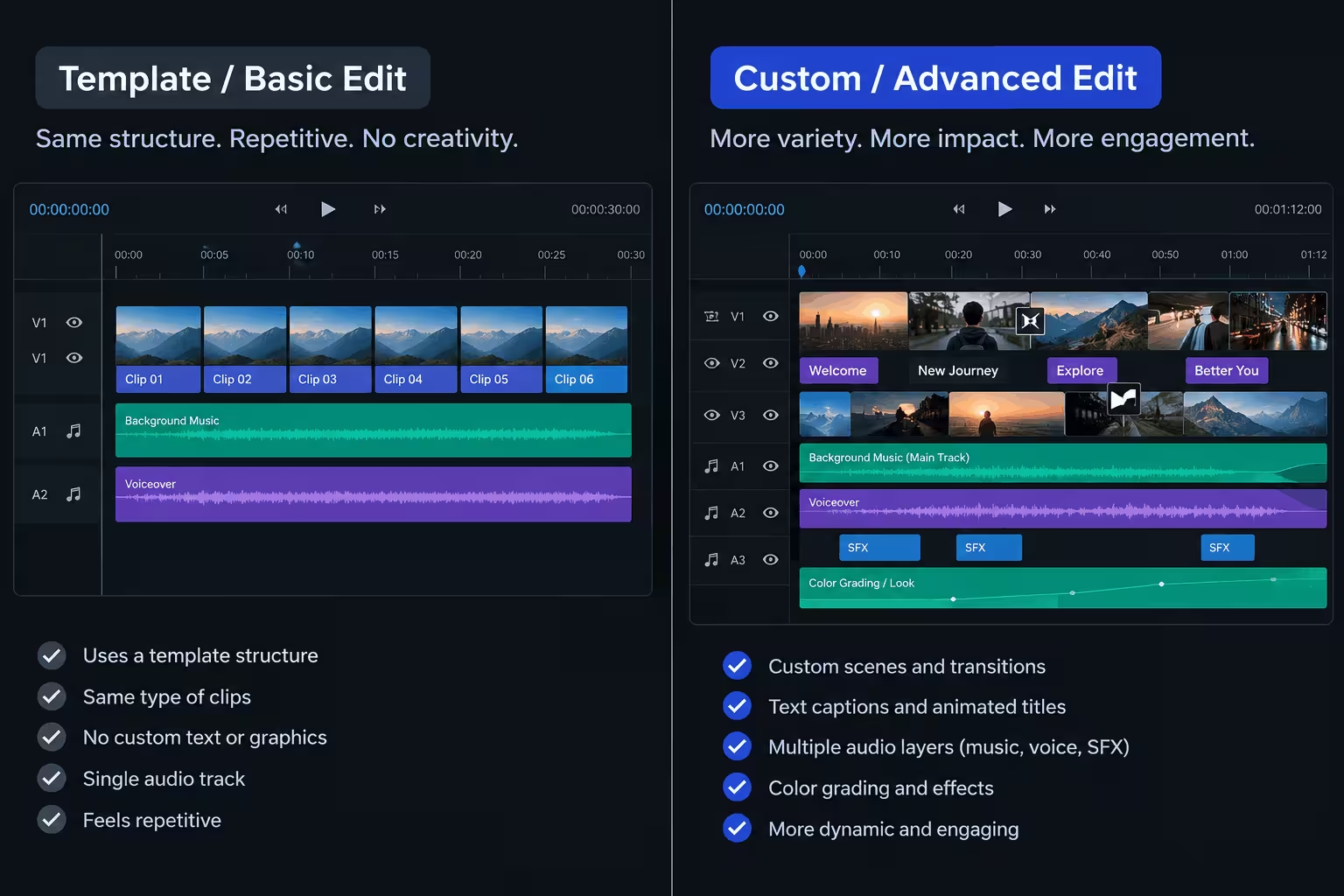
They are fast, and they are fine for learning. But be careful. Videos made fully by these tools often look like a template, because thousands of other channels are using the same template. This is exactly the type of content YouTube now rejects under its inauthentic content policy. If you use such a tool, always change the script in your own words, replace many clips with your own generated scenes, and edit the final video yourself. Speed is good. Looking like everyone else is not.
Part 2: The Student Shortcut Most Beginners Miss
If you are a student, read this part twice, because it can save you a full year of tool costs.
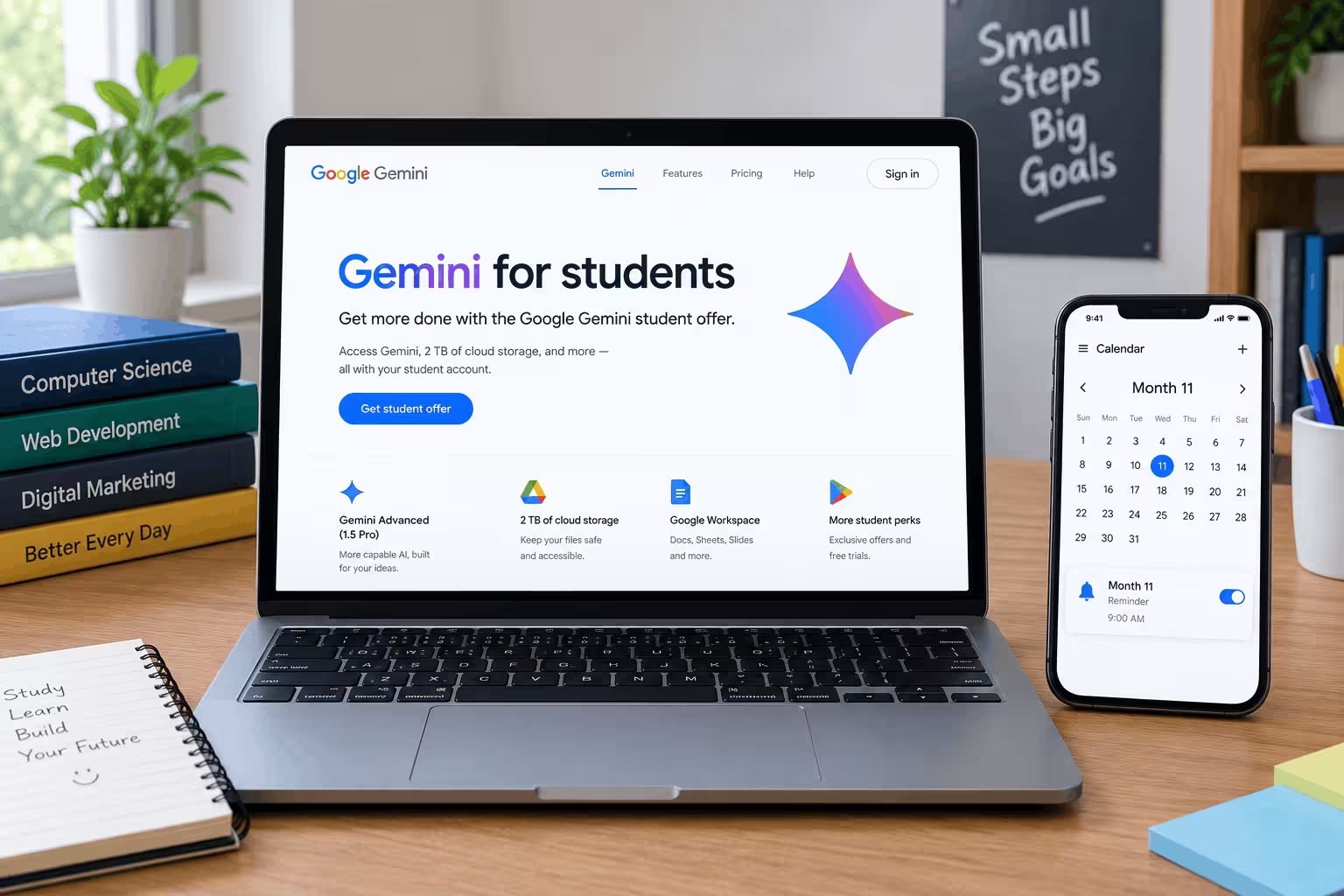
Google gives eligible students a free AI plan for 12 months. In Pakistan and in most countries outside the United States, this free student plan is Google AI Plus. In the United States, students get Google AI Pro free for the same period.
For a Pakistani student, the normal price of AI Plus is about Rs 1,400 per month, so the free year is worth a good amount of money. The plan gives you higher Gemini limits than a free account, access to better Gemini models, more image and video creation, Gemini inside Google apps, and 400 GB of storage. That storage also helps you keep your video files safe in Google Drive.
Who can get it:
- You must be 18 years or older.
- You must be a real student, and Google will verify your student status. Verification is done through a student verification service, and you may need your student card, a university email, or an enrolment document.
- You need a personal Google account and a valid payment method at sign up, even though the plan is free for 12 months.
How to claim it:
- Go to gemini.google/students in your browser.
- Sign in with your personal Google account.
- Choose the student offer and complete the student verification.
- Confirm the plan shows zero price for the 12 month period before you finish.
One warning, and please do not ignore it. After the free 12 months, the plan starts charging the normal monthly price on its own if you do not cancel. Set a reminder on your phone for month eleven today itself. Students lose money every year by forgetting this small step.
If you are not a student, do not try fake documents or someone else account tricks. It is not worth losing your Google account, because your YouTube channel lives on that same account.
Part 3: Two Ready Made Tool Stacks
If you are confused after reading the tool list, just copy one of these two stacks.
The Zero Rupee Student Stack
- Script and ideas: Gemini with the free student AI Plus plan, or ChatGPT free plan.
- Research: NotebookLM and YouTube search.
- Images: Gemini image generation and Microsoft Designer.
- Video clips: Google Vids and Google Flow with Veo, plus Kling free credits.
- Voice: Your own voice on your phone, or CapCut text to speech.
- Music: YouTube Audio Library.
- Editing and captions: CapCut.
- Thumbnail: Canva free plan and Photopea.
Total cost: Zero. This stack is enough to launch a real channel. Lack of money is not a valid excuse in 2026.
The First Paid Stack, Only After You Start Growing
Buy these one by one, in this order, only from your channel income or when free limits truly stop you.
- First, ElevenLabs starter plan for a natural voice.
- Second, one video tool plan, either Kling or Runway, or a Gemini paid plan for more Veo access.
- Third, Canva Pro for faster thumbnail work.
Do not buy five tools on day one. I have seen students spend their full pocket money on tools and then post only three videos. Tools do not build a channel. Published videos do.
Part 4: A Simple Workflow That Produces a Good Video
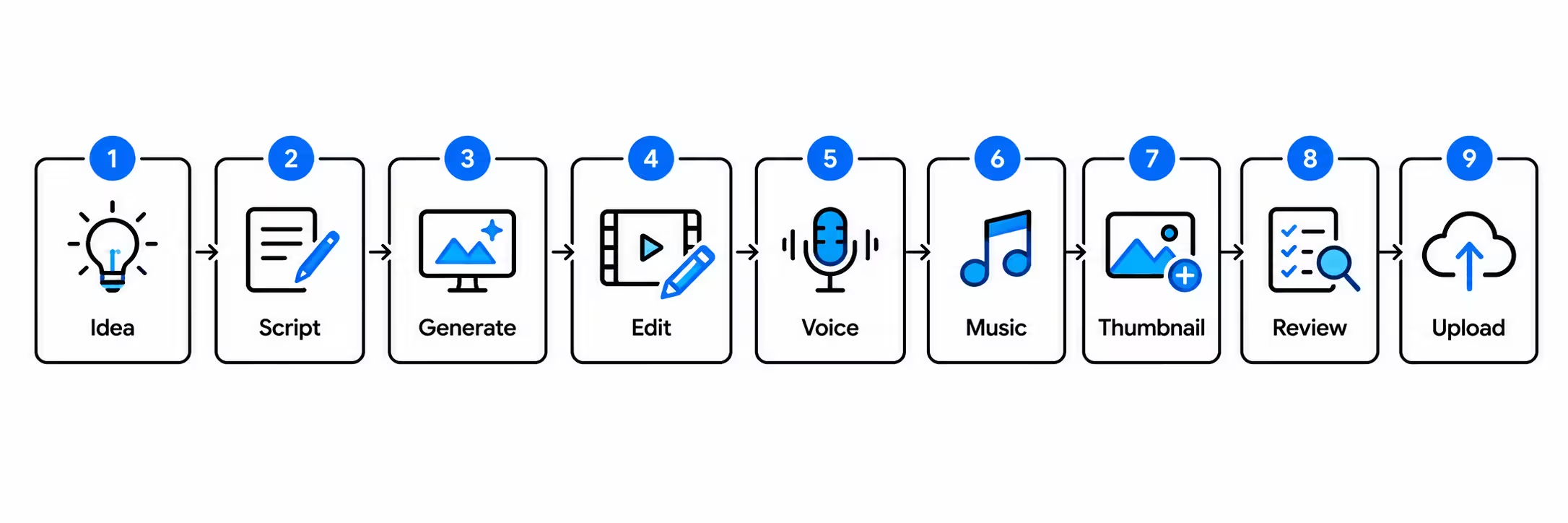
Here is the exact order I recommend for every video. It is slow in the first two weeks and then becomes fast.
- Step 1. Pick one topic that people are already searching. Check it in YouTube search first.
- Step 2. Write the hook first. Your first line must tell the viewer what he will get if he stays.
- Step 3. Draft the script with Gemini or ChatGPT, then rewrite it in your own simple words and add your own example.
- Step 4. Cut the script into small scenes. One scene will become one image or one clip.
- Step 5. Create the images first, then turn the best images into video clips. This gives you control and saves credits.
- Step 6. Record or generate the voice, and place it in the editor first. Then fit the clips to the voice, not the other way around.
- Step 7. Add low background music, captions, and a clean thumbnail.
- Step 8. Watch the full video once on your phone before uploading. If you feel bored at any point, your viewer will feel bored ten times more. Fix that part.
- Step 9. Upload, answer the AI use question honestly, and write a title that matches what the video truly gives.
Part 5: Latest YouTube Monetization Requirements in 2026
Now the part that decides your income. YouTube earning comes from the YouTube Partner Program. Here are the current requirements in simple words.
The first level opens at:
- 500 subscribers, and
- 3 public uploads in the last 90 days, and
- either 3,000 valid public watch hours in the last 12 months, or 3 million valid public Shorts views in the last 90 days.
This first level can open fan funding features like Super Thanks and channel memberships in eligible countries. It does not open full ad revenue. Many beginners mix these two levels and get confused.
The full level, which opens ad revenue, opens at:
- 1,000 subscribers, and
- either 4,000 valid public watch hours in the last 12 months, or 10 million valid public Shorts views in the last 90 days.
You also need all of these:
- A linked AdSense account.
- Two step verification on your Google account.
- No active Community Guidelines strike.
- A channel that follows all YouTube monetization policies. A human review team checks your channel when you apply. They look at your main theme, your most watched videos, your newest videos, and your titles and thumbnails.
You must reach the payment threshold in AdSense before money is sent to your bank. All earning figures in this guide are before tax, and you should keep records of your income from the first payment itself.
For long videos, YouTube normally shares 55 percent of the ad revenue with the creator. For Shorts, the revenue works in a pool system and the creator share is 45 percent of the amount given to creators. In simple words, long videos are where the real ad money is. Shorts are best used as a growth engine that brings new viewers to your long videos.
Part 6: Which AI Content Gets Monetized and Which Does Not
This is the most important policy update of recent years, so read it slowly.
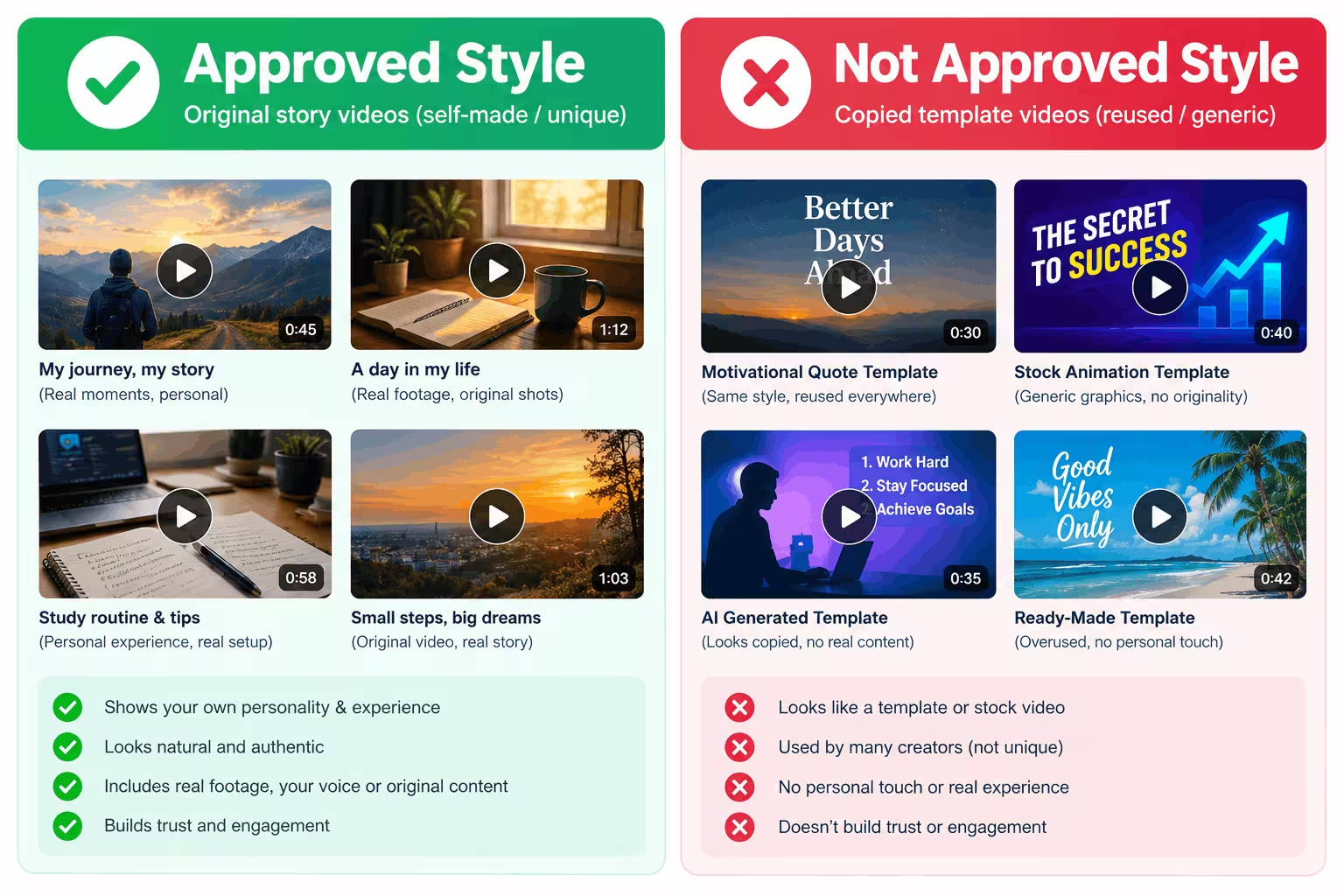
On 15 July 2025, YouTube updated its monetization rules and renamed its repetitious content policy to the inauthentic content policy. YouTube did not ban AI content. Let me repeat that, because social media is full of wrong panic on this topic. AI content is allowed. Mass produced, repeated, and low effort content is not allowed, whether a human made it or AI made it.
Content that can be monetized:
- Videos with your own original script, your own story, or your own teaching, even if AI tools helped you make the visuals or the voice.
- A series with the same characters, where every episode has a new story and a new point.
- AI images and clips that you created for your own idea, with your own editing and commentary.
- Reaction or review videos where you add real commentary, your own opinion, and meaningful editing.
- Educational videos where the viewer truly learns something new in every video.
Content that will not be monetized, or can get your channel rejected:
- The same video template posted again and again, where only a few words change. If a viewer can swap one video with another and feel no difference, your channel is in danger.
- AI image slideshows with a robotic voice reading text copied from a website or a book.
- Top ten videos and story videos copied from other channels with a new AI voice on top.
- Collections of other people videos, TikTok clips, or songs, with little or no change by you. This falls under the reused content policy, and it applies even if the original owner gave you permission.
- Fake expert content, where an AI character acts like a real doctor, lawyer, finance expert, or political expert and gives advice on sensitive topics.
- Buying subscribers or views to reach the requirements. Those numbers are not valid, and this can get your channel removed from the program.
A simple self test before you apply. Watch your last ten videos back to back. If they all feel like the same video with a new topic pasted in, fix your format before applying. If every video has its own story, research, and effort that a viewer can feel, you are on the safe side.
About the AI label, in simple words:
When you upload, YouTube Studio asks about AI use. Say yes if your video shows a real looking person, place, or event that did not really happen, if a real person appears to say or do something he did not, or if AI music is a main part of the video. Disclosing AI use does not reduce your views and does not stop your earning. YouTube has said this clearly.
You normally do not need to say yes just because AI helped you with a script, a title, captions, or a clearly cartoon style animation that no one can mistake for real life.
Do not hide AI use when it is required. If creators keep hiding it, YouTube can add the label itself, remove content, or remove the channel from the Partner Program.
Part 7: Earning Tips From Real Channel Experience
These tips are not theory. These are the patterns that separate the AI channels that are still growing after one year from the channels that were abandoned in month two.
- Pick one niche and one clear promise. A channel about everything grows about nothing. Decide who your viewer is and what he gets from you every time. History stories, science explained simply, true crime stories, study tips, Islamic stories told with care and correct sources, tech explained for beginners, all of these can work. Mixing all of them in one channel confuses both the viewer and YouTube.
- Your first three seconds decide your income. Start with the most interesting line of the whole video. Do not start with a long intro, a logo animation, or a request to subscribe. A viewer who leaves in five seconds gives you no watch time, and watch time is what YouTube promotes and what advertisers pay for.
- Quality now beats quantity. Before the policy update, some channels posted three weak videos a day and survived. That game is over. One strong video every week will beat seven copied videos, both in the monetization review and in real growth. For a student, my honest advice is one long video per week and two or three Shorts cut from it. That routine is possible with classes, and it does not burn you out.
- Keep a series, but change the story. A series gives viewers a reason to come back. The policy also allows a series when every part has a distinct story. So keep the same character and style, and give every episode a new problem, a new place, and a new ending.
- Study two numbers after every upload. In YouTube Studio, check click through rate and average view duration. If people do not click, your title and thumbnail are the problem. If people click but leave fast, your hook and script are the problem. Fix only one thing in the next video. This slow and steady fixing is how small channels actually grow.
- Do not depend only on ad money. Ad rates for a Pakistan based audience are lower than for viewers in the United States or the United Kingdom, and rates change by topic. Finance and technology topics usually pay better than general entertainment. When your channel grows, add other income in this order. First, honest affiliate links for tools you truly use, with a clear note that the link is an affiliate link. Second, fan income like Super Thanks and memberships. Third, your own small digital product, like a notes pack or a template pack for your own niche. Fourth, brand deals, only for products you can honestly stand behind.
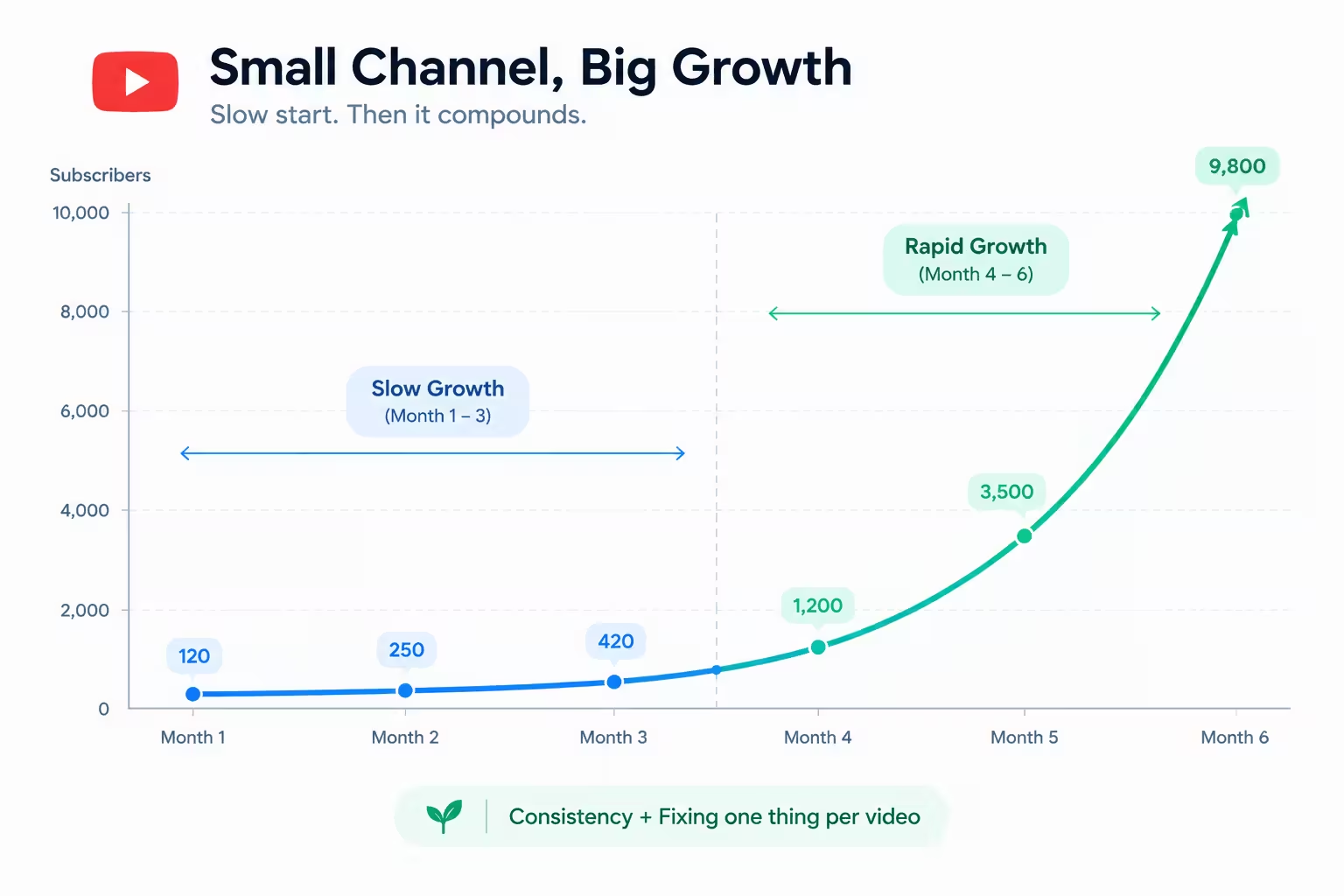
- Be patient in the right way. Most good AI channels earn nothing or very little in the first two to three months. That is normal, and it is not a sign of failure. The failure sign is different. If after thirty honest and improved videos your views are still fully flat, then your niche or your topic choice is wrong, and it is time to change the topic, not to quit YouTube. Keep your figures realistic, keep your records, and remember that all income figures shared on this site are before tax.
Five mistakes I see again and again:
- Copying a viral video script word by word and changing only the voice.
- Using film songs or famous music without a license and then crying over a copyright claim.
- Deleting videos again and again when they get low views in the first two days. New videos often grow slowly, so give them time.
- Changing the niche every two weeks.
- Waiting for the perfect paid tool before posting the first video. Your first ten videos are your training. Post them with free tools.
Frequently Asked Questions
Can I monetize a YouTube channel made fully with AI tools?
Yes, if the content is original and gives real value. YouTube does not reject a channel only because AI tools were used. It rejects channels that are mass produced, repeated, or copied from others.
Is a faceless channel safe in 2026?
Yes. Showing your face is not a requirement. Many safe and successful channels are faceless. What matters is that every video has its own story, research, and effort.
Do I need to pay for tools to start?
No. The zero rupee stack in this post is enough to start and even to reach monetization. Buy a paid tool only when a free limit is truly stopping your weekly video.
Which is the best first paid tool?
For most faceless channels, a natural voice tool like ElevenLabs gives the biggest quality jump for the smallest price. A robotic voice is the first thing viewers notice and dislike.
Can a student really get Gemini free for 12 months?
Yes, if he is 18 or older and his student status is verified. In Pakistan the free student plan is Google AI Plus for 12 months. Apply only on the official student page, and set a reminder to cancel before the free year ends if you do not want to pay after that.
How long does monetization take for an AI channel?
There is no fixed time. A focused channel posting one good video per week often needs a few months to reach 1,000 subscribers and 4,000 watch hours. Anyone who promises you monetization in seven days is selling you a dream, not a method.
Will the AI label hurt my views?
No. YouTube has said that disclosing AI use does not limit your audience or your earning. Hiding required disclosure is the risky choice, not disclosing it.
Can I use AI voice in Urdu for a Pakistani audience?
Yes, and it can be a smart choice. Urdu story and education channels face less competition than English channels. Pick a voice tool that supports Urdu well, write your script in simple words, and always listen to the full voice once before editing, because one wrong pronunciation can break the trust of the whole video.
Final Words
AI tools have removed every old excuse. You do not need a camera. You do not need a studio. A student in a small room in Pakistan, with a phone and free tools, now has the same starting line as a creator anywhere in the world.
But the tools were never the hard part. The hard part is the same as it always was. One clear niche. One good video every week. Your own ideas in your own words. And the patience to keep improving when the first videos get very few views.
Start this week with the free stack. Claim the student plan if you are eligible. Make your first video simple, honest, and fully yours. That first imperfect video will teach you more than a month of watching videos about YouTube.
Share this article
Link copied to clipboard!