

If you use Facebook only for scrolling, sharing Reels, and watching videos, that is fine for free time. But if you scroll the whole day, you are giving your time to other creators, and they are the ones who earn from it.
This guide is not about that kind of scrolling. This guide is about how you can be added to the list of people who earn from Facebook. We will come straight to the point. We will not waste your time with a long lecture on what monetization means.
You do not need to be famous. You do not need a big studio. You need five things, and you need them every day: hard work, passion, focus, patience, and one clear idea.
In the past, a video needed a face on camera, heavy editing skill, and expensive software like Blender for animation. In the AI era, that has changed. You still need hard work, but you do not need to show your face, and you do not need to learn heavy animation from zero. You need a good AI model for research, script, images, and video, and you need to use it in the right order. That order is the difference between a low quality random video and a video people actually watch till the end.
And yes, AI tools can be expensive. That is why this guide also shows you the free route we use, with Gemini and Muse, step by step, in simple words.
All figures in this guide are before tax. No one can promise you a fixed income from Facebook. Your income depends on your views, your country, your niche, and whether Meta invites you to its main ads program.
Step 1: Make a Facebook Page the right way
Do not start posting on a normal personal profile and hope for monetization later. Monetization needs a Page, or a profile in professional mode.
Do it in this order:
- Create a Page with one clear name. Use the same name on Facebook, Instagram, and YouTube if you can, so people find you easily.
- Choose a category that matches your content. For cartoon stories, choose a video creator, education, or entertainment style category, not a random category.
- Add a clear profile photo, a cover photo, and a short bio. Tell people in one line what they will learn or enjoy on your Page.
- Turn on professional mode if you use a profile, or use the Professional Dashboard on your Page.
- Post regularly for at least 30 days and keep your record clean. Meta looks at your whole Page history, not only your last video.
Check your own status here, any time you are confused: open Meta Business Suite, then Monetization, then View Page Eligibility. That page is more reliable than any video that promises you monetization.

Step 2: Pick one niche first, then start with cartoon content
A common mistake is to post everything: news today, funny video tomorrow, cooking the next day. Facebook does not understand what your Page is about, and viewers do not know why they should follow you.
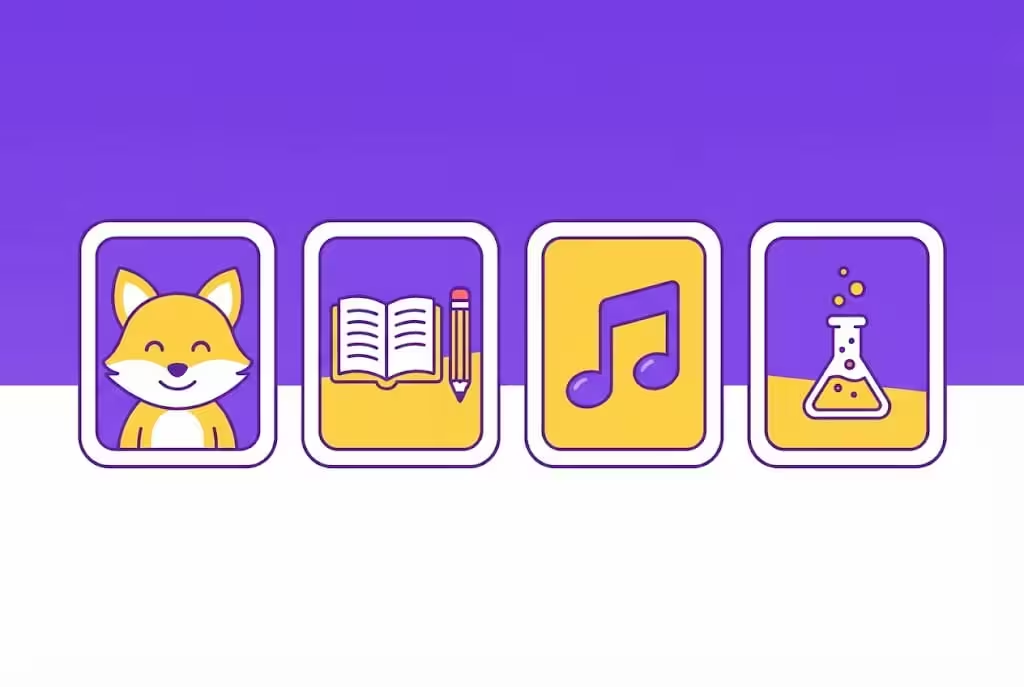
Pick one niche and stay with it for at least 30 days. For beginners, we suggest cartoon content that teaches positive things, educates, and entertains at the same time. It works without showing your face, it is safe for families, and it can be made with AI if you follow the rules in this guide.
Here are cartoon niche ideas that work well for Facebook Reels:
| Cartoon niche idea | What the video teaches | Why it works |
|---|---|---|
| Moral stories with animal friends | Honesty, sharing, kindness, helping others | Parents share it, children remember it |
| Good habits for kids | Brushing teeth, reading, cleaning up, saying thank you | Simple, useful, easy to repeat |
| Numbers, letters, and colours | Counting, ABC, shapes, colours | Parents search for learning content |
| Short rhymes and songs | Rhymes with a clear lesson at the end | Easy to watch again and again |
| Fun science in 60 seconds | Why the sky is blue, how rain works, why the moon changes | Curiosity keeps people watching |
| Daily life lessons | Do not lie, do not waste food, respect elders | Positive content, safe for all ages |
Keep the characters the same in every video. If your main character is a small orange cat with a blue cap, use that same cat in the next video. People follow characters, not only topics.
Keep the content positive. Do not make stories where a child is hurt, scared, punished, or in danger, even as a joke. Do not use scary music, violent scenes, or adult themes with child characters. That is not only bad content, it is also against Facebook's child safety rules, and it can remove your Page.
Use cartoon style, not realistic looking children. A clear cartoon is easier to understand, safer to use, and easier for Meta to accept than a video that looks like a real child.
One more rule for kids content: accounts that mainly post content focused on children may not be able to earn from Stars. That does not mean cartoon content is useless. It means you should plan for other income too, like Content Monetization in eligible countries, brand deals, and traffic to your website or YouTube. We explain that in the monetization tables below.
Step 3: The free AI workflow, Gemini for concept and images, Muse for video
This is the part most beginners do wrong. They open an AI video tool and type, "make a video on honesty." That is a very low standard approach. The result looks random, the characters change in every scene, and the story has no clear lesson.
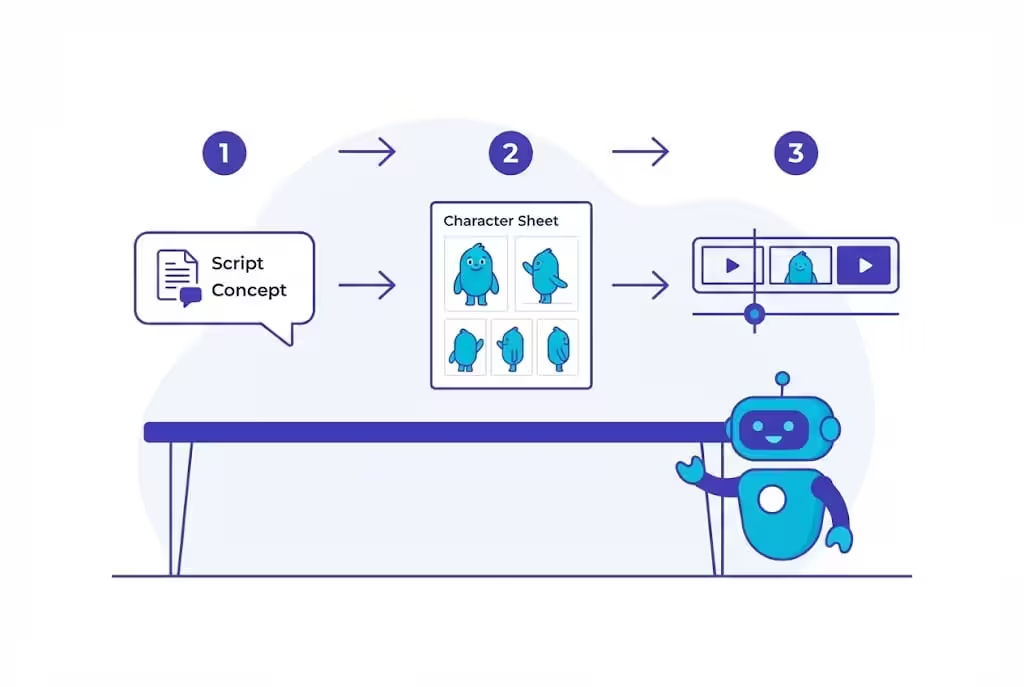
Do it in the right order instead: concept first, then images and characters, then video, then editing, then upload. You do the thinking, AI does the heavy work.
What Gemini does for you
Gemini is your research and writing helper. Use it for:
- Research: ask for 10 simple cartoon story ideas in your niche
- Concept: ask for one story with a clear start, a problem, and a happy ending with a lesson
- Script: ask for a 60 second script, in very simple English, with short lines
- Images: ask for cartoon images of your characters, in the same style, same colours, same clothes, in every image
- Captions: ask for a short caption, a hook for the first line, and 3 to 5 simple hashtags
Example of a good Gemini prompt, in your own words:
"Write a 60 second cartoon story for Facebook Reels. Main character is a small orange cat with a blue cap. Lesson is sharing food with friends. Use very simple English. Give me scene by scene script, 6 scenes, each scene 10 seconds. Keep the cat the same in every scene."
Do not copy a script word by word from another creator. Use Gemini to make your own story, then read it, fix it in your own words, and make it yours.
How to get Gemini Plus free, if you are an eligible student
Many readers ask how to get these tools free. Here is the honest student route:
- Go to the official student page: gemini.google/students
- Check if the offer is available in your country. In Pakistan, eligible students have been offered Google AI Plus free for 12 months, not Google AI Pro. The US student offer is different, so do not mix them up.
- Verify with your own student documents. You must be 18 or over, and student verification is required. A payment method may be required at signup, even for a free year.
- Set a reminder in month 11. After 12 months, the plan can auto renew at the normal price, which has been reported at about Rs 1,400 per month in Pakistan. Cancel before renewal if you do not want to pay.
- Check the official page on the day you apply, because deadlines, price, and storage can change.
Do not use a friend's student card, a fake document, or someone else's account to claim a student offer. That is not a smart trick, it is a fast way to lose the account.
If you are not a student, Gemini still has a free tier. Use the free tier for research, script, and images, and upgrade only when you actually need more.
What Muse does for you
Muse is Google's AI filmmaking helper. You can check its current availability and limits at muse.ai. In late 2026, it was reported as available in the US, Canada, Japan, and Singapore, with a free start and paid plans after that. Check the official page, because availability changes.
Muse does not itself make a 30 minute video in 4K quality on its own. That is a claim you will see in many videos, and it is not correct. Muse helps you plan and make short video clips. You join those clips together to make one Reel.
Use Muse like this:
- Take your Gemini concept, script, and character images with you to Muse.
- Tell Muse scene by scene, not in one vague line. For example: "Scene 1, 10 seconds, orange cat with blue cap shares bread with a small rabbit in a green park, cartoon style, bright colours, happy music feel."
- Generate one clip at a time. Check each clip. If the cat changes colour or the story breaks, fix that scene and generate it again.
- Download the clips, join them in a simple editor like CapCut, add your voiceover or a clear text on screen, and add captions.
- Upload the final Reel to Facebook yourself, from your Page, or schedule it in Meta Business Suite.
Do not share your Google, Facebook, or YouTube password with any AI tool. Use official login and official connections only. You are the creator, you check the video, and you upload it. No tool should take over your Page without your clear permission and your own check.
Gemini and Muse, side by side
| Tool | What it does for your Reel | What it does not do |
|---|---|---|
| Gemini | Research, concept, script, cartoon images, same characters, captions | It does not make the final video for you |
| Muse | Helps turn your concept, images, and script into short video clips | It does not make a 30 minute 4K video by itself, and it does not upload to Facebook for you without your check |
| You, the creator | You choose the idea, check the story, join the clips, add voice and captions, upload to Facebook | You cannot skip this part and expect good results |
That is the full system: Gemini for thinking and images, Muse for video clips, you for quality and upload. If you skip the concept step and only ask for a random video, you will get random results.
Step 4: Make one Reel, step by step
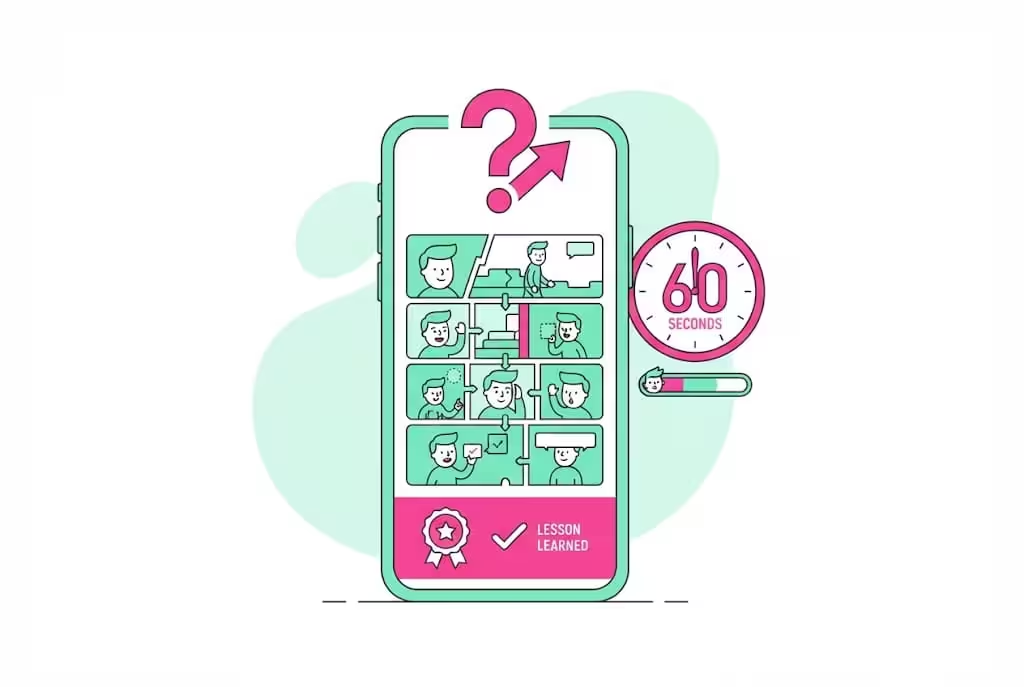
Here is a simple Reel system you can repeat every day:
- Hook in the first 3 seconds. Example: "This cat made a big mistake, but then he learned something important."
- Story in 60 seconds. Use 5 to 6 scenes, each about 10 seconds.
- One lesson at the end. Say it clearly, in one line.
- Text on screen for people who watch without sound.
- A simple caption, not a long essay. Ask one question at the end, like "Do you share with your friends?"
- Post at a time when your audience is online, and reply to comments in the first hour.
Do not post 20 Reels in one day and then disappear for a week. Post 1 Reel a day for 30 days, and watch which stories get more watch time, saves, and shares. Watch time matters more than likes.
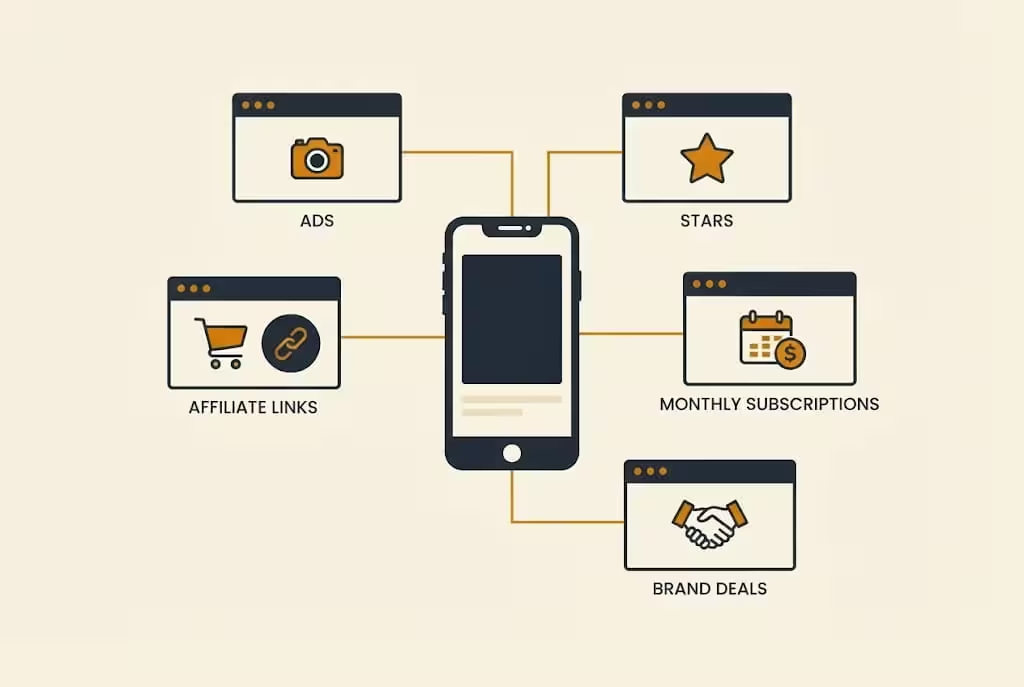
Step 5: Facebook monetization types, in one table
Facebook does not have one single monetization switch. It has different tools, and each tool has its own rules.
Old programs like In-Stream Ads, Ads on Reels, and Performance Bonus ended on 31 August 2025 for everyone. They are now merged into one program called Content Monetization. If a guide still tells you to chase the old 10,000 followers and 600,000 minutes rule for in-stream ads, that guide is out of date.
| Monetization type | How you earn | Main criteria |
|---|---|---|
| Content Monetization, the main Facebook ads program | Meta pays for performance of public Reels, photos, stories, and text posts, based on qualified views and watch time | Invite only. Meta publishes no follower number for this program. You must be 18 or over, have a Page or profile in professional mode, post original content, and live in an eligible country |
| Stars, fan tips | Fans buy Stars and send them on lives, Reels, videos, photos, and text posts. Meta pays 1 cent for each Star | 500 followers held for at least 30 consecutive days, age 18 or over, a Page or profile in professional mode, and a country where Stars is available. Accounts that mainly post child focused content may not be able to earn from Stars |
| Subscriptions, monthly fan payments | Fans pay a monthly fee for exclusive content, badge, group, or lives | 10,000 followers or 250 or more return viewers, plus 50,000 post engagements or 180,000 watch minutes in the last 60 days, in listed countries. Some Meta pages also list 5,000 followers for Pages, so check your own dashboard |
| Earn from Brands, brand deals | A brand pays you for a post, labelled Paid Partnership. The brand can also run it as a partnership ad | Branded Content Policies, Partner Monetization Policies, and a Page or profile in professional mode. No fixed follower number is published, brands choose you on niche and engagement |
| Earn from Affiliates | You earn commission when your audience buys through your affiliate link | A Page or profile in professional mode, registration with a participating affiliate partner, and age 18 or over. What you can join depends on the partner and your country |
| Creator Fast Track, bonus program | Meta pays a fixed amount for 3 months to creators who are new to Facebook Reels, plus you get Content Monetization | 20,000 or more followers on Instagram, TikTok, or YouTube, 30,000 video views there in 60 days, no Facebook Reel in the last 6 months, Facebook account at least 30 days old, age 18 or over, and you must live in the US, Canada, UK, or Australia |
For all Meta paid tools, one rule sits on top: you must live in an eligible country, and your bank or payout details must also be in an eligible country. If your bank country does not match, you can lose monetization, even if your content is good.
Step 6: Where is each program available, Pakistan, India, Bangladesh
This is the part where most guides mislead readers. The lists are different for each tool. A country can be open for Stars and closed for ads.
| Program | Pakistan | Bangladesh | India |
|---|---|---|---|
| Content Monetization ads | No, not on Meta's 70 country list in October 2026 checks | Yes | Yes |
| Stars | Yes, on Meta's Stars list | Yes | Yes |
| Subscriptions | No, not on Meta's Subscriptions list | No, not on Meta's Subscriptions list | Yes |
| Creator Fast Track | No | No | No |
| Brand deals and affiliates, paid directly by the brand or partner | Yes, if the brand or partner can pay you | Yes | Yes |
In simple words:
- India is on all three main Meta tools: Content Monetization, Stars, and Subscriptions.
- Bangladesh has Stars and Content Monetization ads, but not Subscriptions.
- Pakistan has Stars only, on Meta's lists. It is not on the lists for Content Monetization ads or Subscriptions.
Countries where Content Monetization is NOT available, examples
Content Monetization covers only 70 countries and territories. Any country not in those 70 is not available for Facebook ads money. Important examples are:
- Pakistan, Vietnam
- Russia, Belarus, Kazakhstan
- Syria, Lebanon, Kuwait, Qatar, Oman, Bahrain, Libya, Sudan, Yemen, Palestinian Territories, Venezuela
- Cuba, Iran, North Korea, and Crimea, where Stars also cannot be sent
If your country is not in the 70, you cannot apply your way in. Meta must invite you, and Meta can only invite you if your country is on the list. Check your own Professional Dashboard for the final answer for your Page, because Meta can change these lists.
One warning for Pakistan: on paper, Pakistan is on the Stars list. But some reports say Meta stopped accepting Pakistani payout and tax details in March 2025. That means even Stars can be hard to cash out for some creators. Always check payout setup in your own dashboard before you promise yourself or your readers a payment.
Step 7: If monetization is not available in your country, what should you do
This is the most important section for readers in Pakistan and other countries where Facebook ads are not available. There are safe options, and there are risky options that look easy but can destroy your Page.
Safe Option 1: Use a real partner in an eligible country, the right way
This is the option many readers ask about: "My relative lives in a country where Facebook gives monetization, can he help me?"
Yes, but only if it is done honestly, like a real partnership, not like a trick.
The safe way is:
- Your relative is the real owner of the Page. His name, his ID, his tax form, and his bank account are used for payout.
- He takes full responsibility for tax and payout in his country. You do not use his password, his OTP, or his bank login.
- You create content for him as a contributor, under a clear written agreement: who makes the videos, how much you get, and when you get paid.
- He posts, approves, and manages the Page himself. You do not pretend to be him, and you do not log in as him from Pakistan with a VPN.
- If he is not willing to be the real owner and take tax responsibility, do not do it.
This is a real partnership, not a fake account. If the Page earns money, the money goes to the real owner first, and then he shares it with you as per your agreement. That is transparent, and Meta can check it.
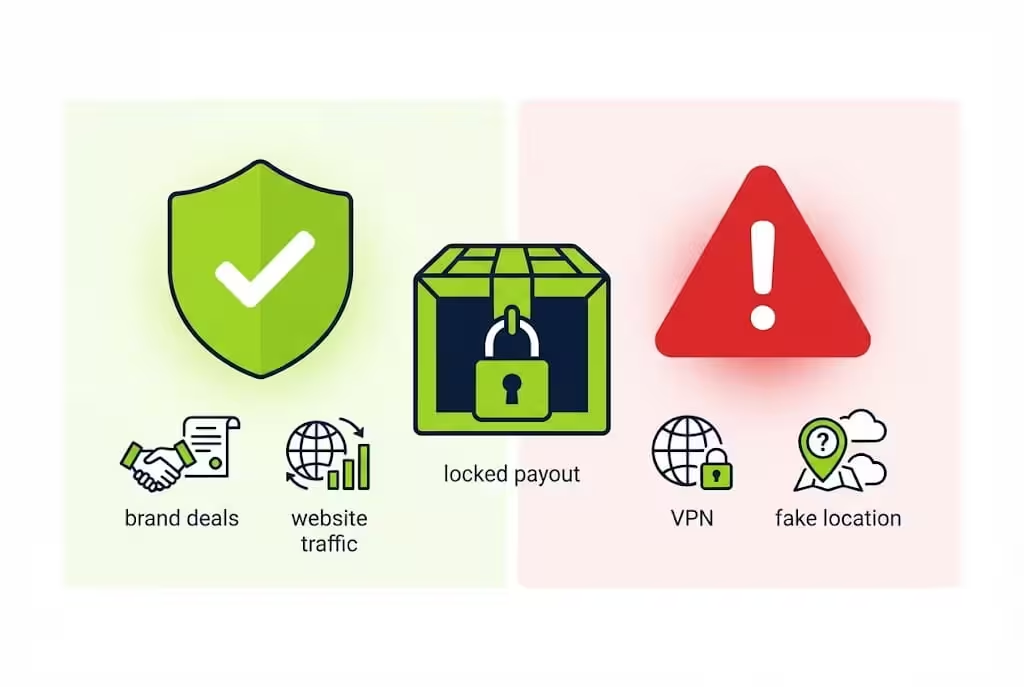
Safe Option 2: Earn from Facebook without Facebook ads money
Many Pakistani creators earn from Facebook even without Content Monetization. Use Facebook to build audience, and earn from other real sources:
| Safe income route | How it works | Why it works in Pakistan |
|---|---|---|
| Brand deals | A local shop or online brand pays you for a Reel or post, labelled Paid Partnership | The brand pays you directly, Meta does not need to pay you |
| Affiliate marketing | You share an affiliate link, and earn commission on sales | Use only affiliate programs that pay to Pakistan, and check their terms first |
| Stars, if your dashboard shows it | Fans send Stars on your Reels and lives | 500 followers for 30 days is a low bar, but check payout setup first |
| Website traffic | Send Facebook viewers to your own website with AdSense | Your website can earn even if Facebook ads do not pay you |
| YouTube | Send Facebook viewers to your YouTube channel | Pakistan is eligible for YouTube Partner Program, with its own rules |
| Own products and services | Sell a digital product, course, template, or service through WhatsApp Business or your website | You control the price and the payment, no Meta invite needed |
| Facebook Marketplace and groups | Sell products or services to your local audience | Fully available in Pakistan, with direct payment from buyers |
Risky Option: VPN, proxy, and virtual number, why we do NOT recommend it
You may hear this advice online: use a paid VPN, always open the Page with VPN, get a virtual number from another country, make a Gmail on that number, and make a Facebook Page on that Gmail.
We are not recommending that in this guide, and here is why, in simple words:
| What the trick claims | What actually happens |
|---|---|
| VPN changes your location | VPN only changes your IP address. Meta also checks your bank, tax form, ID, payout country, and where your viewers live |
| Virtual number makes you look like you live in another country | A virtual number does not change your real bank, tax, or ID. At payout time, the mismatch is easy for Meta to see |
| If you always use VPN, Meta will not catch you | Meta checks admin login history over time. A sudden change in country, or a mismatch between IP and payout, is a red flag |
| You will get the money anyway | If Meta flags location spoofing, it can freeze payouts permanently and ban monetization on all Pages linked to you |
Using a VPN, proxy, fake address, virtual number to fake location, or someone else's identity to appear eligible violates Meta's Terms of Service. It can lead to a permanent payout freeze and loss of monetization, not just a warning.
Do not pay anyone who sells you an invite, a monetized Page, or a VPN trick. Do not share your password, OTP, or bank details with such a person. That is a scam risk, not a shortcut.
If you want a separate guide on how to get payments safely from brand deals, affiliates, and website traffic, tell us through our contact page: https://micronirala.com/contact
Step 8: Facebook policies, in simple points
You do not need to read 100 pages of policy. Remember these points, and your Page will stay safe:
- Post only original content. You must have made it, helped make it, or appear in it. Reposting another creator's video with only a border, caption, or speed change does not count.
- Do not post mass produced, template videos with no story, no lesson, and no human touch. Facebook reduces reach for unoriginal content first, then removes monetization.
- Do not make slideshow videos with still images and music only. That format is not eligible for monetization.
- Label AI when it is required. For photorealistic video or realistic sounding audio made or changed with AI, Meta requires you to use its AI disclosure tool. For clear cartoon and fantasy content, a label is not required in the same way, but adding an AI creator label on your profile is good for trust.
- Do not use real photos or videos of real children without parent permission. Do not use a real child's voice to copy an AI character.
- Do not show harm, violence, fear, or adult themes with child characters, real or AI. Keep kids content positive, safe, and educational.
- Do not buy fake followers, likes, or views. Meta can see fake engagement, and it can remove monetization.
- Do not click your own ads, and do not ask friends to click ads for you. That is against ad rules.
- Always label brand deals as Paid Partnership. Do not hide that a post is paid.
- Keep your Page clean for at least 30 days before you expect any invite. One policy strike can delay everything.
Step 9: Common mistakes that kill a Facebook Page
| Mistake | What happens | What to do instead |
|---|---|---|
| Posting copied Reels from TikTok or YouTube | Reduced reach, then loss of monetization | Make your own story, even if the idea is common |
| Posting 20 random videos in one day, then nothing for a week | Facebook does not trust your Page | Post 1 Reel a day, same niche, same characters |
| Using a VPN or virtual number to fake country | Payout freeze, permanent ban risk | Use the safe options in Step 7 |
| Making scary or violent kids cartoons for views | Page removal risk, child safety violation | Make positive, educational cartoons only |
| Asking Muse or Gemini to "make a video on honesty" with no concept | Low quality, changing characters, no story | Make concept, script, and images in Gemini first, then clips in Muse |
| Promising viewers "you will earn thousands" | Readers lose trust when they earn nothing | Tell the truth: income depends on views, country, and invite |
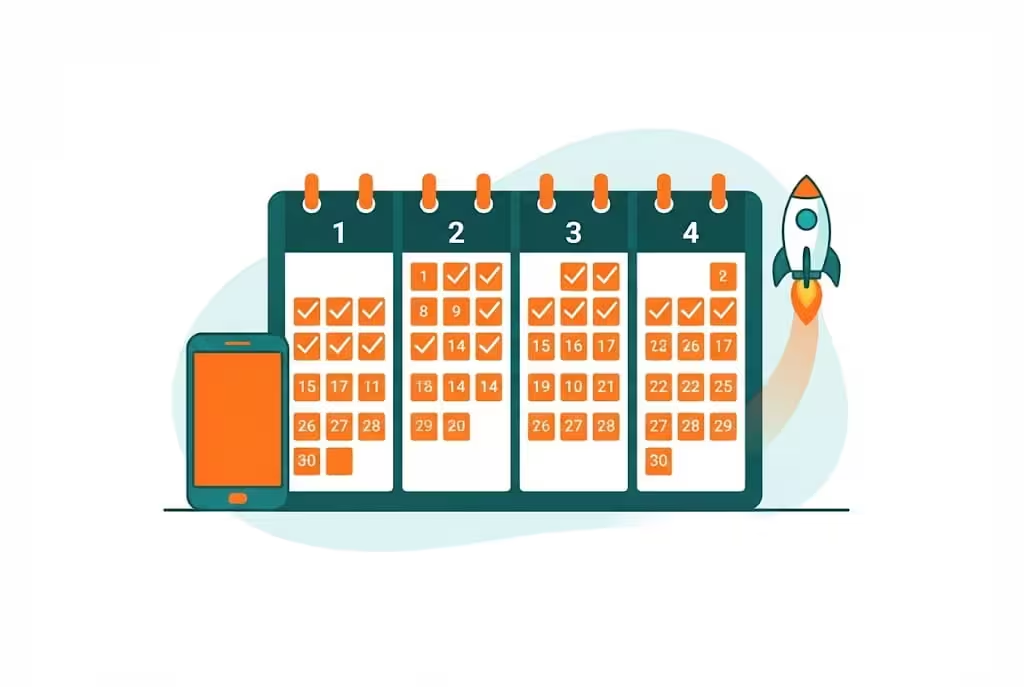
Step 10: Your simple 30 day plan
| Week | What to do | Goal |
|---|---|---|
| Week 1 | Make your Page, pick cartoon niche, make 7 Reels with Gemini concept and Muse clips | Learn the system, find your style |
| Week 2 | Post 1 Reel a day, reply to comments, check which stories get more watch time | Find what your audience likes |
| Week 3 | Make more videos like your best 3 stories, keep the same characters, improve the hook | Grow watch time, not only views |
| Week 4 | Check Monetization Eligibility in your dashboard, apply for Stars if eligible, contact 3 small brands for a paid post, send traffic to your website or YouTube | Turn audience into real income, even if ads are not available yet |
After 30 days, do not stop. Monetization is slow. Most creators who earn did not earn in week 1. They earned after months of consistent, original, positive content.
Frequently Asked Questions
1. Can I earn money from Facebook in Pakistan?
Yes, but not in the same way as every country. In Pakistan, Facebook Stars is on Meta's list, and brand deals, affiliate marketing, and traffic to your website or YouTube are real options. Facebook Content Monetization ads are not on Meta's list for Pakistan in the October 2026 checks, so do not promise Facebook ads money to a Pakistani reader.
2. Does a VPN give me Facebook monetization in Pakistan?
No. A VPN only changes your IP address. Meta also checks your bank, tax form, ID, and payout country. A mismatch can lead to a permanent payout freeze and loss of monetization.
3. Are AI cartoon videos allowed for Facebook monetization?
AI itself is not banned. Facebook pays for original, meaningful work, even if AI helped make it. Mass produced, copied, or reposted content can lose monetization. Cartoon style is safer than realistic looking AI children.
4. How many followers do I need for Facebook Stars?
500 followers held for at least 30 consecutive days, age 18 or over, a Page or profile in professional mode, and a country where Stars is available.
5. Is Facebook Content Monetization available in India and Bangladesh?
Yes, in the October 2026 checks, India and Bangladesh are on Meta's Content Monetization list. It is still invite only, so there is no follower number that guarantees an invite.
6. Can I use Gemini and Muse for free to make Facebook Reels?
Eligible students can get Google AI Plus free for 12 months with their own student documents through gemini.google/students, subject to current terms. Check the official pages for price, limits, and availability, because offers change. Muse availability and limits are on muse.ai.
Final words: start today, but start safely
If you use Facebook only for scrolling, you are spending your time to make other creators rich. If you use Facebook with a plan, you can be one of the creators who earn.
You do not need a face on camera. You do not need heavy editing skill. You do not need expensive software to start. You need hard work, passion, focus, patience, and one clear idea. Start with cartoon content that teaches positive things, educates, and entertains. Make your concept in Gemini, make your images in Gemini, make your video clips in Muse, join them yourself, check them yourself, and upload them yourself.
Do not take shortcuts that can kill your Page. Do not use VPN, proxy, virtual numbers, fake location, bought Pages, or someone else's ID to fake monetization. Use the safe routes in this guide: Stars if your dashboard shows it, brand deals, affiliates, website traffic, YouTube, and your own products.
Why are you waiting? Make your Page today, pick your cartoon niche today, and post your first Reel today. Then post again tomorrow, and the day after. That is how a Page grows.
If you want the next guide on how to get payments safely from brand deals, affiliates, and website traffic, tell us through our contact page: https://micronirala.com/contact
Disclaimer: All figures in this guide are before tax. Facebook policies, country lists, and AI tool prices and limits change often. Check Meta Business Suite, Meta's official help pages, gemini.google/students, and muse.ai on the day you apply. This guide does not promise a fixed income, an invite, or a payout. Your results depend on your content, your audience, your country, and Meta's review.
Share this article
Link copied to clipboard!