

In 2026, AI has grown very fast. It has changed how we work, how we learn, and how we make videos.
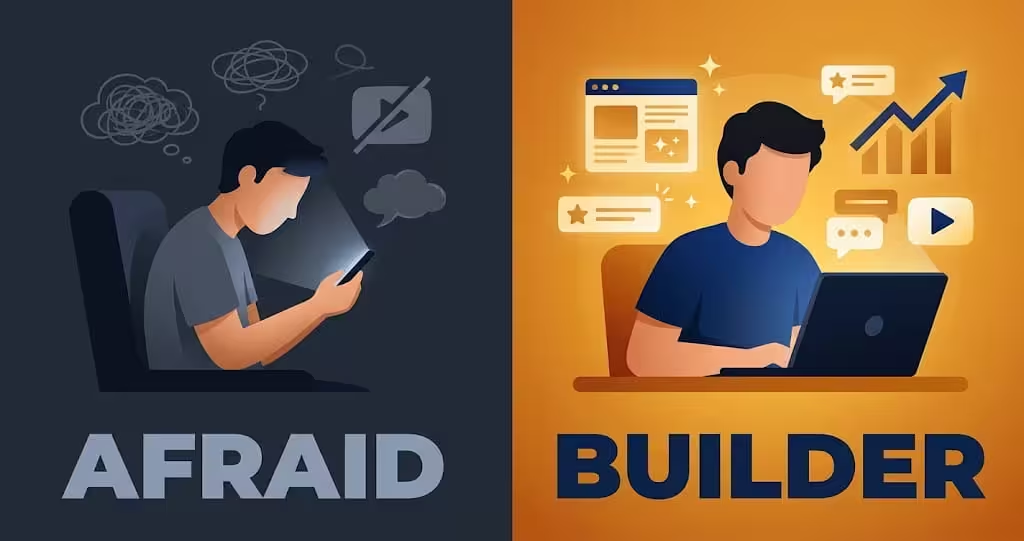
Because of this fast growth, people are now divided into two groups. This division is real, and you can see it in every class, office, and family group.
Table 1: The Two Groups in 2026
| Group | What they think | What they do | What usually happens |
|---|---|---|---|
| Group 1: Afraid | AI will eat all jobs, and everything will end | They worry, they overthink, they wait, they watch others | Waiting does not stop AI, and waiting does not pay |
| Group 2: Builder | AI can make my work 10 times faster, like a one man army | They learn one tool at a time, they test, they publish | They make mistakes, they learn, and slowly they build a skill |
This guide is for Group 2. It is also for you if you are still in Group 1 today, but you want to move. You do not need to love AI. You only need to decide one thing: will I use it, or will I only fear it?
So let us come to our main topic.
Before AI: Why Starting a YouTube Channel Was Hard
Before AI, starting a YouTube channel had many barriers. Let us be honest about them, because many guides hide them.
First, you needed a camera. A good camera was costly.
Second, you needed video editing skills. Learning editing took months.
Third, you needed your voice and your face on camera. If you are shy, or you do not want to show your face, this alone stopped many good people.
Fourth, if you did not want to show your face or voice, you had to hire someone. That person gave his face or voice to your channel. That was costly, and it created a new problem. If that person left, your channel lost its voice.
Fifth, even if you solved face and voice, you still needed an editor. A good editor was also costly.
Some people will argue: only the quality of content matters, not video tools. That point is partly right. Content quality is the base. Without good content, no editing can save a channel for long.
But look at real life. Most people do not first read your script. They first see your thumbnail, then your hook in the first few seconds, then the quality of your video editing. If the video looks messy, if the sound is bad, if the first line is boring, they leave. They never reach your good content.
So the true order is this:
Thumbnail and hook bring the click.
Editing quality and clear voice keep the viewer till the end.
Content quality makes the viewer return, subscribe, and trust you.
You need all three. Good content alone is not enough in 2026. Good editing alone is also not enough. AI now helps you with the second part, so you can focus more on the first and third parts.
Table 2: Before AI vs After AI
| Barrier before AI | What happened before | What AI changes now |
|---|---|---|
| Face on camera | Shy creators stayed silent | You can use images, clips, diagrams, and avatars, no face needed |
| Voice on camera | You had to record, or hire a voice artist | You can use your own voice, or a clean AI voice, or a presenter avatar |
| Video editing skill | Months to learn, or money to hire an editor | Google Vids, CapCut, and templates help you edit in hours, not months |
| Script writing | Blank page, slow writing | Muse and Claude help you draft, fix, and improve a script fast |
| Images and video clips | Stock sites, costly shoots | Gemini, Flow, and Vids create images and short clips from words |
| Team | You needed a small team | One person plus AI tools can do the work of a small team, if the person checks the work |
But listen carefully. AI changed the game fully, but it did not remove the work fully. It removed the technical barrier. It did not remove thinking, research, and checking. If you skip thinking, AI will only help you make weak videos faster.
Your New Team: Muse, Claude, and Google
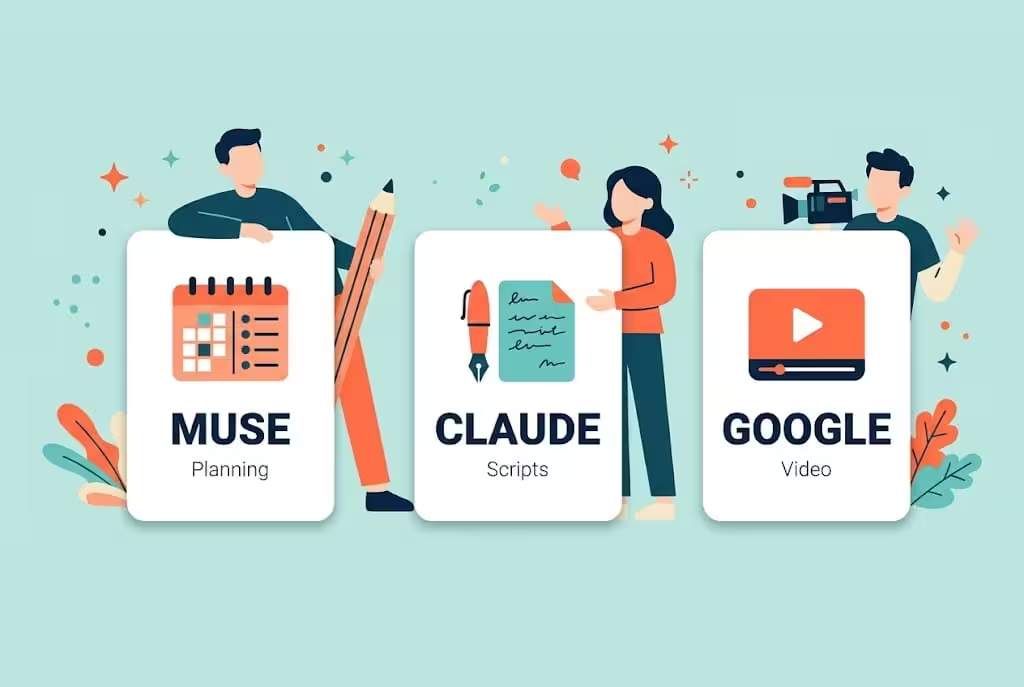
In this guide, your team has three main members. Each one has a different job. Do not ask one tool to do everything.
Muse: Your Planning Partner and Helper
Muse is Meta's personal AI agent. It is made to help you plan, research, write, and do tasks on its own computer and browser when you ask it to.
Use Muse for:
- Making a list of video ideas in your niche.
- Turning a rough idea into a title, a hook, and a simple outline.
- Reading your script draft and telling you where a viewer will get bored.
- Making a checklist for upload, like title, description, thumbnail words, and tags.
- Helping you organise your weekly work.
Muse does not make a 4K video by itself. This is important, and many short videos on social media get this wrong. Muse can help you plan the video, write prompts, and work with other tools, but the actual video is still made by a video tool like Google Flow, Google Vids, or HeyGen. If someone tells you Muse alone creates a full 4K channel for you while you sleep, do not believe it.
Muse is free to start, with a weekly usage limit. Paid plans are reported at around 20 dollars per month for Power and 100 dollars per month for Maximum, but prices can change, so always check muse.ai before you pay.
Availability is also important. As of late October 2026, Muse was officially available in the United States, Canada, Japan, and Singapore, for adults 18 and over. It may not be officially open in Pakistan yet. If it is not open where you live, join the waitlist on the official site muse.ai and wait for the official rollout. Do not fake your location, do not use a VPN to trick the system, and do not create an account with tricks to bypass age or region checks. Those tricks can get your account suspended, and you can lose your work. Until Muse opens in your country, Claude and Gemini can do the same planning and writing work for you.
Only download Muse from muse.ai or from the official app store for your phone. Do not download a random browser extension that claims it unlocks Muse. That is how accounts get stolen.
Claude: Your Script Writer
Claude is made by Anthropic. It is very good at long, clean, human sounding writing.
Use Claude for:
- Writing a full script from your outline, in simple spoken English.
- Rewriting a robotic draft into natural language.
- Structuring a story with a clear start, a problem in the middle, and a clear ending.
- Summarising research notes in your own words, so you do not copy text from a website.
- Fixing grammar and flow without changing your meaning.
Claude has a free plan to start. The paid Pro plan is reported at 20 dollars per month, or about 17 dollars per month if you pay yearly. Max plans are 100 dollars and 200 dollars per month, and they are only for very heavy users. For most beginners, free or Pro is enough. There is also a separate API price for developers, which is paid per token. You do not need the API to start a channel.
One rule for Claude, and for all AI writing: never post the first draft as it is. Read it out loud. If a line sounds like a textbook, rewrite it in your own words. Add one real example. Add one line that only you would say. That small edit makes the script yours.
Google: Your Video Maker
Google covers ideas, images, video, and editing in one account. This is why Google is the third member of the team.
- Gemini: Use Gemini for research, ideas, outlines, and image generation. Gemini can also create short video clips.
- Google Flow: Flow is made for video clips. You write a short prompt, or you use an image you already made, and Flow turns it into a moving clip with Veo. Most clips are short, around five to ten seconds. A full video is made by joining many short clips.
- Google Vids: Vids is a video maker inside your Google account. You can add scenes, use your script, generate Veo clips, add a voice, add music, and export a video for YouTube.
- NotebookLM: Use this for research. You give it your notes or links, and it helps you understand a topic fast. It does not replace checking facts, but it helps you learn faster.
- YouTube Studio and YouTube Audio Library: Studio shows what viewers actually do, like click rate and watch time. Audio Library gives free music that will not give you a copyright claim. Start your music search there.
Table 3: Your Team at a Glance
| Tool | Main job | Free option | Paid option | Skill needed |
|---|---|---|---|---|
| Muse | Planning, ideas, checklists, help with tasks | Free to start, weekly limit | Power and Maximum, check muse.ai | Easy, chat only |
| Claude | Full scripts, rewrites, story structure | Free plan | Pro about 20 dollars per month | Easy, chat only |
| Gemini | Ideas, research, images, short video clips | Free plan, plus student offer below | Google AI Plus and Pro, prices vary by country | Easy |
| Google Flow | Short video clips with Veo | Free credits to start | Higher credits with a Google AI plan | Easy |
| Google Vids | Put scenes, voice, music, and clips into one video | Small number of free Veo generations per month | Higher limits with a Google AI plan | Easy |
| CapCut | Editing and captions on phone and computer | Free plan | Pro, only if you need it later | Easy |
How "Give Access to Muse or Claude" Really Works: Please Read This
Many beginners hear a simple line: give your tools access to Muse or Claude, and they will handle your channel.
That line needs a correction, because the simple version is not safe.
You must never give your Google password, your YouTube password, or your login code to any AI chat, any extension, or any stranger tool. If a tool asks for your password to "run your channel", stop. That is how channels get stolen.
The safe way works like this:
- You keep your YouTube channel in your own Google account. You turn on two step verification.
- You use Muse and Claude in their own apps to plan, write, and make checklists.
- You copy the script, the prompts, and the plan from Muse or Claude into Gemini, Flow, Vids, or CapCut yourself.
- If you want automation later, you use an official API. An API is a safe key that lets one tool talk to another tool, with limited permission, without sharing your password. You can turn that key off at any time.
- You always watch the final video yourself before you upload it. You are the owner. The AI is the helper.
Claude and Muse do not log into your channel by magic and post videos while you sleep. They can help you build a system, write code for a tool like Remotion, or make a step by step plan for automation. But the final check, the upload, and the responsibility stay with you. Any guide that promises full magic automation with zero checking is selling a dream, not a method.
This correction protects your channel. It also protects your monetization, because YouTube checks who owns the channel and whether the content is original.
The Power of AI, Explained Simply
Now listen to how the power actually works.
You create the YouTube channel.
You create a Muse account if it is available in your country, or a Claude account.
Then you open Google tools: Gemini, Flow, and Vids.
With these tools, you can create characters, images, and videos. You can keep the same character in every scene, so your channel looks professional. You can make a story video, an explainer video, or a presenter video, without a camera and without a studio.
You can also use other advanced video and image models if you want. One example is Hugging Face. Hugging Face is a large library of open models made by many developers. It is powerful, but it is not simple for a beginner. You often need technical skill, and you may need to pay for computer power to run a model. It is a good next step after you learn the basics, not a good first step.
Here is a simple rule from experience: as much sugar as you add, as much sweet it becomes. In plain words, more money can buy better quality, more credits, higher resolution, and faster rendering. But money alone does not buy viewers. A costly video with a weak idea will still fail. A simple video with a strong idea, a strong hook, and clear teaching can still win.
So invest in steps. Start free. Pay only when a free limit truly stops your weekly video.
Table 4: Two Paths, Pick One Honestly
| Path A: Small Investment | Path B: Free Student Path | |
|---|---|---|
| Who is this for | You have a small budget, and you want faster and better quality | You are a student, or you have no budget, and you want to start today |
| Main writing tool | Claude Pro, about 20 dollars per month | Claude free, plus Muse free if available in your country |
| Main video tools | Gemini with a Google AI plan, Flow with more credits, HeyGen Creator if you need an avatar | Gemini free or student plan, Flow free credits, Vids free generations, CapCut free |
| Main advantage | More credits, better models, less waiting | Zero cost, you learn the full system before you spend |
| Main risk | Spending money before you prove you can publish weekly | Free limits run out faster, so you must plan your clips carefully |
| Best first month goal | Publish 4 good videos, test one niche | Publish 4 good videos, test one niche |
| What not to do | Do not buy 5 tools on day one | Do not wait for money before you publish video one |
Path A: For People Who Have a Small Budget
If you have money to invest, invest in this order, not all at once.
Step 1: Get Claude Pro if you write long scripts every week. Pro gives higher limits than free, and it is enough for most solo creators. Max is for very heavy daily use, and most beginners do not need it.
Step 2: Get a Google AI plan that fits your country. This gives higher Gemini limits, more Flow credits, and more Veo access. Check the price on the official Google page for your country before you pay, because prices and features change by country.
Step 3: Pick one advanced video or avatar tool only if your niche needs it. Do not pick three.
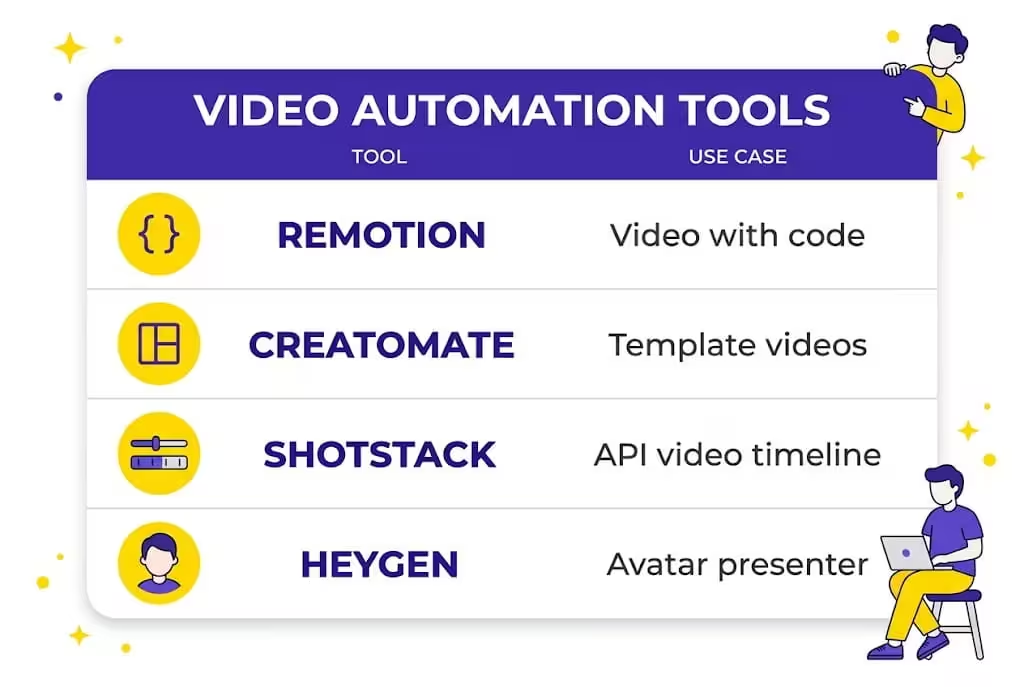
For example, if your niche is presenter style explainers, HeyGen can help. If your niche is story videos, Flow and Vids are usually better than HeyGen. If your niche is data and motion graphics, Remotion can help, but only if you can code or you are ready to learn basic code.
Then build a system, not a magic button. Use Claude to write your script and your video plan. Use Gemini and Flow to make images and clips. Use your chosen automation tool to assemble the video faster. Then watch it, fix it, and upload it yourself.
Table 5: Automation and Advanced Video Tools, Explained Honestly
| Tool | What it really does | Who should use it | Free option | Paid option, check official page | Skill needed |
|---|---|---|---|---|---|
| Remotion | Generate videos with code, using React. You write a video like a program, and it renders a real MP4 file. | Creators who can code, or want to make many similar videos from data, like daily charts or templates | Free for small teams, check licence | Company licence and automation plans for larger use | Code, React |
| Creatomate | Automate video creation with templates and an API. One template plus many rows of data can make many videos. | Creators who make many similar videos, like news, quotes, or product videos | Limited trial, check current offer | From around 45 to 54 dollars per month, depending on billing | Easy for templates, code for API |
| Shotstack | Create and edit videos through an API, using a JSON timeline. You send a timeline, it sends back a video. | Developers and small teams who want cloud rendering | Small free credits to start | From around 10 dollars once, or around 39 dollars per month, plus pay per minute options | Code, JSON |
| HeyGen | Generate AI avatar videos. A script becomes a presenter video, with voice and lip movement. | Explainers, training, and presenter style channels | Free plan, 1 to 3 short videos per month, up to 1 minute, with watermark, for testing only | Creator around 29 dollars per month, Pro from around 49 dollars per month with 4K export | Easy, no code |
| CapCut and Google Vids | Simple editing, captions, and assembly, without code | Almost every beginner, start here | Free plans | Pro plans, only later | Easy |
Read this table slowly, because it saves money.
Remotion is powerful, but it is not a beginner button. If you cannot code, Remotion will slow you down, not speed you up. Start with Vids or CapCut, and move to Remotion only when you have a clear template and you make the same type of video again and again.
Creatomate and Shotstack are also powerful, but they are API tools. That means they work best when you already have a system and a developer mindset. They do not replace your idea, your script, or your final check.
HeyGen is the easiest of the four, but check the credit math. Creator gives around 600 credits per month, and a premium avatar can use around 20 credits per minute. That means 600 credits is about 30 minutes of premium avatar video per month, not unlimited video. Free videos are for testing, and they carry a watermark. Do not build a full channel on a free plan that is made for testing.
Path B: For Students With No Budget
Now listen, if you are a student and you do not have a budget, you can still start. You do not have an excuse to delay, but you do have a limit to respect. Free tools need planning.
Step 1: Create the YouTube channel. Use a separate Google account for the channel if you can. Turn on two step verification. Pick one clear niche name. Write a short description that answers who the channel is for, what they will learn, and when new videos come.
Step 2: Create a Muse account if it is available in your country, or a Claude account. If Muse is not open in your country, do not worry. Start with Claude free and Gemini free. They cover planning and writing.
Step 3: Get the Gemini student plan, if you are a real student. Go to the official page: https://gemini.google/students/
Check what the page shows for your country. In some countries the student offer is Google AI Plus. In the United States it has been Google AI Pro. Do not assume one name. Read the page itself.
You must be 18 or older, and Google will verify your student status. You may need a student card, a university email, or an enrolment document. You may also need a valid payment method at sign up, even if the plan is free for 12 months. Read the price and the end date before you finish. Set a reminder for month eleven, because after the free 12 months the plan can start charging on its own if you do not cancel.
If you do not have a student card, do not use a friend or relative card to pretend you are a student. That can get the account in trouble, and you can lose the channel that lives on that account. If you are not a student, use the free plans. Free is slower, but it is safe and honest.
Step 4: Give your work to the tools in order, not all at once. First, research your topic. Then discuss the idea with Muse or Claude. Then write the script with Claude. Then make images with Gemini. Then make clips with Flow. Then assemble the video in Vids or CapCut. Then watch it on your phone before upload.
Step 5: Start from your mobile if you must, but know the limit. You can create a channel, write scripts, use Gemini, and edit Shorts on a mobile phone. That is enough to start. For long videos, a laptop or desktop makes editing much easier, especially in Vids and CapCut desktop. Starting on mobile is better than waiting for a laptop. Waiting is the real enemy.
You only need three things to start: patience, focus, and belief that you can do something big. Patience means you publish even when video one gets few views. Focus means you stay in one niche for at least thirty videos. Belief means you keep improving, not that you expect money in week one.

Content Research: Do Not Skip This Step
Now you have a team, but honestly, you still have to do content research. This is the step many beginners skip, and then they wonder why no one watches.
Content research answers one question: which topic should I make, and why will someone click it today?
Use these tools together, not just one:
Table 6: Research Tools
| Tool | Use it for | Free or paid | Warning |
|---|---|---|---|
| YouTube search | See what people already search, and what YouTube suggests when you type a topic | Free | Suggestions show demand, not a promise of views |
| Gemini | Get ideas, outlines, and a first picture of a topic | Free, higher limits with a plan | Always check facts from a proper source before you publish |
| ChatGPT | Get ideas, outlines, and simple explanations | Free plan, paid for higher limits | Same warning, do not copy its first draft |
| Perplexity | Research with sources shown, good for checking a fact fast | Free plan, paid for higher limits | Click the source, do not trust the summary alone |
| NotebookLM | Learn a new topic from your own notes and links | Free plan, higher limits with a plan | Best when you upload trusted material, not random links |
| Muse and Claude | Discuss the idea, pick the best angle, and fix the script | Free to start, paid for higher limits | They help you decide, they do not decide for you |
A simple research routine that works:
- Type the start of your topic in YouTube search. Write down the suggestions. Those are real questions from real people.
- Open the top 5 videos in that topic. Do not copy them. Ask: what did they miss? What can I explain simpler? What example can I add from my own life?
- Use Gemini or Perplexity to check the key facts. Open at least one trusted source for each important claim.
- Discuss the idea with Muse or Claude. Ask: which angle is clearest for a beginner? What hook will make a viewer stay for 30 seconds?
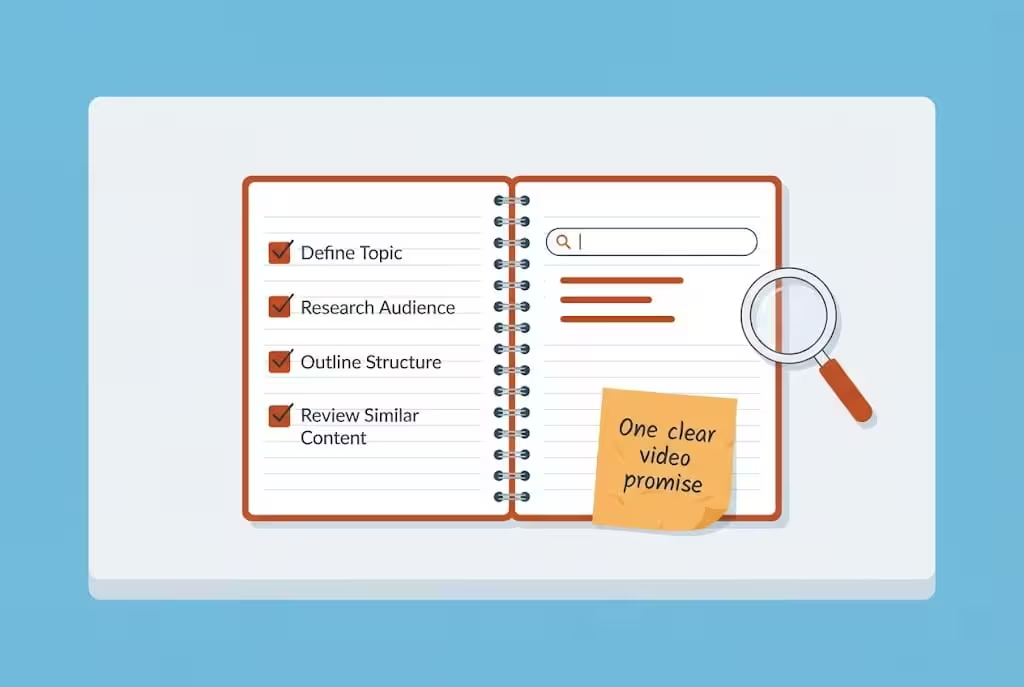
- Write one sentence that is your video promise. Example: By the end of this video, you will know how to make your first faceless video with free tools, step by step. If you cannot write that sentence, your topic is still too vague.
If you do this research well, your script will be easy. If you skip research, even the best AI voice and the best editing cannot save a video that no one searched for.
More Tools: Paid and Free, Because One List Is Not Enough
You asked for more tools, so here is a wider list, grouped by job. Start with one tool per job. Do not collect tools like a hobby.
Table 7: Full Tool List by Job
| Job | Free tools to start | Paid tools, only when you need them | My advice |
|---|---|---|---|
| Ideas and planning | Muse free if available, Claude free, Gemini free, YouTube search | Claude Pro, Gemini with a Google AI plan | Pick one planner and learn it well |
| Script writing | Claude free, Gemini free, NotebookLM | Claude Pro, ChatGPT paid | Rewrite every AI draft in your own words |
| Research | YouTube search, Perplexity free, NotebookLM free, Google search | Perplexity Pro, NotebookLM higher limits | Check facts, do not copy summaries |
| Images | Gemini image generation, Microsoft Designer, Meta AI | Midjourney, Gemini paid for higher limits, Adobe Firefly | Keep the same character style in every scene |
| Video clips | Flow free credits, Vids free generations, Kling free credits, Hailuo free credits | Veo with a Google AI plan, Kling paid, Runway | One clip means one action, split long ideas into short clips |
| Voice | Your own voice on your phone, CapCut text to speech, Clipchamp text to speech | ElevenLabs starter plan, Murf, PlayHT | Use the same voice in every video, so viewers recognise you |
| Music | YouTube Audio Library, Pixabay Music with licence check | Epidemic Sound, Artlist, only after you earn | Keep music low, lower than the voice |
| Editing and captions | CapCut free, Google Vids, DaVinci Resolve free | Filmora, Adobe Premiere Pro, Descript | Add captions to every video, many people watch with sound off |
| Thumbnail | Canva free, Photopea in browser, Ideogram for clear text | Canva Pro, Photoshop | Keep only 3 or 4 big words, readable on a phone in one second |
| Avatar presenter | HeyGen free for testing, with watermark | HeyGen Creator and Pro | Use an avatar only if your niche is presenter style |
| Automation, advanced | Remotion free for small teams, Shotstack small free credits | Creatomate, Shotstack paid, HeyGen API | Use automation only after you have a proven template |
A note on voice and face: if you are shy, you do not need to hire a voice artist on day one. Your own voice, recorded in a quiet room with your phone, is often better than a robotic AI voice, because it builds trust. If you truly do not want to use your voice, use a clean AI voice and keep it the same in every video. Never clone the voice of a famous person. That can get your channel in serious trouble.
A note on quality: editing quality helps engagement, content quality helps trust. Think of it like a shop. Editing is the clean shop front that makes people enter. Content is the good product that makes people return. You need both, but do not spend all your money on the shop front and forget the product.
Your Weekly Workflow, Step by Step
Here is the exact order I recommend. It is slow in the first two weeks, then it becomes fast.
Day 1, research and idea, about 30 minutes: Use YouTube search, Gemini, and Perplexity. Discuss the angle with Muse or Claude. Write your one sentence promise.
Day 2, script, about 45 minutes: Use Claude for the full draft, then rewrite it in your own words, add your example, and break it into scenes.
Day 3, visuals and clips, about 60 minutes: Use Gemini for images, Flow for clips, one scene at a time. Save your main character image and reuse it.
Day 4, editing and upload, about 60 minutes: Edit in Vids or CapCut, add captions and low music, make the thumbnail in Canva, watch the full video once on your phone, then upload.
That is about three to four hours per week for one strong long video. Then cut two or three Shorts from the same long video during the week. Shorts bring new viewers to the long video, and long videos are where the real ad money is.
If you have only one hour in a day, do one step per day. Do not try to do research, script, video, and upload in one rushed sitting. Rushed videos look rushed, and viewers can tell.
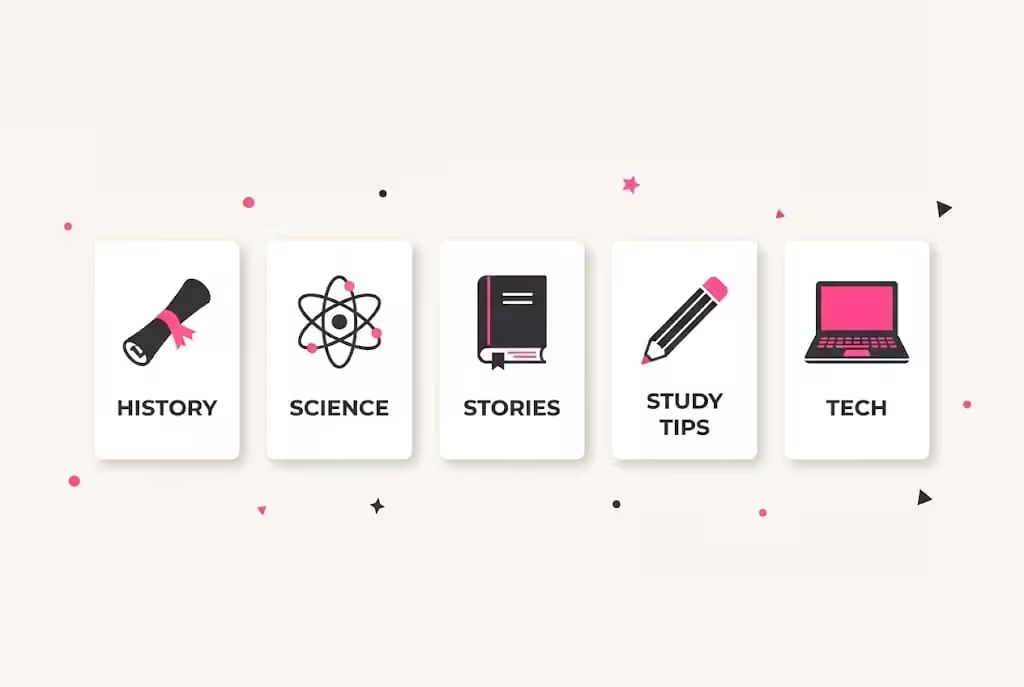
5 Niches That Work Well Without a Face
Pick one niche and stay with it for at least thirty videos.
- History stories told simply. One story, one character, one lesson per video.
- Science explained in easy English. One idea per video, with a simple example.
- Stories with the same characters. Same style, but every episode has a new problem and a new ending.
- Study and learning tips. Teach a method a student can use the same day.
- Tech explained for beginners. Explain one tool or one AI feature in simple steps, show the screen, and warn about the common mistake.
Avoid niches that depend on copied clips, film songs, or other people videos. Those channels may get views for a week, then they die at monetization review.
YouTube Monetization in 2026, in Simple Words
You earn through the YouTube Partner Program. As of late 2026, the full ad revenue level is:
- 1,000 subscribers, and
- either 4,000 valid public watch hours in the last 12 months, or 10 million valid public Shorts views in the last 90 days.
You also need a linked AdSense account, two step verification, no active Community Guidelines strike, and a channel that follows all monetization policies. A human team reviews your channel when you apply. They look at your main theme, your most watched videos, your newest videos, and your titles and thumbnails.
There is also an early level in some countries, with lower numbers, that can open fan funding features like memberships. Availability of that early level varies by country, so check what YouTube Studio shows for your country. Do not assume it is open everywhere.
For long videos, YouTube normally shares 55 percent of ad revenue with the creator. For Shorts, the revenue works in a pool system and the creator share is 45 percent of the amount given to creators. In simple words, Shorts grow your channel, long videos pay better.
All earning figures in this guide are before tax. Keep records of your income from the first payment itself. No one can promise you a fixed monthly income from YouTube, because ad rates change by topic, by country, and by season. Anyone who promises you monetization in seven days is selling a dream, not a method.
What Gets Monetized and What Gets Rejected
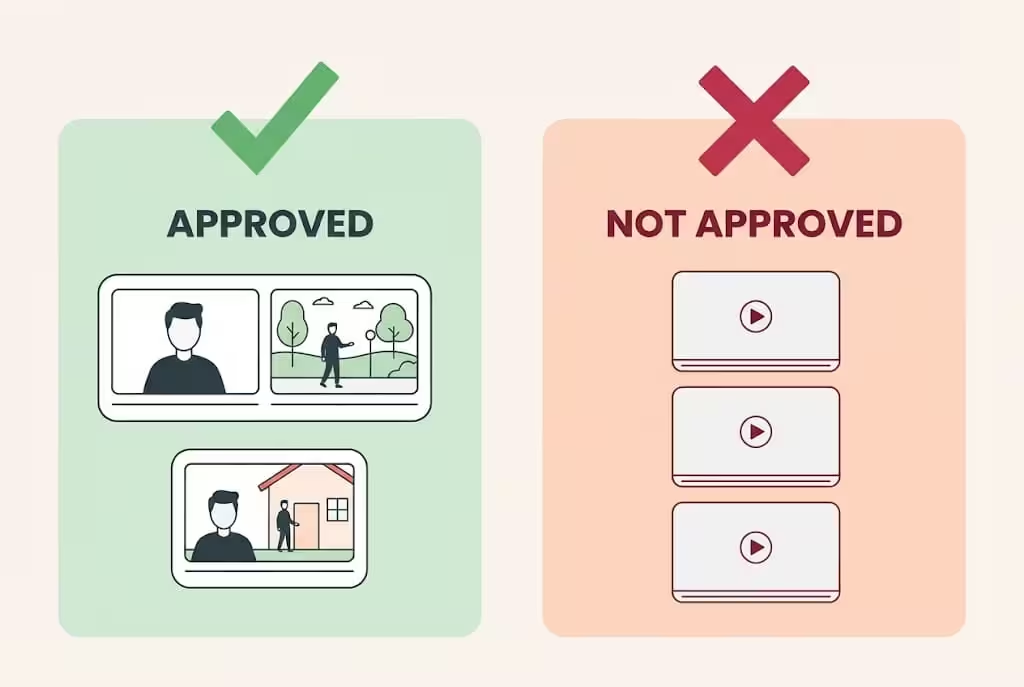
On 15 July 2025, YouTube updated its rules and renamed its repetitious content policy to the inauthentic content policy. YouTube did not ban AI content. AI content is allowed. Mass produced, repeated, and low effort content is not allowed, whether a human made it or AI made it.
Table 8: Approved Style vs Rejected Style
| Approved style | Rejected style |
|---|---|
| Your own original script, story, or teaching, even if AI helped with visuals or voice | The same template posted again and again, where only a few words change |
| A series with the same characters, where every episode has a new story | AI image slideshows with a robotic voice reading copied text |
| AI images and clips you created for your own idea, with your own editing | Top ten videos copied from other channels with a new AI voice on top |
| Educational videos where the viewer truly learns something new | Collections of other people videos or songs, with little or no change by you |
| Reaction or review videos with real commentary and meaningful editing | Fake expert content, where an AI character acts like a real doctor or finance expert |
About the AI label: when you upload, YouTube Studio asks about AI use. Say yes if your video shows a real looking person, place, or event that did not really happen, if a real person appears to say or do something he did not, or if AI music is a main part of the video. Disclosing AI use does not reduce your views and does not stop your earning. You normally do not need to say yes just because AI helped you with a script, a title, captions, or a clearly cartoon style animation that no one can mistake for real life. Do not hide AI use when it is required.
7 Mistakes That Kill a Faceless Channel
- Copying a viral script word by word and changing only the voice.
- Using film songs or famous music without a licence, then getting a copyright claim.
- Changing the niche every two weeks because the first videos got low views.
- Posting seven weak videos instead of one strong video per week.
- Using a different voice and a different character style in every video, so viewers never recognise your channel.
- Deleting videos when they get low views in the first two days. New videos often grow slowly. Give them time.
- Waiting for the perfect paid tool before posting the first video. Your first ten videos are your training. Post them with free tools.
After every upload, study two numbers in YouTube Studio: click through rate and average view duration. If people do not click, your title and thumbnail are the problem. If people click but leave fast, your hook and script are the problem. Fix only one thing in the next video. This slow fixing is how small channels actually grow.
Your First 30 Days, Week by Week
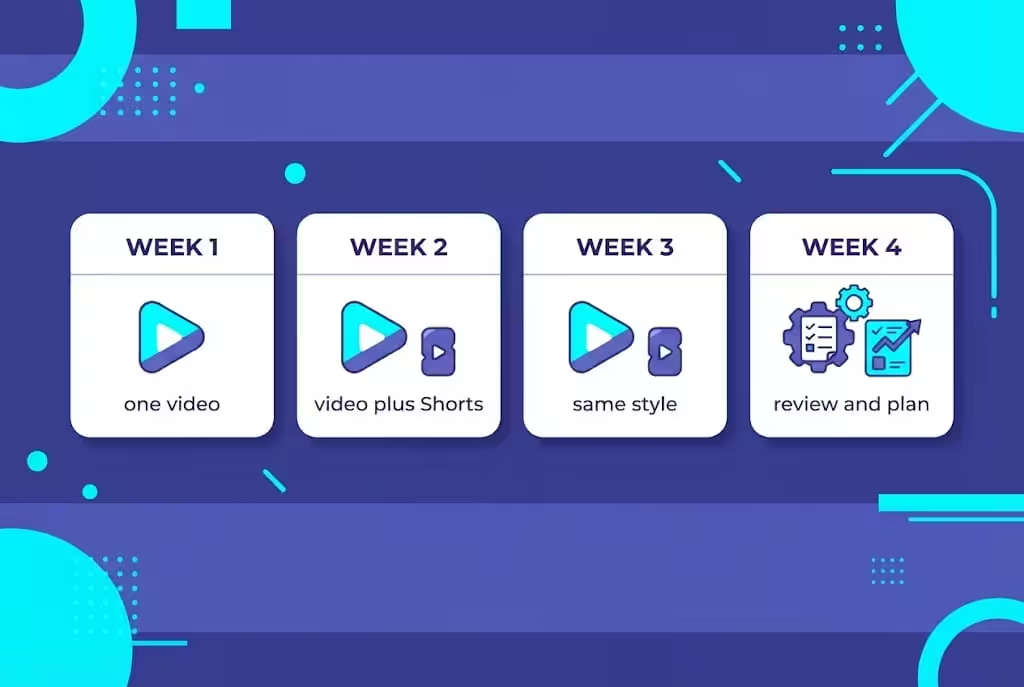
Table 9: First 30 Day Plan
| Week | Do this | Goal |
|---|---|---|
| Week 1 | Set up the channel, test Muse or Claude, Gemini, and Flow with one tiny video, publish video one | Published, not perfect |
| Week 2 | Publish video two, cut two Shorts from it, fix one thing from week one, like a stronger hook | Learn from feedback |
| Week 3 | Publish video three in the same niche and same style, keep the same voice and character | Build recognition |
| Week 4 | Publish video four, review all four videos together, pick your next four topics | Decide with data, not feelings |
Most good channels earn nothing or very little in the first two to three months. That is normal, and it is not a sign of failure. The failure sign is quitting after five videos, or posting the same copied template thirty times and hoping YouTube will approve it.
Frequently Asked Questions
Can I monetize a channel made with Muse, Claude, and Google tools?
Yes, if the content is original and gives real value. YouTube does not reject a channel only because AI tools were used. It rejects channels that are mass produced, repeated, or copied from others.
Do I need to show my face at any point?
No. Showing your face is not a requirement for monetization. What matters is that every video has its own story, research, and effort.
Can Muse or Claude run my channel by themselves?
No. They can plan, write, and help you build a system, but you must check the video, upload it, and own the channel. Never share your Google or YouTube password with any tool.
Is Muse free?
Muse is free to start, with a weekly usage limit, and paid plans exist. Availability varies by country, so check muse.ai for your country. Do not fake your location to unlock it.
How do I get Gemini Plus free as a student?
Go to gemini.google/students and read what the page shows for your country. You must be 18 or older and your student status must be verified. Only claim it if you are a real student with your own documents. Set a reminder for month eleven, because the plan can auto renew after 12 months.
Which tool should I open first?
Open Muse or Claude for the idea and outline, then Claude for the script, then Gemini and Flow for visuals and video. That order saves time and keeps the video focused.
Do I need to pay for tools to start?
No. The free student path in this post is enough to start and even to reach monetization. Buy a paid tool only when a free limit is truly stopping your weekly video.
Will the AI label hurt my views?
No. YouTube has said that disclosing AI use does not limit your audience or your earning. Hiding required disclosure is the risky choice, not disclosing it.
Can I start from a mobile phone?
Yes, you can start from a mobile phone for channel setup, scripts, Gemini, and Shorts editing. For long videos, a laptop or desktop makes editing easier, but starting on mobile is better than waiting.
How long does monetization take?
There is no fixed time. A focused channel posting one good video per week often needs a few months to reach 1,000 subscribers and 4,000 watch hours. Be patient, and fix one thing per video.
Final Words: Which Group Will You Choose?
AI will not wait for you. It will keep growing, with or without you.
Group 1 will keep worrying. Group 2 will keep building, one video at a time, one mistake at a time, one improvement at a time.
You do not need a face on camera. You do not need an editing team in an office. You need a clear niche, a simple weekly system, and three helpers who do their own jobs well: Muse for planning, Claude for scripts, and Google for video.
Start this week with the free path if you have no budget, or with the small investment path if you have a little money. Make your first video simple, honest, and fully yours.
How much longer will you delay, if you do not start today?
About the author: Nouman is a computer science student who writes practical online earning guides for students, based on real research and realistic figures, with honest warnings about the traps he has seen beginners fall into.
Disclaimer
Earning figures and monetization rules in this guide are for learning only and are before tax. Tool prices, free limits, and availability can change by country and by date. Always check the official page for Muse, Claude, and Google before you pay or claim an offer. Income is not guaranteed and depends on your niche, video quality, audience, and consistency.
Share this article
Link copied to clipboard!