

Most guides about tool websites tell you the same thing in different words. Pick a keyword, build a tool, get traffic, put ads on it, get paid. That is true, but it is not the full story in 2026, and it does not tell you how to pick a fight you can actually win, or how to build the tool without a coding team.
This guide is different. It is written from real SEO experience with free and paid tools, technical SEO, and tool websites. It shows you one clear system, step by step, from research to development, content writing, technical SEO, Google Search Console, and ad networks, in that order. No step is skipped, and no step is magic.
If you are new to tool websites and you want the full beginner journey from the first keyword to the first AdSense payment, read this guide first: How a Tool Website Earns Money With Google AdSense in 2026: From Keyword Research to First Payment. That guide explains the basics. This guide builds on it. It shows you how to find a weak gap, build a better tool with Muse and Claude, and move up from AdSense to bigger ad networks when your traffic is ready.
The Biggest Opportunity in 2026: Tool Intent Beats AI Overview
In 2026, a lot of information traffic has changed. When a user asks Google a simple information question, Google often shows an AI Overview at the top, and many users get their answer without clicking a website. That is a real problem for normal information blogs. A blog that only explains what something is can lose clicks even if it ranks well.
A tool website is different, and that difference is the biggest opportunity right now.
A tool has a different intent. The user does not only want to read about something. The user wants to use something. A user who searches for a CGPA calculator, a word counter, an age calculator, a percentage calculator, or an image compressor does not want a paragraph. He wants to type a number, click a button, and get a result. Google AI Overview cannot do that job for him in the same way. He has to come to a website and use the tool.
That is why tool traffic is more stable than many information niches in 2026. The user must visit, must interact, and must stay on the page while he uses the tool. That visit is what AdSense and later ad networks pay for. It is not a guarantee of traffic or income, and it does not mean every tool will rank. It means you are playing a game where the user still needs your website, not only an answer box.
So the strategy in this guide is simple. Do not fight for information keywords where AI Overview takes the click. Fight for tool keywords where the user must use the tool. Then make your tool faster, clearer, and more useful than the weak site that is already ranking.
Step 1: Find the Gap, Do Not Guess the Niche
Most beginners start with a tool they like. That is the wrong start. Start with a gap you can prove.
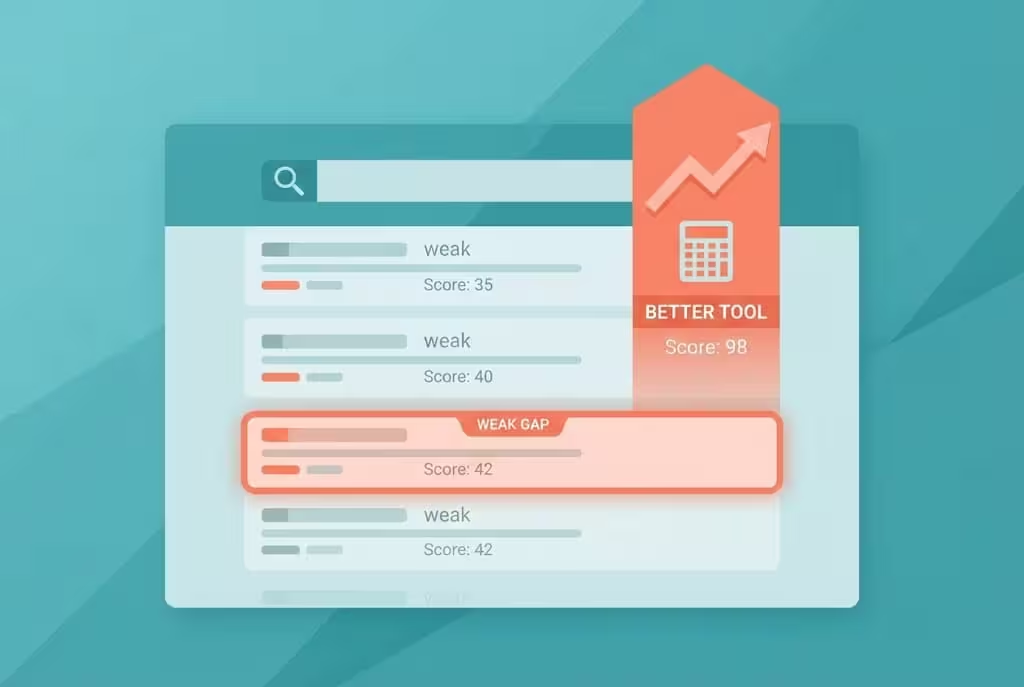
A gap is a tool keyword where the websites on page one are weak, but the search demand is real. When you find that gap, almost 50 percent of your work is already done, because Google is telling you something important. Google is already ranking a weak site in the top spots, so Google is not demanding a giant authority site for this keyword. It is demanding a better answer, a better tool, and a better page.
Think of it like this, in your own words. If a weak website is sitting in the top 5 spots, it is like a one year old baby starting to run. It is there, but it is not strong, not fast, and not stable. A better, faster, and more complete tool can pass it, if you do the work properly. That does not mean ranking is automatic. It means the fight is fair, and a new site has a real chance.
What does a weak website look like?
A weak website is not only a low number. Check all of these together, not only one:
Table 1: Weak Competitor Check
| Check | Weak sign | Strong sign |
|---|---|---|
| Domain Rating, DR | 0 to 12 | 30 or higher, with many strong backlinks |
| Position | Top 5, even with low DR | Top 5, with high DR and high authority |
| Tool quality | Slow, confusing, broken on mobile, no clear result | Fast, clear, works on mobile, result in one click |
| Content quality | Thin page, copied text, no how to use guide, no FAQ | Clear guide, example, FAQ, original words |
| Site quality | Slow loading, no About, Contact, or Privacy page, messy design | Fast, clean, legal pages, easy navigation |
| Backlinks | Very few, or low quality links | Many natural links from real sites |
| Updates | Old tool, old design, no improvement | Regularly updated and improved |
If you see a site with DR 0 to 12 in the top 5, and its tool is slow or its page is thin, that is your gap. If you see a site with DR 0 to 12 but its tool is excellent and its content is deep, be careful. Low DR alone is not enough. The tool and the content must also be beatable.
Do not pick a keyword only because the top site is weak. Also check that people actually search for it, that the trend is stable through the year, and that the keyword is a tool keyword, not only an information keyword. A weak site on a keyword nobody searches for is not an opportunity.
How to find weak sites on page one
- Make a short list of tool ideas in one niche. Do not mix niches. One niche, for example calculators, or text tools, or image tools, or PDF tools.
- Search each idea on Google, in an incognito window, and open the top 10 results.
- Check the DR of each top site with the free Ahrefs DR checker, or with Semrush if you have it. Write down the DR, the position, and a short note about the tool quality.
- Keep only the keywords where at least one site in the top 5 has DR 0 to 12, and where that site is clearly beatable on tool quality or content quality.
- Drop keywords where all top 5 sites are strong, even if you like the tool. That fight will take much longer, and a beginner should not start there.
This is the same rule you already know from the earlier guide, made sharper here. In the earlier guide, the rule was KD 0 to 20 and 5 or more page one competitors with DR 0 to 19. Here, for this method, look even closer. A DR 0 to 12 site in the top 5 is a stronger signal than a DR 0 to 19 site on page one. It is your green light to look deeper, not your final decision.
Step 2: Put That Weak Site in Semrush and Take All Its Keywords
Once you find a weak site in the top 5, do not stop at one keyword. That site is your map. Put it in Semrush and take its keywords, because one weak site often ranks for many related tool keywords, and many of those keywords are also weak gaps.
This is where paid SEO tools earn their value. Free tools can check one keyword at a time. Semrush can show you the whole site at once.
Semrush steps, in order
- Open Semrush and go to Domain Overview. Type the weak competitor domain, not your own domain.
- Look at its organic traffic, its top countries, and its top keywords. Do not copy its design. You are studying its keyword list, not stealing its content.
- Go to Organic Research, then Positions. This shows you the keywords that site ranks for.
- Export the list. Filter it for tool intent keywords. Look for words like calculator, converter, counter, generator, checker, compressor, and maker. Drop pure information keywords for now, unless they support your tool page as a blog post later.
- Filter by Keyword Difficulty, KD. Keep KD 0 to 20 for your first tool. You can look at KD 21 to 30 later, only after your first tool is ranking.
- Check search volume and trend for each keyword. A keyword with good volume in one month and zero in the next month may be seasonal. Check the whole year in Google Trends before you pick it.
- Open the top 5 results for each shortlisted keyword again, and check DR and tool quality again. A keyword from Semrush is only a lead. The top 5 check is the real test.
- Pick one main keyword for your first tool, and 3 to 5 related keywords for the same tool page and its supporting blog posts. For example, if your main tool is a CGPA calculator, related keywords can be how to calculate CGPA, CGPA to percentage, and semester GPA calculator, if the search data supports them.
Analyze its content, then make it better
Getting keywords is only half the job. The other half is content analysis. Open the weak site and ask these questions, honestly:
- What does its tool do well, and what does it do badly? Is it slow, confusing, or broken on mobile?
- What does its page explain, and what does it miss? Does it show an example? Does it explain how to use the tool step by step? Does it answer common questions?
- What would a real user still be confused about after using it?
- What can you add that is genuinely useful, not only longer text? A clearer result, a better example, a mobile friendly design, a faster load, a simple FAQ, and a clean how to use guide are real improvements. Copying its text in different words is not an improvement.
Your goal is not to copy the weak site. Your goal is to beat it. Beat it on tool speed, beat it on mobile experience, beat it on clarity, and beat it on content. When Google compares your page with the weak page, your page should be the obvious better choice for the user.
If you do not have Semrush, do the same work slower with free tools. Use Google search for the top 10, use the free Ahrefs DR checker for DR, use Google Trends for trend, and use Google Search Console later for your own keywords. Semrush is faster, but it is not the only way. Do not let a missing paid tool stop you from starting.
Step 3: Muse vs Claude, What Is the Difference?
This is where many beginners get confused, because both Muse and Claude are AI tools, and both can write text. They are not the same tool, and they should not do the same job in your system.
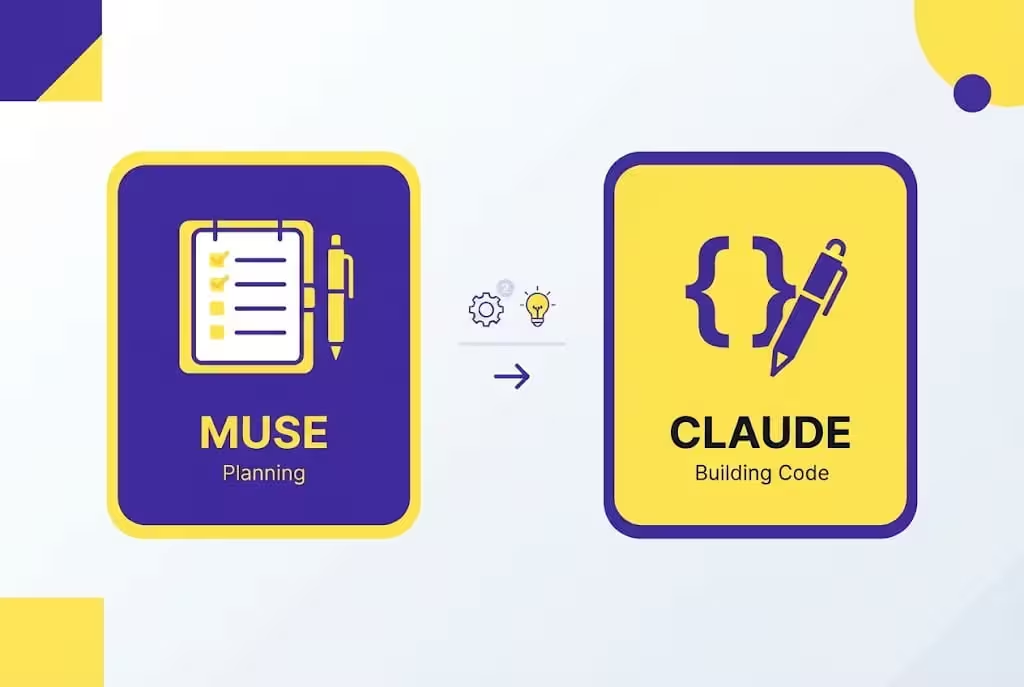
Think of it like a small team. Muse is your planner and helper. Claude is your builder and writer. You are the owner who checks, tests, and publishes. If you ask one tool to do everything, you will get weak results. If you give each tool its own job, you will get much better results.
Table 2: Muse vs Claude, in Simple Words
| Point | Muse | Claude |
|---|---|---|
| Made by | Meta | Anthropic |
| Main job in this system | Planning, research, ideas, checklists, and helping with tasks | Writing, coding, fixing code, and improving drafts |
| Best for | Tool idea plan, keyword discussion, page structure, testing checklist, weekly plan | Tool code in HTML, CSS, and JavaScript, bug fixes, tool page content in simple words |
| How you use it | Chat, plan, and task help on its own computer and browser when you ask it | Chat, paste your plan, ask for code, paste errors back for fixes |
| Free option | Free to start, with a weekly usage limit, if available in your country | Free plan to test, with limits |
| Paid option | Power and Maximum, check muse.ai for current prices | Pro, reported at about 20 dollars per month, or about 17 dollars per month if you pay yearly |
| Main limit | Muse does not build a complete tool website by itself, and it does not log in and run your site for you | Claude can write code, but it can also make mistakes, so you must test every result |
| What never to do | Never share your Google, hosting, or AdSense password with Muse | Never share your Google, hosting, or AdSense password with Claude |
Muse, your planning partner
Use Muse for planning, not for blind building. Ask Muse to help you with:
- Turning a weak gap keyword into a clear tool plan. Who will use it, what inputs it needs, what result it must show, and what pages it needs.
- Discussing the idea before you build. What will make your tool better than the weak site? What example should the page show? What questions will users ask?
- Making a checklist for the tool page: title, meta description, H1, how to use steps, example, FAQ, and internal links.
- Making a checklist for testing: mobile, speed, calculation, buttons, and result.
- Organising your weekly work, so you do not try to do research, building, content, and SEO in one rushed day.
Muse is free to start, with a weekly usage limit. Paid plans are reported at around 20 dollars per month for Power and 100 dollars per month for Maximum, but prices can change, so always check muse.ai before you pay.
Availability is important, and you must be honest about it. As of late October 2026, Muse was officially available in the United States, Canada, Japan, and Singapore, for adults 18 and over. It may not be officially open in Pakistan yet, or in your country yet. If it is not open where you live, join the waitlist on the official site muse.ai and wait for the official rollout. Do not fake your location, do not use a VPN to trick the system, and do not create an account with tricks to bypass age or region checks. Those tricks can get your account suspended, and you can lose your work. Until Muse opens in your country, DeepSeek and Gemini can do the same planning work for you. Only download Muse from muse.ai or from the official app store for your phone. Do not download a random browser extension that claims it unlocks Muse. That is how accounts get stolen.
Claude, your builder and writer, best on paid
Claude is very good at long, clean, human sounding writing, and at writing and fixing code. That is why, in this system, Claude is the builder.
Use Claude for:
- Building the first version of your tool in HTML, CSS, and JavaScript, from the plan Muse helped you make.
- Fixing bugs. When the tool gives a wrong result or breaks on mobile, paste the error and the code back to Claude and ask for a fix, then test again.
- Writing the tool page content in simple spoken English: what the tool does, how to use it, an example, and FAQs.
- Rewriting a robotic draft into natural language, without changing the meaning.
- Improving a weak page: take your draft, ask Claude where a user will get confused, and fix those parts.
Claude has a free plan to test, but for serious tool building, Claude is best on paid. The free plan has limits, and a long tool code plus repeated fixes will hit those limits fast. The paid Pro plan is reported at about 20 dollars per month, or about 17 dollars per month if you pay yearly. Max plans are 100 dollars and 200 dollars per month, and they are only for very heavy users. For most beginners, free to test and Pro to build is enough. There is also a separate API price for developers, which is paid per token. You do not need the API to start a tool website.
One rule for Claude, and for all AI writing and coding: never publish the first draft as it is. Read the code result, test it, read the text out loud, and fix it in your own words. Add one real example. Add one line that only you would say. That small human check makes the tool yours, and it protects you from AI mistakes.
DeepSeek, the best free option for beginners
If you are a beginner and you have no budget, DeepSeek is your best free friend in this system. In simple words, DeepSeek is very, very good for free planning and coding help, and it is the tool to start with when you cannot pay for Claude yet.
Use DeepSeek for the same two jobs when Claude is not available to you: planning the tool, and building a first simple version. Then test it the same way you would test Claude code. Free does not mean unchecked. A free tool can also make mistakes, so the testing step stays the same.
Do not collect ten free tools. Pick one free planner and one free builder, learn them well, and upgrade only when a free limit truly stops your weekly work.
Step 4: Free Tools vs Paid Tools, the Full List
Start free. Pay only when a free limit truly stops you. That rule will save you more money than any tool list.
Table 3: Free Tools to Start
| Job | Free tools | Use it for |
|---|---|---|
| Planning and ideas | DeepSeek free, Muse free if available, Gemini free | Tool plan, idea discussion, checklist |
| Building the tool | DeepSeek free, Muse free if available, Gemini free | First simple HTML, CSS, and JavaScript tool |
| Student upgrade | Google AI Plus free for eligible students, see Step 5 | Higher Gemini limits, more image and video access, storage |
| Keyword research | Google Trends, Google search, free Ahrefs DR checker, Google Search Console later | Trend, DR check, top 10 check, your own keywords |
| Hosting a simple tool | Vercel, Netlify, Cloudflare, Google Firebase free tiers | Host a fast static tool page for free at the start |
| Images | Gemini image generation, Microsoft Designer, Meta AI | Tool page images, simple graphics |
| Editing and checks | Your browser, your phone | Mobile test, speed test, result test |
Table 4: Paid Tools, Only When You Need Them
| Job | Paid tools | When to pay |
|---|---|---|
| Building and writing | Claude Pro, Lovable, Gemini paid, Google AI Pro | When free limits stop your weekly tool work, or you build tools every week |
| Keyword and competitor research | Semrush, Ahrefs paid | When you need full competitor keyword exports, like the Semrush method in Step 2 |
| Faster building | Lovable, Bolt, v0, Replit, Cursor | When you want to build faster and you already know how to test code |
| Design and images | Canva Pro, Midjourney, Adobe Firefly | Only after you earn, for faster design work |
Paid tools in this guide, as you asked: Claude, Lovable, and Gemini paid. Free tools in this guide, as you asked: DeepSeek as the very best free option, plus Muse free to start, and Gemini free. Google AI Plus free for students is a special free upgrade, explained in Step 5, and it is not the same as paying for Gemini.
Do not buy five tools on day one. I have seen students spend their full pocket money on tools and then publish only one weak tool. Tools do not build a website. Published, tested tools do.
Step 5: How to Create Your Accounts, Step by Step
Do this part slowly and safely. An account created with tricks can be lost later, and your website lives on that account. Use your own details, your own email, and two step verification everywhere.
How to create a Muse account
- Go to the official site only: https://muse.ai
- Read what the page shows for your country. If Muse is available where you live, create an account with your own email and a strong password. If it is not available, join the official waitlist on the same page and wait for the official rollout.
- Verify your email if Muse asks for it. Do not use a fake email, and do not use someone else email.
- Turn on two step verification if it is offered. This protects your account.
- Start with the free plan and its weekly limit. Check the paid plans on muse.ai only when you need higher limits, and check the current price before you pay.
- Never give Muse your Google password, your hosting password, or your AdSense password. Muse helps you plan and write. You copy the plan yourself, and you publish yourself.
If Muse is not open in your country yet, do not worry. Start with DeepSeek free and Gemini free for planning, and check muse.ai again later for the official rollout.
How to create a Claude account, best on paid
- Go to the official Claude site, claude.ai, and create an account with your own email. Do not download Claude from a random link or extension.
- Start with the free plan to test it. Ask for one small tool plan or one small code fix, and see if the style works for you.
- When you are ready to build seriously, upgrade to Pro inside your Claude account. Check the current price on the official page before you pay. The reported price is about 20 dollars per month, or about 17 dollars per month if you pay yearly, but prices can change.
- Turn on two step verification, and keep your login details private.
- Use Claude in its own app to write code and content. Copy the code into your own hosting or editor yourself. Never paste your hosting password, your Google password, or your AdSense login into Claude, or into any AI chat.
Claude is best on paid because long tool code, repeated fixes, and page content use a lot of limits. Free is for testing. Paid is for building every week.
How to get Google AI Plus free as a student
Google gives eligible students a free AI plan for 12 months. This is a real saving, and you should claim it only if you are a real student with your own documents.
- Go to the official page only: https://gemini.google/students/
- Sign in with your personal Google account.
- Read what the page shows for your country. In some countries the student offer is Google AI Plus. In the United States it has been Google AI Pro. Do not assume one name. Read the page itself.
- Complete student verification. You must be 18 or older, and Google will verify your student status. You may need a student card, a university email, or an enrolment document.
- You may also need a valid payment method at sign up, even if the plan is free for 12 months. Read the price and the end date before you finish. Confirm the plan shows zero price for the 12 month period.
- Set a reminder on your phone for month eleven today itself. After the free 12 months, the plan can start charging the normal monthly price on its own if you do not cancel. Students lose money every year by forgetting this small step.
- Do not use a friend or relative student card to pretend you are a student. That can get the account in trouble, and you can lose the site that lives on that account. If you are not a student, use the free plans. Free is slower, but it is safe and honest.
The same link and steps were shared with you before for Gemini, and they are repeated here because they matter for this system too. Google AI Plus free gives you higher Gemini limits than a free account, which helps when you are planning tools and writing content every week.
How to create a DeepSeek free account
- Go to deepseek.com, the official site, and sign up with your own email.
- Verify your email, and turn on two step verification if it is offered.
- Start with the free chat. Ask for a tool plan first, then for a simple tool code, then test the result yourself.
- Do not paste passwords, API keys, or private account details into DeepSeek, or into any AI chat.
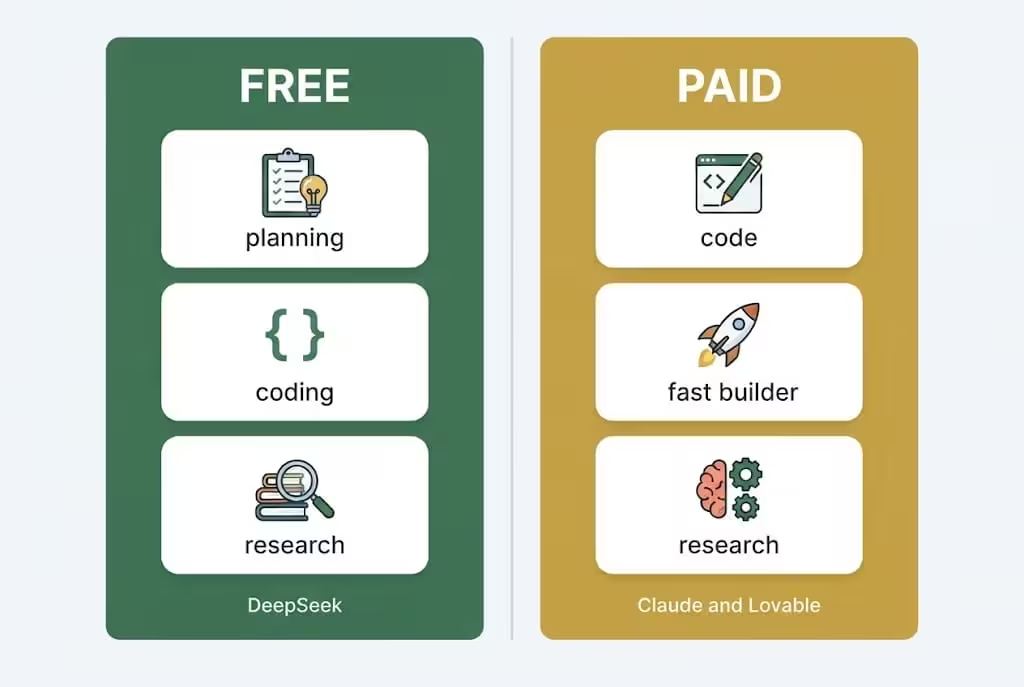
That is your beginner stack, in order: DeepSeek free for planning and building, Muse free if available for planning and checklists, Gemini free or Google AI Plus student free for planning and content help, and Claude paid when you are ready to build seriously every week.
Step 6: Research, Full Process, From Gap to Final Keyword
You already found the gap in Step 1 and Step 2. Now turn that gap into a final, safe keyword choice. Do not skip this step, because a tool built on the wrong keyword will not rank, even if the code is perfect.
- Start with the weak site keyword list from Semrush. Keep only tool intent keywords.
- For each keyword, check KD. Keep KD 0 to 20 for your first tool.
- For each keyword, check the top 5 again. Keep only keywords where at least one top 5 site has DR 0 to 12 and a beatable tool or thin content.
- Check the whole year trend in Google Trends. Drop keywords that spike for one month and disappear. A tool site needs stable demand.
- Check user intent. Does the user want to use a tool, or only read? If the user wants to use a tool, keep it. If the user only wants a definition, save it for a supporting blog post, not for your main tool.
- Check related keywords for the same tool. Your main tool page should naturally cover the main keyword plus 3 to 5 related keywords, in headings, in the how to use guide, and in FAQs. Do not force keywords. Do not repeat the same keyword in every line. Google does not like keyword stuffing, and readers do not like it either.
- Pick one main keyword and one tool. Write it down, with the weak competitor, its DR, its position, and what you will do better. This one page of notes will keep you focused for the whole build.
Example, in simple form, not a promise: you find a calculator keyword where a DR 8 site ranks at position 4, its tool is slow on mobile, and its page has no example and no FAQ. Your plan is clear. Build a faster, mobile friendly calculator, add a worked example, add a how to use guide, and add FAQs. That is your gap, and that is your plan.
For the full beginner research process, including free tools, paid tools, and the earlier KD and DR rules, you can also read the earlier guide here: How a Tool Website Earns Money With Google AdSense in 2026: From Keyword Research to First Payment. Use that guide for background, and use this guide for the Muse and Claude build method. That internal link is good for SEO because it connects two related guides on the same site, and it helps a reader who is new to research.
Step 7: Development With Muse and Claude, Step by Step
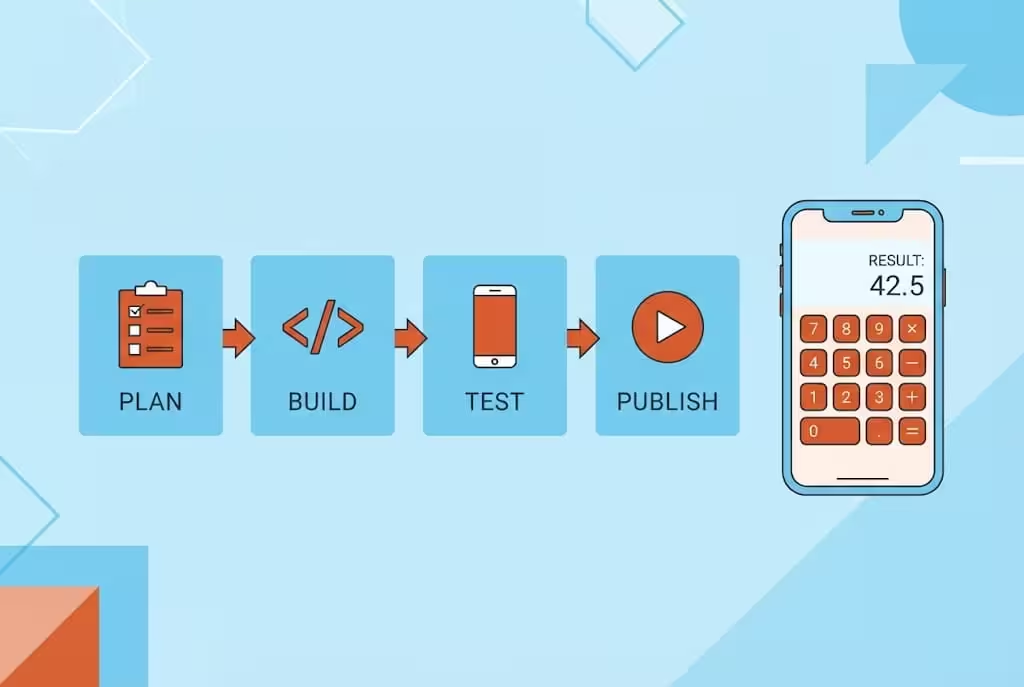
Development is not one prompt and one finished website. It is plan, build, test, fix, and publish, in that order. If you skip testing, you will publish a broken tool, and users will leave in seconds.
7.1 Ask Muse to plan the tool
Copy this structure, and fill in your own keyword and tool. Do not copy a plan for a different tool.
Prompt structure for Muse:
Plan a simple tool website page for [your tool keyword]. Who will use it? What inputs does the user type? What result must it show? What should the page title, H1, and meta description be? What sections should the page have, including how to use, example, and FAQ? What should I test before publishing? Give me a short checklist, not a full website yet.
Muse should give you a plan, not a finished tool. Read the plan. Fix it. If the plan is too complex, ask Muse to make it simpler. A simple tool that works is better than a complex tool that breaks.
If Muse is not available in your country yet, use DeepSeek free or Gemini free with the same prompt structure for planning.
7.2 Ask Claude to build version 1
Now take the final plan to Claude, or to DeepSeek free if you are on the free path, and ask for version 1 only.
Prompt structure for Claude:
Build a simple, mobile friendly, fast tool page for [your tool keyword] in one HTML file with CSS and JavaScript. The tool must have [list the inputs], a clear button, and a clear result. The design must be clean, the text must be large enough to read on a phone, and the page must load fast. Do not add extra features yet. Give me the full code, and tell me how to test it.
Claude will give you code. Do not publish it yet. Save it, open it in your browser, and test it.
If you use Lovable for faster building, the same rule applies. Lovable can build faster, but you must still test the result yourself, and you must still own the final page. A paid builder does not remove testing.
7.3 Test the tool like a real visitor
This is the step most AI guides skip, and it is the step that decides if your tool will rank and keep users.
Table 5: Tool Testing Checklist
| Test | What to check | Pass sign |
|---|---|---|
| Mobile test | Open on your phone, not only on a computer | Buttons are easy to tap, text is readable, nothing is cut off |
| Calculation test | Try 3 different inputs, including a simple one and an edge case | All 3 results are correct, and you checked them by hand or with a trusted calculator |
| Speed test | Open the page on mobile data if you can | Page loads fast, images are compressed, no heavy files |
| Button test | Click every button, including clear and reset if you have them | Every button does what its label says |
| Result test | Use the tool without reading the guide first | A new user understands the result in seconds |
| Error test | Type a wrong input, or leave a field empty | Tool shows a clear, polite message, not a broken page |
| Browser test | Open in Chrome and one other browser | Tool works in both, layout does not break |
If a test fails, paste the problem back to Claude or DeepSeek, ask for a fix, and test again. Do not add new features until version 1 passes all tests. A working simple tool beats a broken fancy tool every time.
7.4 Publish version 1, then improve
Publish one tool, not ten tools. A site with one excellent tool and one clear page is stronger than a site with ten half finished tools.
After version 1 is live, watch real use. If users ask the same question again and again, add that question to the FAQ. If users make the same mistake, make the button clearer. Improvement after publishing is normal. It is not a sign of failure. It is how good tool sites grow.
Step 8: Content Writing, What to Write on a Tool Page
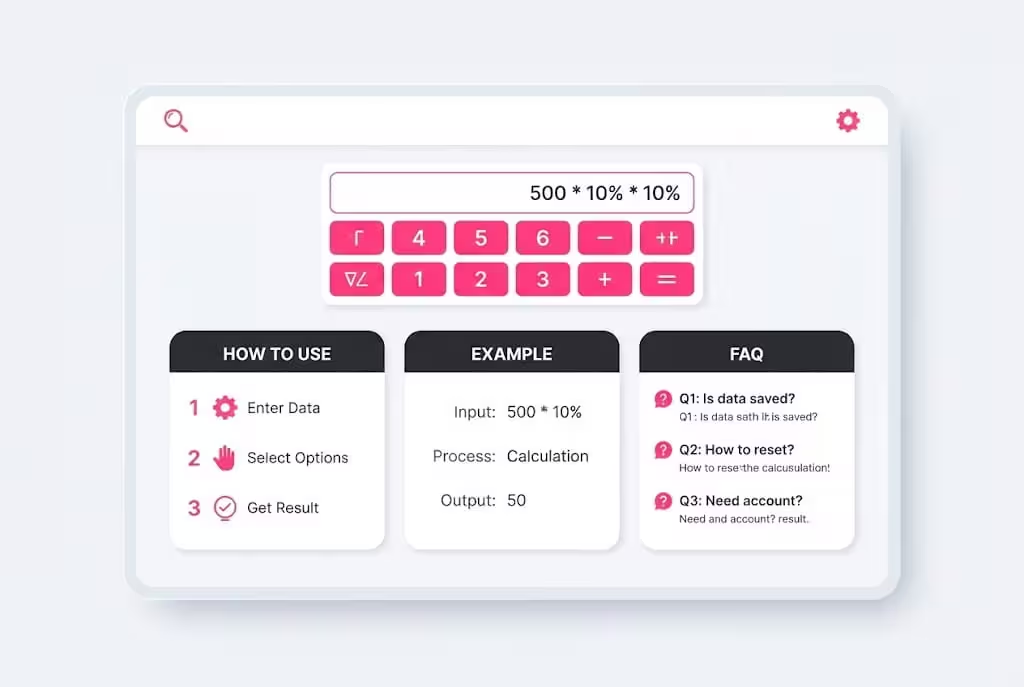
A tool page is not only code. Google and users both need words to understand what the tool does, how to use it, and when to trust it. Thin tool pages with no words are weak for AdSense approval and for ranking. Long copied text is also weak. Original, clear, useful words are strong.
What every tool page must have
- A clear title and H1 with the main keyword, written naturally, not stuffed.
- A short introduction, 2 to 3 paragraphs, in simple words. What is the tool, who is it for, and what problem does it solve?
- The tool itself, near the top of the page, so the user does not have to scroll for a long time to use it.
- How to use it, step by step, in 3 to 5 short steps. Write it like you are explaining it to a friend.
- One worked example. Show the inputs, show the result, and explain the result in one line. This one example helps users trust the tool, and it helps Google understand the page.
- FAQs, 4 to 6 questions that real users actually ask. Answer each in 2 to 3 lines, in your own words.
- A short note about limits. For example, a calculator gives a result based on the numbers you type. It is not financial advice, medical advice, or legal advice, if that applies to your tool. Honest limits build trust.
- Internal links to related tools and related blog posts on your own site, where they genuinely help the reader. Do not add links only for SEO. Add links a real user would click.
How to write it with Muse and Claude
Ask Muse for the page structure first: introduction, how to use, example, FAQ, and internal links. Then ask Claude or DeepSeek to draft the text in simple English from that structure. Then rewrite it yourself. Read it out loud. If a line sounds like a textbook, rewrite it in your own words. Add one example from real life. Remove any line you do not understand, because if you do not understand it, your reader will not either.
Never copy text from the weak competitor, or from any other site, even if you change a few words. Google can recognise copied content, and AdSense review teams can too. Original content is slower, but it is the only content that builds a safe site.
Supporting blog posts, 1 to 2 per week
One tool page alone is not a full site. Write 1 to 2 supporting blog posts per week, in the same niche, that answer questions around the tool. For example, if your tool is a CGPA calculator, supporting posts can explain how CGPA is calculated, how to improve GPA, and the difference between CGPA and percentage, if the search data supports those topics.
Each supporting post should link back to the tool page, and the tool page should link to the most useful supporting posts. That internal linking helps Google understand your site, and it helps a reader who finds a blog post to discover your tool. That is why the earlier guide link in this post is useful, and why linking between your own related guides is good for SEO when the link genuinely helps the reader.
Do not bulk post 20 blogs in one week. One or two good posts per week, every week, beat bulk posting. Consistency is the key, not speed.
Step 9: Technical SEO and Google Search Console, Every Step
Technical SEO is not optional for a tool site. A perfect tool on a site Google cannot crawl, cannot index, or cannot load fast will not rank. Do these steps in order, and check each one.
9.1 Domain, hosting, and speed
- Pick a clean domain name, easy to spell, in the same niche if you can. Use a static, clean URL for the tool page, with the keyword naturally in it. For example, a clean URL is better than a long URL full of numbers and symbols.
- Use fast hosting. A slow tool site loses users before they even use the tool.
- Compress images, and use AVIF image format where you can, because it loads fast and keeps good quality. A slow website loses buyers and users. A fast website keeps them.
- Make the site mobile friendly first, not desktop only. Most tool users will come on a phone.
- Use HTTPS. A site without HTTPS will lose trust and ranking.
9.2 Pages every tool site must have
Before you chase traffic, complete the site. AdSense reviewers and Google both look at this.
- About page: who made the site, and what the site is for, in simple words.
- Contact page: a real way to contact you, even if it is a simple form or email.
- Privacy Policy page: what data you collect, and how you use it.
- Terms and Conditions page: basic rules for using the site.
- Disclaimer page: earning figures are not a promise, tool results are based on inputs, and tool results are not professional advice where that applies.
- Tool page itself, with how to use, example, and FAQ, as in Step 8.
- At least one supporting blog post, so the site is not only one thin tool page.
9.3 Title, meta, H1, and URL, for the tool page
- Title tag: short, natural, with the main keyword, and short enough to show fully in Google. For this guide, the title is separate from the H1, as you asked. Keep the title under about 60 characters.
- Meta description: short, natural, under about 160 characters, telling the reader clearly what they will get on the page.
- H1: one clear H1, with the keyword naturally in it. The H1 should sound like a normal heading, not like a list of keywords.
- URL: static, clean, with the keyword naturally in it. Do not do keyword stuffing in the title, meta, H1, or URL.
For this post itself, the SEO details are at the top: Title separate, H1 separate, slug separate, and meta description separate. Use the same system for your tool pages.
9.4 Sitemap, robots.txt, and Google Search Console
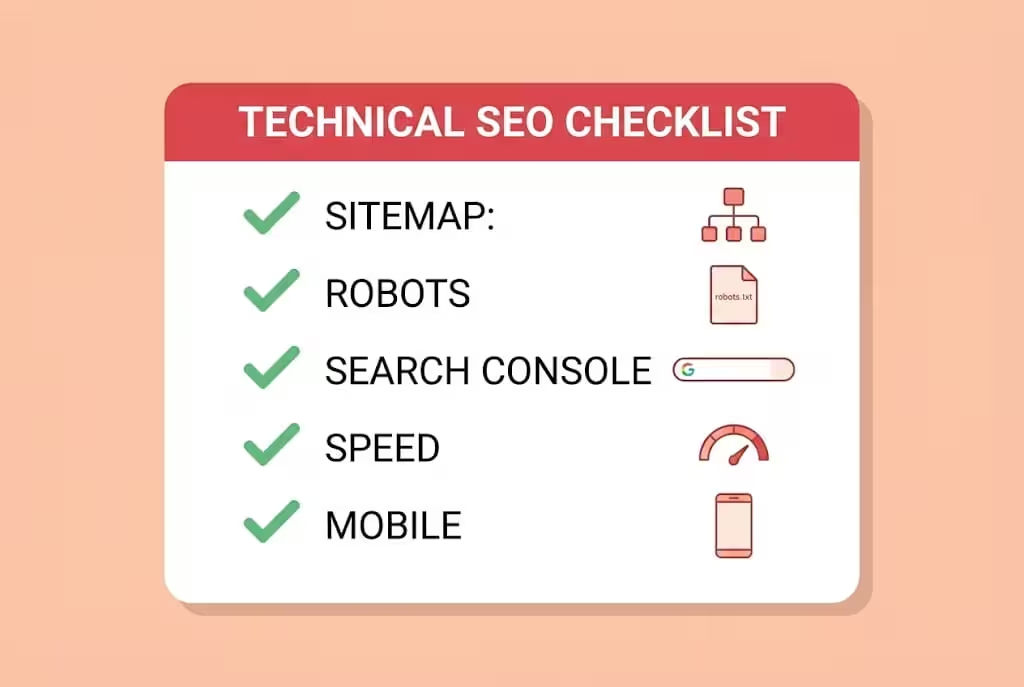
- Make a sitemap.xml file. This file lists all your important pages: home, tool pages, blog posts, About, Contact, and legal pages.
- Make a robots.txt file. This file tells Google which pages it can visit, and which pages it should not visit, like admin pages.
- Submit the sitemap in Google Search Console. This is how you tell Google your site exists and what pages to check.
- Attach Google Analytics, or another analytics tool, to analyze performance. Look at which pages get clicks, which keywords bring traffic, and which pages need better titles or better tools.
- Check Search Console regularly. See which pages Google shows, which pages have errors, which pages are slow on mobile, and which pages are not indexed. Fix small mistakes one by one. Technical SEO is not one big job. It is many small fixes, done regularly.
A simple robots.txt example, for a normal site, is:
User-agent: *
Allow: /
Sitemap: https://yourwebsite.com/sitemap.xml
Replace yourwebsite.com with your real domain. Do not block your tool pages, your blog posts, or your sitemap in robots.txt. That is a common beginner mistake.
9.5 Schema, internal links, and site structure
- Add Article schema to blog posts, and FAQ schema to pages with FAQs. Schema is simple code that helps Google understand your page. It tells Google the title, author, date, and questions. You do not need to learn code deeply at the start. Your website builder, WordPress plugin, or AI helper can help you add basic schema. Just make sure each important page has it, and that the schema matches the visible content on the page.
- Link your pages together. Tool page to supporting blogs, supporting blogs to tool page, and related guides to each other. Use natural anchor text, not the same keyword in every link.
- Keep the site structure simple. Home, one niche, tool pages, blog posts, About, Contact, and legal pages. A simple structure is easier for Google to crawl, and easier for users to navigate.
For the full technical setup, including domain, hosting, sitemap, robots, and Search Console in more detail, the earlier guide is also useful here: How a Tool Website Earns Money With Google AdSense in 2026: From Keyword Research to First Payment. Use that guide as background, and use this guide as your Muse and Claude build system. Linking to it here is good for SEO because the two guides are directly related, and a reader who needs the basics can find them in one click.
Step 10: Google AdSense Approval, Payments, and Ad Placement
AdSense is your first ad network in this system, for most beginners. It is not the final network. It is the starting network that proves your site is real, useful, and safe for advertisers.
Before you apply for AdSense
Do not apply on day one with one thin tool page. Apply when your site looks real:
- At least one working, tested tool, with a clear how to use guide, example, and FAQ.
- About, Contact, Privacy, Terms, and Disclaimer pages, complete and original.
- At least a few supporting blog posts, original and useful, in the same niche.
- No copied content, no copied tool text, no fake traffic, and no misleading claims.
- Site is fast, mobile friendly, and easy to navigate.
- Sitemap submitted in Search Console, and at least some pages indexed.
If you apply too early and get rejected, do not panic. Read the rejection reason carefully, fix that exact problem, and apply again after you have fixed it. Common rejection reasons are thin content, no original value, site not ready, and policy problems. Fixing the real problem is faster than applying again and again with the same site.
After approval, place ads wisely
- Place ads where they do not block the tool. The user must be able to use the tool easily. An ad on top of a button, or an ad that covers the result, will make users leave.
- Start with a small number of ads. More ads do not always mean more money. More ads can mean slower loading and fewer returning users.
- Never click your own ads, and never ask friends or family to click your ads. That can get your account in serious trouble.
- Track what works in AdSense and Analytics. Which tool page earns? Which blog post brings traffic? Which page has a high bounce rate? Fix one weak page at a time.
Payments, in simple words
AdSense verification and payment work in two different steps, and many beginners mix them up:
- Identity verification and adding bank details unlock at 10 dollars, not at 100 dollars. At 10 dollars, you can verify your identity and add your payment details.
- Payment itself is sent only after you reach the 100 dollar payment threshold, and after your account is verified and in good standing.
- Keep records of your income from the first payment itself. All earning figures in this guide are before tax. Tax rules depend on your country, so check your local rules and keep your records clean.
For the full AdSense journey, including rejection fixes and the first payment journey in more detail, read the earlier guide here: How a Tool Website Earns Money With Google AdSense in 2026: From Keyword Research to First Payment. That link is useful here because a reader who is still at the AdSense stage can get the full detail without this post repeating it word for word.
Step 11: After AdSense, Move to Bigger Networks, AdX and Ezoic
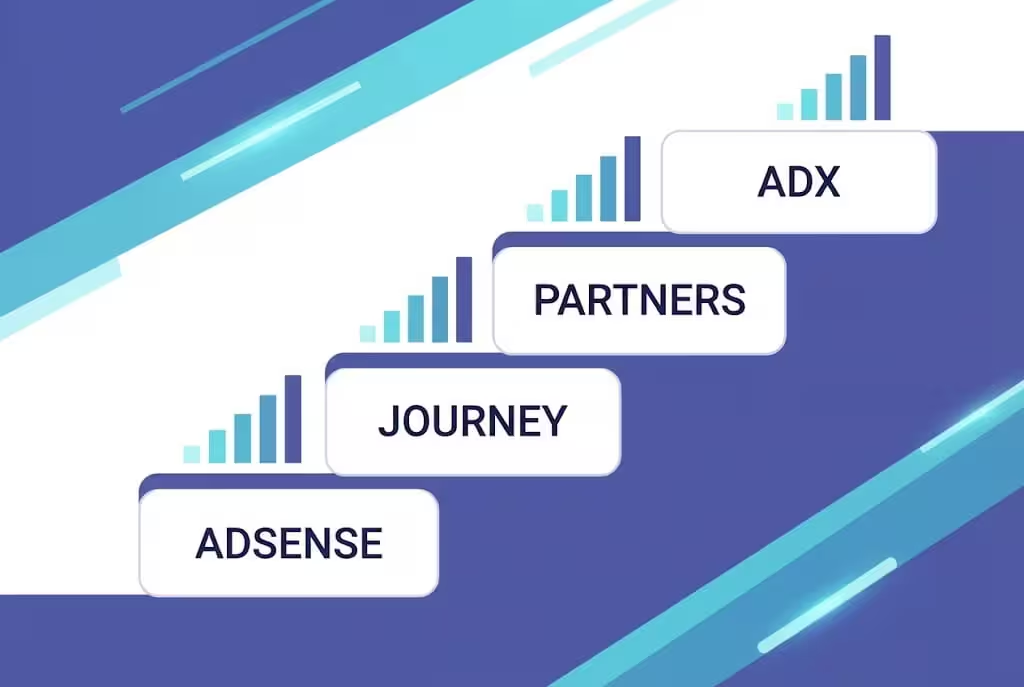
This is the part most guides skip, or get wrong. AdSense is not the end. It is the first step on a ladder. The ladder only works if your traffic is real and growing.
The rule you asked for, in simple form
- Start with Google AdSense. Get approved, get traffic, and get your first 1 or 2 AdSense payments. Those payments prove your site is real and your traffic is real.
- After 1 or 2 payments, if your traffic is growing, look at bigger networks. A bigger network can pay more per thousand views, because it can access premium advertisers, including AdX demand, that AdSense alone does not give you.
- If, from the start, you already get a good amount of traffic, for example from a viral tool or from strong search rankings, you do not have to wait for 1 or 2 AdSense payments. You can apply for a bigger network directly, if you meet its traffic and quality rules. The rule is traffic and quality, not time alone.
Do not move to a bigger network only because its name sounds bigger. Move when your traffic, your content quality, and your site speed are ready for it. A bigger network will also review your site, and a weak site will be rejected there too.
The ad network ladder, explained honestly
AdSense, Ezoic, and AdX are not the same kind of thing, and this difference matters:
- Google AdSense is an ad network. You apply, you get approved, you place ads, you earn.
- Google AdX, also called Google Ad Exchange, is a premium ad exchange. It is the marketplace where premium advertisers bid for ad space. Direct AdX is for very large publishers, commonly quoted at around 5 million pageviews a month, with their own ad operations team. A small site cannot just sign up for direct AdX.
- Ezoic, Mediavine, and Raptive are partner platforms. They are Google Certified Publishing Partners, also called MCM partners. They give smaller and medium sites access to AdX demand through their platform, in exchange for managing your ads and taking a share. That is how a small site gets AdX demand, through a partner, not directly.
Table 6: Ad Network Ladder for a Tool Website
| Network or platform | What it is | Who can join, in simple terms | What to check before you apply |
|---|---|---|---|
| Google AdSense | Ad network, starting point | No fixed traffic minimum, but site must be approved, original, and policy safe | Complete site, legal pages, original tool and content, no fake traffic |
| Journey by Mediavine | Partner platform, middle step | About 1,000 premium sessions a month from US, UK, Canada, and Australia, in the last 30 days, through one unified Mediavine application | Tier 1 traffic, original content, site quality, check mediavine.com/apply for current rules |
| Monumetric Propel | Partner platform, fallback if tier 1 traffic is low | Reported at about 10,000 to 80,000 pageviews a month, with a setup fee reported at about 99 dollars | Pageviews, traffic quality, setup fee, check official page |
| Raptive | Partner platform, higher step | Reported at about 25,000 pageviews a month or more, with majority tier 1 traffic | Pageviews, tier 1 share, site quality, check official page |
| Full Mediavine | Partner platform, full AdX demand | Higher level than Journey, with full AdX demand, check current revenue and traffic rules on the official page | Traffic, revenue history, site quality, check official page |
| Ezoic | Partner platform, AdX access in the past | For new sites, reported at 250,000 monthly users or more, with only a small Incubator route for smaller sites | Monthly users, site quality, check official page, do not assume Ezoic is easy for small sites |
| Google AdX direct | Premium ad exchange, top level | Very large publishers, commonly quoted at around 5 million pageviews a month, with their own ad operations | Only relevant at very large scale, small sites use a partner instead |
Important notes, so you do not get misled:
- You cannot run AdSense and Ezoic together in the normal way. Ezoic manages your AdSense inventory when you use Ezoic. Do not try to run both at the same time without following the partner rules.
- Journey by Mediavine, as of the latest correction in October 2026, does not require a 30 day Grow script run before applying. The application uses Google Analytics, and Grow is now entirely optional for Journey publishers. Do not follow old guides that still say Grow is required. Always check mediavine.com/apply for the current rules.
- Journey runs on separate exchange seats without full Google AdX demand, so it can pay below full Mediavine, even though reported survey averages for Journey and Ezoic look similar. Those survey averages, about 11.15 dollars per 1,000 pageviews for Journey and about 11.08 dollars for Ezoic, compared to about 2.34 dollars for AdSense, are estimates only, not promises. Your actual earnings depend heavily on your traffic countries, your niche, your ad layout, and your season.
- Thresholds change. Ezoic, Mediavine, Raptive, and AdX rules can change by date and by country. Always check the official page before you apply, and do not pay a fee or sign a contract based only on a blog post, including this one.
- If your traffic is mostly from one country, or mostly from mobile, or mostly from a low paying niche, a bigger network will not magically fix that. Traffic quality matters as much as traffic numbers.
When to stay on AdSense, and when to move
Stay on AdSense if your traffic is still small, if your site is still new, or if you are still fixing tool quality and content quality. AdSense is the right place to learn, test ad placement, and prove your site.
Move up when you have stable traffic, a tested tool, original content, and you meet the next platform traffic rule. Apply to one platform at a time, read its contract, and check what share it takes and when it pays. Do not jump from platform to platform every week. Stability helps your earnings and your site.
If you get a good amount of traffic from the start, apply for a bigger network from the start, if you meet its rules. The ladder is not a fixed waiting time. It is a traffic and quality ladder. AdSense first is the safe default. Direct big network application is the exception for high traffic sites, not the rule for every new site.
Mistakes That Kill a Tool Website
- Copying a weak competitor tool or text, instead of making a better tool and original content.
- Building 20 tools at once, instead of one tested tool done well.
- Publishing AI code without testing it on a phone, and without checking the calculation by hand.
- Picking a keyword only because you like it, without checking DR, top 5, trend, and tool intent.
- Ignoring mobile, speed, and technical SEO, and then wondering why a good tool does not rank.
- Applying for AdSense with a thin site, getting rejected, and applying again without fixing the real problem.
- Clicking your own ads, or asking others to click them, which can get your account in trouble.
- Chasing a bigger network before your traffic is ready, and getting rejected there too.
- Quitting after one month because SEO did not bring sales or traffic yet. Tool SEO takes time, and patience with regular work is the biggest weapon in this business.
- Sharing passwords, API keys, or login codes with AI tools, extensions, or strangers. That can cost you your site, not only your account.
After every tool launch, study two things in Search Console and Analytics: which pages get clicks, and which pages users leave fast. If people do not click, your title and meta description are the problem. If people click but leave fast, your tool or your page clarity is the problem. Fix only one thing at a time. This slow fixing is how small tool sites actually grow.
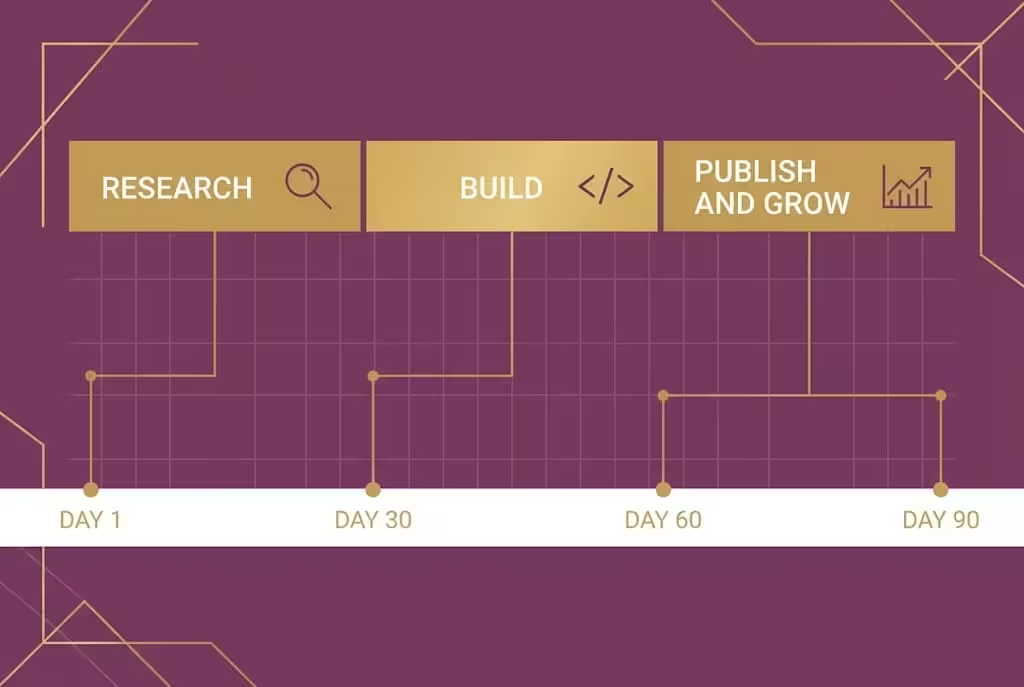
Your 90 Day Action Plan
Table 7: 90 Day Plan
| Period | Do this | Goal |
|---|---|---|
| Days 1 to 7 | Pick one niche, find weak gap sites, check DR 0 to 12 in top 5, run Semrush keyword list, pick one main tool keyword | One proven gap, not a guess |
| Days 8 to 14 | Muse plan, Claude or DeepSeek build version 1, test on phone, fix bugs | One working tool, tested |
| Days 15 to 21 | Write tool page content, how to use, example, FAQ, legal pages, technical SEO, sitemap, robots, Search Console | Site ready for Google and for AdSense review |
| Days 22 to 30 | Publish tool, submit sitemap, write first supporting blog post, check indexing and speed | Tool live and indexed |
| Days 31 to 60 | Write 1 to 2 supporting blogs per week, improve tool from user questions, build second related tool only if first tool is stable | Traffic starting, site growing |
| Days 61 to 90 | Review Search Console, fix weak titles, improve slow pages, apply for AdSense if site is ready, track first earnings | AdSense applied, or ready to apply, with real data |
This 90 day plan will not make you rich in 90 days. It will give you a real base. Most beginners fail because they have no plan, not because tool websites do not work. Consistency is the key to success.
Frequently Asked Questions
What is the difference between Muse and Claude for a tool website?
Muse is your planning partner. It helps you plan, research, discuss ideas, and make checklists. Claude is your builder and writer. It helps you write tool code, fix bugs, and write page content in simple words. Use Muse first for the plan, then Claude for the build, then test everything yourself.
Is DeepSeek really the best free option for beginners?
For a beginner with no budget, DeepSeek free is a very strong option for planning and for building a first simple tool, and it is the best free starting point in this guide. Free does not mean unchecked. Test every DeepSeek result the same way you test Claude code, on your phone and by hand.
Is Muse free?
Muse is free to start, with a weekly usage limit, and paid plans exist. Availability varies by country, so check muse.ai for your country. As of late October 2026, it was officially available in the United States, Canada, Japan, and Singapore, for adults 18 and over. Do not fake your location to unlock it. If it is not open where you live, join the waitlist on muse.ai and start with DeepSeek and Gemini.
Is Claude only for paid users?
Claude has a free plan to test, but for serious tool building every week, Claude is best on paid Pro, reported at about 20 dollars per month, or about 17 dollars per month if you pay yearly. Free limits will stop long code and repeated fixes fast. Start free to test, upgrade to Pro when you build seriously, and check the official price before you pay.
How do I get Google AI Plus free as a student?
Go to https://gemini.google/students/ and read what the page shows for your country. You must be 18 or older and your student status must be verified with your own documents. You may need a valid payment method at sign up, even if the plan is free for 12 months. Set a reminder for month eleven, because the plan can auto renew after 12 months. Only claim it if you are a real student with your own documents.
What is a weak competitor gap, and why does DR 0 to 12 matter?
A weak competitor gap is a tool keyword where a site with DR 0 to 12 ranks in the top 5, but its tool or content is beatable. Low DR alone is not enough. Check tool quality, content quality, speed, and mobile experience too. If all of those are also weak, that keyword is a fair fight for a new, better tool.
Will Google AI Overview kill my tool website?
AI Overview hurts many information blogs, because users can get a simple answer without clicking. Tool intent is different, because the user must visit and use the tool to get a result. That does not guarantee traffic, but it makes tool websites a stronger opportunity in 2026 than pure information sites, if your tool is fast, clear, and useful.
When should I move from AdSense to Ezoic or AdX?
Start with AdSense, and after 1 or 2 AdSense payments, look at bigger networks if your traffic is growing. If you get a good amount of traffic from the start and you meet a bigger network rules, you can apply directly. Direct AdX is for very large publishers, around 5 million pageviews a month, so small sites get AdX demand through a partner like Mediavine or Raptive, not directly.
Do I need to know coding to build a tool website with Muse and Claude?
No, you do not need to be a coder to start, but you do need to test code. Muse plans, Claude or DeepSeek writes the first code, and you test it on your phone, check the calculation, and fix problems with the AI tool. You do not need a coding team, but you cannot skip testing.
How long does it take to earn from a tool website?
There is no fixed time. A focused site with one good tool, original content, and regular supporting blogs often needs a few months to get stable search traffic and AdSense approval. Anyone who promises you fixed monthly income in seven days is selling a dream, not a method. Be patient, fix one thing per week, and keep records from the first payment.
Final Words: Build One Better Tool, Not Ten Weak Tools
In 2026, the opportunity is clear. Information traffic is harder, because AI Overview answers many simple questions. Tool traffic is different, because users must come to your website to use the tool. That is your chance, but only if your tool is genuinely better than the weak site already ranking.
Find the gap. Check DR 0 to 12 in the top 5. Put that site in Semrush, take its keywords, analyze its content, and make something better. Plan with Muse, build with Claude, or start free with DeepSeek. Test on your phone. Write original content. Fix technical SEO. Submit your sitemap. Apply for AdSense when your site is ready. After 1 or 2 payments, move up the ladder when your traffic is ready, or apply for a bigger network from the start if your traffic is already strong.
You do not need a face on camera. You do not need a coding team in an office. You need one clear niche, one tested tool, a simple weekly system, and the patience to improve it week after week.
Start this week with the free path if you have no budget, or with Claude paid if you are ready to build every week. Make your first tool simple, honest, and fully tested. That first working tool will teach you more than a month of reading about tool websites.
Disclaimer: Earning figures, ad network thresholds, tool prices, free limits, and availability in this guide are for learning only and are before tax. Thresholds, prices, and rules can change by country and by date. Always check the official page for Muse, Claude, DeepSeek, Gemini, Semrush, AdSense, Mediavine, Raptive, Ezoic, and Google AdX before you pay, claim an offer, or apply. Income is not guaranteed and depends on your niche, tool quality, content quality, traffic, traffic countries, and consistency. Reported RPM figures are survey estimates only, not promises.
Share this article
Link copied to clipboard!