

Search on Google or YouTube for "tool website earning" and you will find the same four lines everywhere. Create a website. Get traffic. Get AdSense approval. Start earning.
That is not a guide. That is a wish.
It skips the hard parts. How do you find a tool people actually search for? How do you know if you can rank for it? How do you build the tool if you do not know coding? What does Google AdSense actually check before approval? And how long does it really take to reach your first payment?
This post answers all of that, in order, in easy English. No technical show off. No fake screenshots. No promise that you will earn in 7 days.
If you follow this guide honestly, you will understand the full system. A tool website is not magic. It is a simple business. You give people a free useful tool. People visit again and again. Google shows ads to those visitors. Advertisers pay Google. Google shares a part with you.
The rest of this post is how to build that system, step by step, from zero to first payment.
This guide is for a student or beginner who has little money, no coding skill, and a lot of patience. If you want fast money, this is not for you. If you want a real online asset that can pay every month, keep reading.
Part 1: How does a tool website actually earn money?
Let us start with the money part, because most beginners misunderstand it.
A tool website does not sell the tool. The tool is free. The money comes from attention.
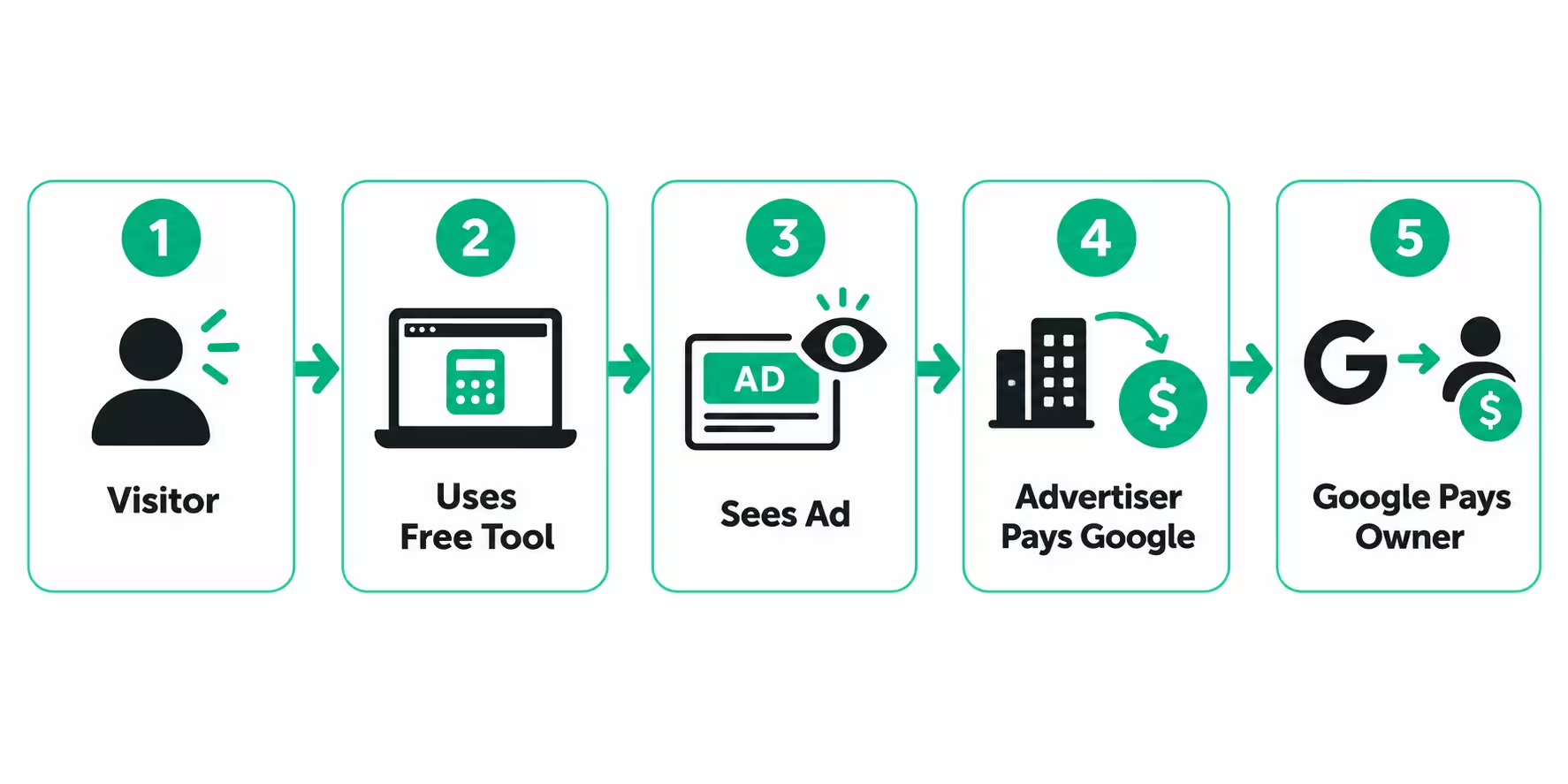
Here is the full cycle in plain words:
- A person searches on Google for something like "age calculator" or "word counter" or "image compressor".
- Your tool page appears in search results and the person clicks it.
- The person uses your free tool. While using it, they see ads on the page.
- Some visitors click an ad, or simply view it. The advertiser pays Google for that attention.
- Google keeps a share and pays you the rest through AdSense.
That is it. You are not paid for making the tool. You are paid for bringing real people to a useful page where ads can be shown safely.
Three words control your income. Learn them now, because you will see them everywhere in AdSense.
CPC means cost per click. This is the average money an advertiser pays when someone clicks an ad on your site. It changes by topic, country, and season. A finance tool may get a higher CPC than a fun tool, because advertisers in finance pay more for a customer.
CTR means click through rate. Out of 100 visitors, how many click an ad? If 2 people click, your CTR is 2 percent. Good placement and a clean layout help CTR, but you must never ask people to click ads or click your own ads. That can get your account banned.
RPM means revenue per 1000 page views. This is the easiest number for beginners. If your RPM is 2 dollars, it means 1000 page views earn you about 2 dollars on average. RPM already includes clicks and views together.
Simple example, with pre tax figures:
You get 10,000 page views in a month. Your RPM is 3 dollars. Your earning is about 30 dollars that month.
You get 50,000 page views in a month at the same RPM. Your earning is about 150 dollars.
This is why traffic is everything, but traffic alone is not enough. You need the right traffic, from Google search, on pages that load fast and look trustworthy.
Why tool websites work so well for AdSense
A normal blog needs new articles every week to stay alive. A tool website is different.
People search for a tool when they need it right now. That is called high intent. They do not just want to read. They want to do something. They use the tool, they get a result, and they often return next time they need it again.
That repeat use is powerful. One good tool can bring traffic for years without you writing every day.
Tools also solve one clear problem. A blog post about "how to count words" is helpful. A word counter tool that counts words instantly is more helpful. Google likes pages that solve the problem fast.
But there is a catch. A tool alone is often not enough for AdSense approval. Google wants to see that your site is real, helpful, and trustworthy. That is why this guide adds content, legal pages, and technical setup around the tool. The tool brings traffic. The full site earns trust.
How much can a beginner realistically earn?
Be honest with yourself here. A new tool website will not pay your full expenses in month one.
A realistic beginner journey looks like this:
- Months 1 to 2: Building, ranking slowly, very little traffic, zero AdSense income.
- Months 3 to 4: Some pages start ranking, small traffic, AdSense applied or approved, first few dollars.
- Months 5 to 6: Traffic grows if you stay consistent, income becomes regular, even if small.
- After 6 months: One or two strong tools can grow month after month, if you keep improving them.
Anyone who promises 1000 dollars in 30 days from a brand new tool site is selling you a course, not a result. Treat this as a 6 to 12 month asset, not a lottery ticket.
All figures in this post are estimates before tax. Your actual income depends on your country, topic, traffic source, ad placement, and season.
Part 2: Step 1, find the right tool idea with keyword research
Most tool websites fail before they are built. The owner picks a tool they like, not a tool people search for and that a new site can rank for.
Keyword research fixes that. A keyword is simply the words people type on Google. Research means checking three things before you build anything: Do people search for it? Can a new website rank for it? Will it stay useful all year?
Do this research before you buy a domain or build a tool. It saves months of wasted work.
Free tools for keyword research
You do not need money to start research. These free options are enough for a beginner.
- 1. Google Trends, free
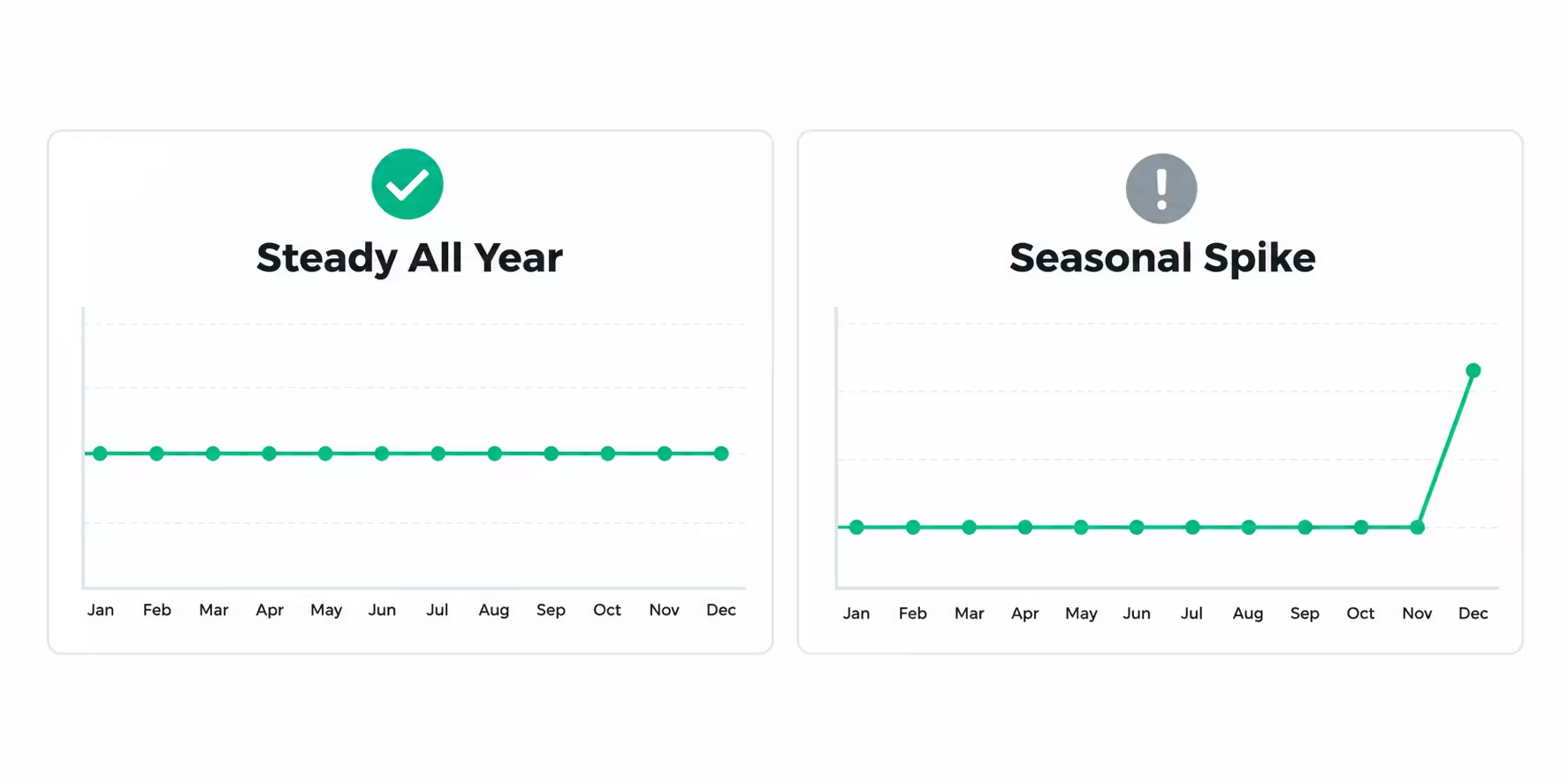
Google Trends shows whether interest in a topic is rising, falling, or seasonal. Search your tool idea and look at the last 12 months and the last 5 years. A good tool idea shows steady interest all year. A risky idea shows a big spike only in one month and silence for the rest of the year. Example: a "Christmas countdown" tool spikes in December. A "word counter" tool stays steady all year. For a long term site, steady beats seasonal. - 2. Google Search itself, free
Type your keyword on Google and study page one. This is the most honest research tool. Look at the top 10 results. Are they big famous sites, or small simple tool sites? Can you make a better, faster, easier tool than them? If page one is full of huge brands with thousands of backlinks, a new site will struggle. If page one has small sites, you have a chance. We will use this check again in the competitor rule below. - 3. Google Search Console, free from Google
This tool does not help you before launch, but it becomes your best friend after launch. Google gives it free to every website owner. It shows which keywords bring you clicks, which pages rank, and which pages have errors. You will connect it in Part 5. Remember its name now, because every serious site owner uses it daily. - 4. Ahrefs DR checker, free
DR means Domain Rating. It is a score from 0 to 100 that shows how strong a website's backlink profile is. A new site starts near 0. A huge site may be 80 or 90. Ahrefs offers a free DR checker where you can paste a competitor's domain and see its score. You will use this for the competitor rule below. You do not need the full paid Ahrefs account just to check DR at the start.
Paid tools for keyword research
Paid tools give you exact numbers: monthly search volume, keyword difficulty, and related keywords. If you can afford one later, it makes research much faster.
- 1. Semrush, paid with a limited free trial
Semrush is one of the most popular SEO tools. It shows search volume, keyword difficulty, competitor traffic, and keyword ideas. It is paid, but it gives a limited free trial on each account. Beginners often start with the trial to learn the tool and test their first ideas.
Some beginners use a Gmail generator tool to create new Gmail addresses for fresh trials, for example the Mailmeteor Gmail generator at https://mailmeteor.com/tools/gmail-generator, and then start again. Be careful with this shortcut. It is not a long term plan. Accounts created only for repeated trials can be flagged or blocked, and you lose your saved research. Use a trial to learn, not as a permanent business model. When you start earning, buy Semrush from its official website. That is the clean and safe way to grow.
- 2. Ahrefs, paid
Ahrefs is famous for backlink data and keyword difficulty. It is strong for checking why competitors rank and which keywords they get traffic from. It is expensive for a beginner, so start with its free DR checker and upgrade only when your site starts earning. - 3. Moz, paid
Moz is another well known SEO tool. It gives keyword difficulty, domain authority, and rank tracking. It is useful, but for a beginner Semrush or Ahrefs usually covers the same job. - 4. Surfer SEO, paid
Surfer SEO is not a keyword research tool in the same way. It helps you write content that matches what Google already ranks. You use it after you pick a keyword, to structure your article and tool page better. It is optional at the start. Good writing and a good tool matter more than any paid writing tool.
Summary table for beginners:
Free to start: Google Trends, Google Search, Google Search Console, Ahrefs free DR checker.
Paid when you can afford it: Semrush, Ahrefs, Moz.
Optional later: Surfer SEO for content optimization.
You do not need all paid tools. One good tool, used properly, beats five tools you never open.
How to do keyword research, step by step
Follow these steps for every tool idea. Do not skip to building.
- Step 1: Write 20 tool ideas in one niche. Not 20 random tools. One niche. Example niches: study tools for students, text tools for writers, image tools for social media creators, finance calculators for beginners. Picking one niche helps Google understand your site and helps visitors trust you.
- Step 2: For each idea, check search volume. You want real demand. A tool with only 10 searches a month will not pay, even if you rank number one. A tool with thousands of searches a month is worth testing further.
- Step 3: Check keyword difficulty, called KD. KD is a score from 0 to 100. Higher means harder to rank. For a new domain, this guide follows a strict rule, explained next.
- Step 4: Check search intent. Does the searcher want a tool, or just information? "What is a word counter" is information intent. "Word counter online" is tool intent. Build for tool intent on your tool page, and use blog posts for information intent. Mixing them up is a common beginner mistake.
- Step 5: Check the trend. Open Google Trends. Is interest steady all year, or only seasonal? Prefer steady. Seasonal tools can work as a second tool later, but your first tool should earn all year.
- Step 6: Check competitors on page one. This is the most important check. Do it by hand, every time.
Part 3: The two golden rules for picking a keyword
If you remember only two rules from this post, remember these.
Rule 1: Pick keywords with KD between 0 and 20
For a new domain, target keywords with keyword difficulty between 0 and 20. These are low competition keywords. They are easier and faster to rank.
A keyword with KD 60 may have huge traffic, but a new site will not reach page one for months or years. A keyword with KD 10 may have smaller traffic, but you can actually rank for it in weeks or a few months. Small real traffic beats big imaginary traffic.
This rule is for your first tool and your first blogs. As your site gains authority, you can slowly target harder keywords. Do not start with hard keywords and hope Google will be kind. Google rewards sites that win small battles first.
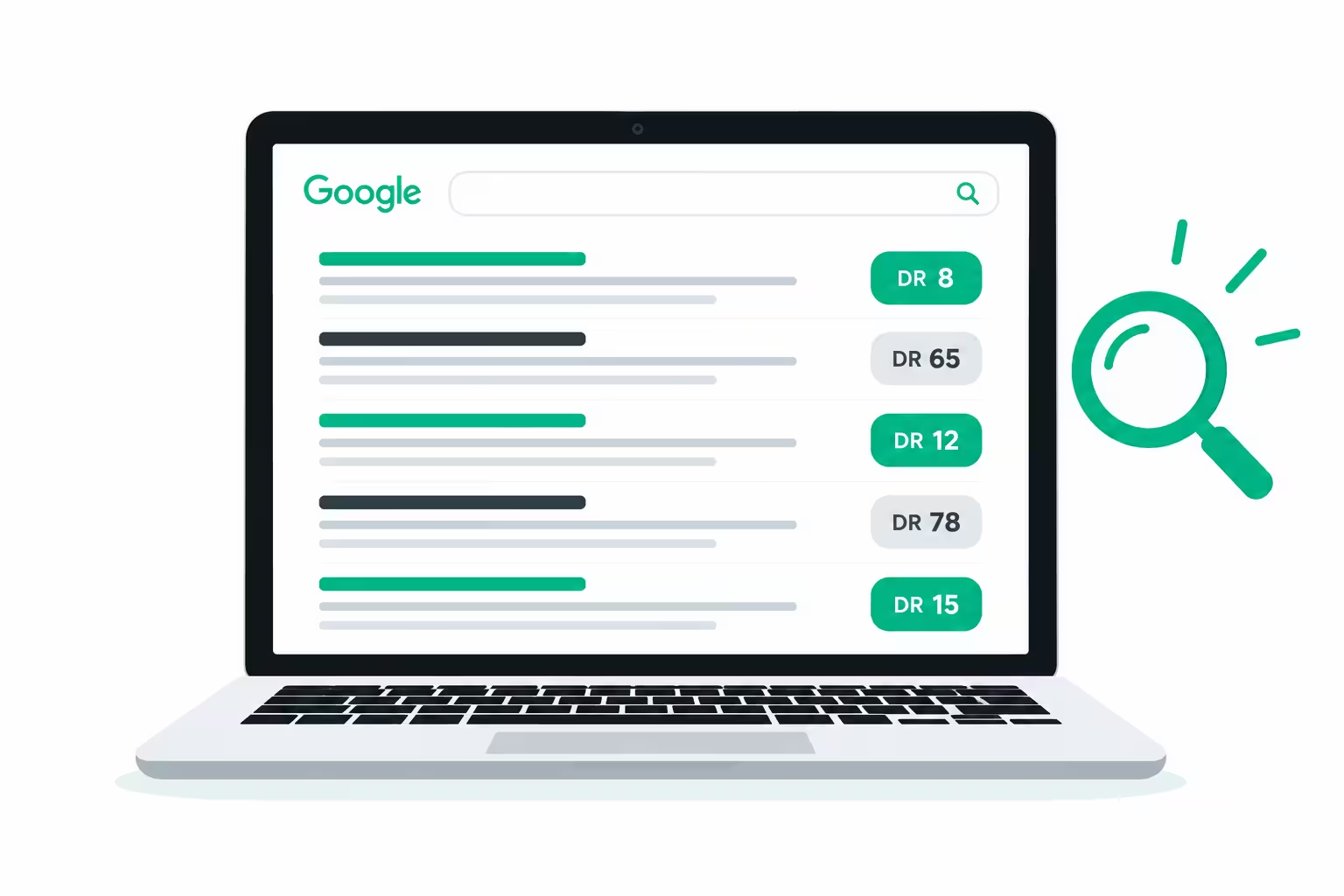
Rule 2: Check competitors, if 5 sites on page one have DR between 0 and 19, pick it
After you pick a low KD keyword, open Google and look at the top 10 results.
Take each competitor domain and check its DR with the free Ahrefs DR checker.
If you find 5 or more sites on page one with DR between 0 and 19, that is a strong green signal. It means Google already ranks small and new sites for this keyword. You can compete with them by building a faster tool, a cleaner page, and better supporting content.
If page one is full of sites with DR 50, 70, or 90, skip that keyword for now, even if KD looks low. Tools sometimes disagree. Your eyes on page one are the final judge.
Also check quality, not just scores. Are the top tools slow, full of popups, or hard to use on mobile? If yes, you can win by being simple and fast. Are the top tools perfect, fast, and well designed? Then you need a different angle or a different keyword.
Write your decision down for each idea: keyword, volume, KD, trend, and how many page one competitors have DR under 20. Do not pick from memory. Pick from notes.
One niche, one focus
Do not build a site with a calculator, a photo editor, a PDF tool, a game, and a blog about cooking. Google will not understand what your site is about, and visitors will not trust it.
Pick one niche and build 3 to 5 related tools inside it first. Example: if your niche is study tools, your first tools could be a word counter, a GPA calculator, and a Pomodoro timer. They serve the same visitor. That visitor may use all three tools and read your study blogs. That is how a small site becomes an authority in one area.
You can expand later. Start narrow, win narrow, then expand.
Part 4: Step 2, build the tool without knowing coding
This is the part that stops most beginners. They think they need to learn coding for a year before they can build a tool.
Today, that is not true. AI tools can build a working tool from a clear explanation in plain English. You do not need to write code. You need to explain clearly what the tool should do, test it like a real user, and fix what is broken.
Think of AI as your developer. You are the manager. A good manager gives clear instructions and checks the work.
Free AI tools to build a tool
- Google Gemini, free to start
Gemini can write code for a tool, explain it in simple words, and help you fix errors. It is good for beginners because it explains steps clearly. You can paste your idea and ask for a single page tool with clean design. - ChatGPT, free to start
ChatGPT is also strong for building simple tools. It can create HTML, CSS, and JavaScript for a tool in one file, and help you improve the design and add features step by step. - DeepSeek, free
DeepSeek is a good free option for coding help. Many beginners use it for tool code because it is fast and clear for simple projects. - Claude, free with a limit
Claude is very good at writing clean code and explaining it. The free version has a usage limit. When you hit the limit, you can wait for it to reset, or switch to another free tool and continue. Many beginners rotate between Gemini, ChatGPT, DeepSeek, and Claude while learning.
Free tools are enough to build your first simple tool. You do not need to pay on day one.
Paid AI tools to build faster
When you want to build faster, with better design and fewer errors, paid tools help.
- Lovable, paid
Lovable builds full web apps and tools from a text prompt. You describe the tool, and it creates the design and code. It is popular for beginners because you see a working preview quickly. - Bolt.new, paid
Bolt is similar to Lovable. You prompt, it builds, and you can edit by chatting. It is good for quick prototypes and small tools. - v0 by Vercel, paid
v0 is strong for clean, modern design. If you want your tool to look professional and load well on mobile, v0 is worth testing. - Replit, free and paid
Replit lets you build, test, and host a tool in the browser. The free plan is good for learning. The paid plan gives more power and private projects. - Cursor, paid
Cursor is an AI code editor for people who want to go one step further. It helps you edit code with AI, even if you are still learning. It is more advanced than Lovable or Bolt, but powerful once you are comfortable.
You do not need all of these. Pick one free tool to start, and one paid tool later if it saves you real time.
How to ask AI to build a tool, with an example
Bad prompt: "Make me a calculator website."
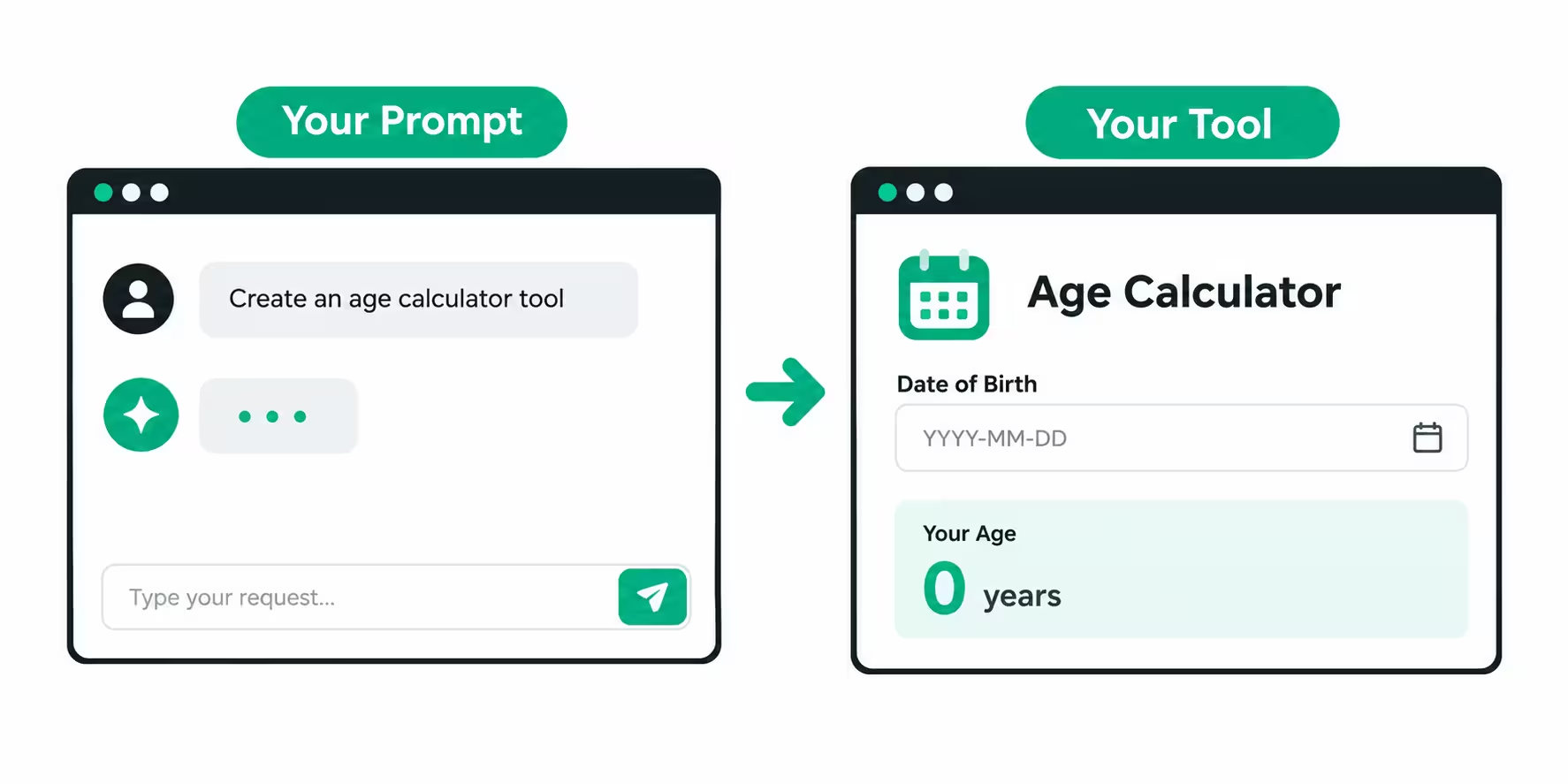
Good prompt: "Make a single page age calculator tool. The user enters date of birth. It shows age in years, months, and days instantly, without reloading the page. Design must be clean, mobile friendly, fast, with a clear heading, one input section, one result section, and a short explanation below the tool in easy English. No login required."
See the difference? The good prompt explains who uses it, what it does, what it shows, and how it should look. AI follows clear instructions. Vague instructions give vague tools.
After AI gives you code, test it yourself on mobile and on desktop. Enter wrong inputs. Enter empty inputs. Check if results are correct. If something breaks, copy the error or describe the problem to AI and ask it to fix that one thing. Do not accept a broken tool and publish it. One broken tool destroys trust faster than no tool.
Also ask AI to keep the tool fast. No heavy images inside the tool. No unnecessary animations. A tool that loads in 2 seconds beats a beautiful tool that loads in 10 seconds.
Part 5: Step 3, complete the site before you chase traffic
A tool alone does not make a website. AdSense reviews the whole site, not just one tool page.
Before you apply for AdSense, your site must look like a real, complete, trustworthy website. That means legal and information pages, clear navigation, and original content.
These pages are not boring formalities. They are trust signals for both Google and your visitors.
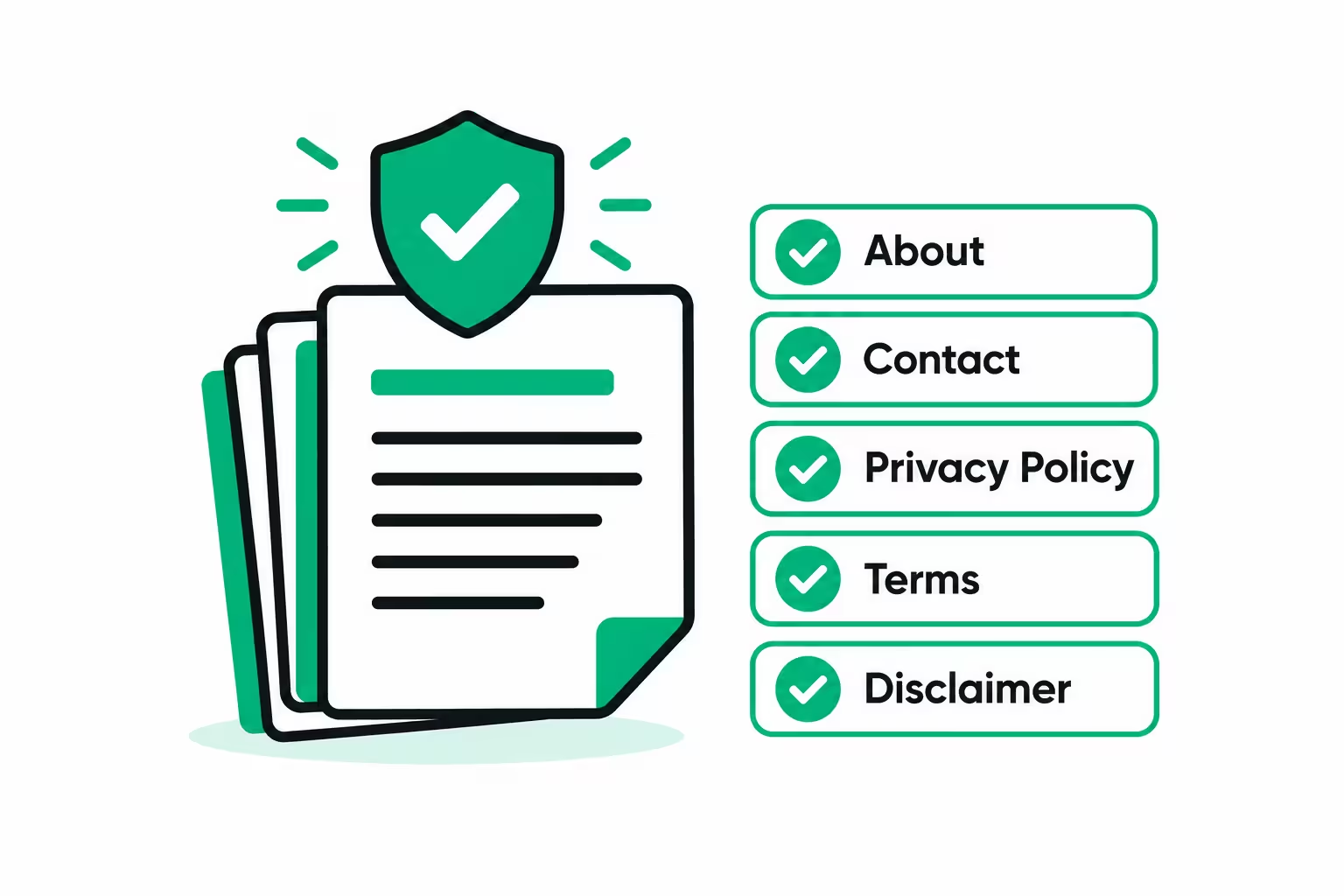
Pages every tool website must have
- About page
Who made this site and why? Write in simple words. What problem does your site solve? Who is it for? You do not need a long life story. Two or three honest paragraphs are enough. A real About page tells Google this is not a spam site made overnight. - Contact page
How can a visitor contact you? Add a contact form and an email address you actually check. A site with no way to contact the owner looks fake to AdSense reviewers. - Privacy Policy
This page explains what data your site collects, for example cookies and analytics, and how you use it. If you will show Google ads, your Privacy Policy must mention Google AdSense and cookies. AI can draft this page, but read it and make sure it matches your real site. Do not copy another site's policy word for word. - Terms of Use or Terms and Conditions
This page explains the rules for using your tools and content. It protects you and sets clear expectations for visitors. - Disclaimer
This page is important if your tools give calculations, health, finance, or study results. It explains that results are for general information and not professional advice. Keep it honest and simple. - Home page
Your home page should clearly show your tools, your niche, and links to your important pages. A visitor should understand your site in 5 seconds. If they are confused, they will leave, and Google will notice.
Add these pages to your main menu and footer so they are easy to find on every page. Hidden pages do not build trust.
Write SEO optimized content, not copied content
Every tool page needs original text around the tool. Not copied from competitors. Not spun by AI without editing. Real, helpful text in your own words.
For each tool page, include:
- A clear H1 heading with the main keyword, for example "Free Word Counter Online".
- A short introduction that explains what the tool does and who should use it.
- How to use the tool, in 3 to 5 simple steps.
- What the result means, in easy English.
- One or two common questions people ask about this tool.
- Internal links to your other tools and related blog posts.
This text helps Google understand your page and helps visitors who are new to the tool. It also protects you from AdSense rejection for thin content. A page with only a tool and no explanation looks thin. A page with a tool plus clear, original explanation looks complete.
Write for a reader with weak English. Use short sentences. Use common words. Explain every technical word the first time you use it. If a school student can read it easily and understand it, you wrote it well.
Do not copy paste from other sources. Do not try to trick Google by copying and changing a few words. Google can detect copied content, and AdSense can reject a site for it. Original work takes longer, but it is the only work that lasts.
Part 6: Step 4, technical SEO, the setup most beginners skip
Technical SEO sounds scary, but it is just making sure Google can find, read, and trust your site. You can do this in one focused sitting.
Domain and hosting
Buy a short, easy to remember domain name related to your niche. Avoid long names with many hyphens and numbers. Use reliable hosting that loads fast. A slow site loses visitors before they even use the tool. You do not need the most expensive hosting on day one. You need fast, stable hosting with good uptime.
Install an SSL certificate so your site starts with https, not http. This is now basic trust. Most hosting providers give SSL free. If your site shows "Not Secure" in the browser, fix it before anything else.
Sitemap and robots.txt
A sitemap is a file that lists all your important pages for Google. Think of it as a map of your site. Most website builders and WordPress SEO plugins create it automatically. It usually lives at yourdomain.com/sitemap.xml.
A robots.txt file tells search engines which pages they can visit and which pages they should skip. It usually lives at yourdomain.com/robots.txt. Do not block your important tool pages by mistake. If you use WordPress, a plugin like Rank Math or Yoast can create both files for you correctly.
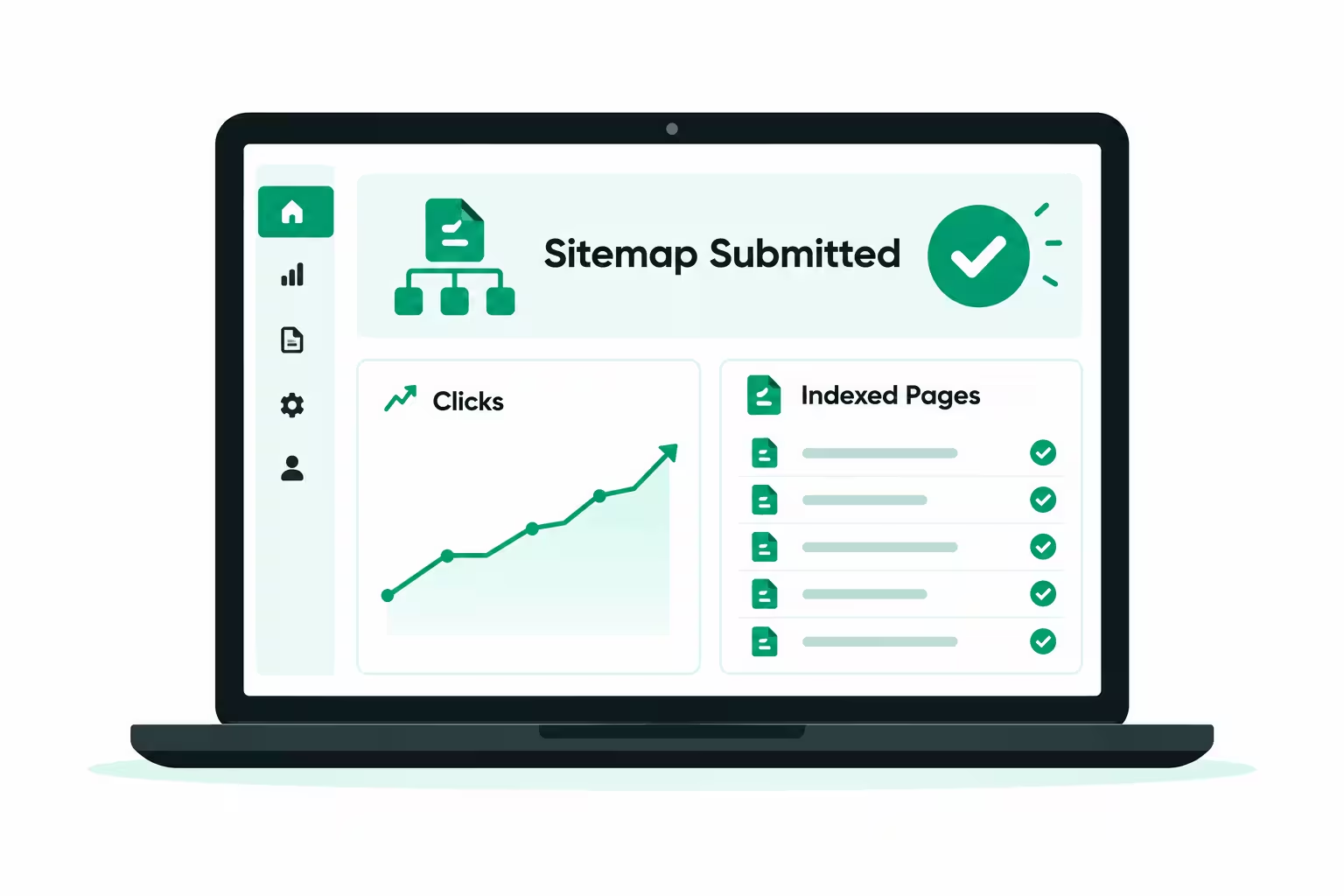
Submit your site to Google Search Console
Google Search Console is free and provided by Google. Here is the simple process:
- Go to Google Search Console and add your website property.
- Verify ownership by following the method your hosting or plugin suggests, usually a DNS record or HTML file.
- Submit your sitemap URL inside Search Console.
- Check the coverage report after a few days to see which pages Google indexed and which pages have errors.
- Fix errors one by one. A page that Google cannot index cannot rank, no matter how good the tool is.
Do not submit your sitemap once and forget it. Check Search Console every week. It will tell you about mobile problems, slow pages, and pages that dropped from search.
Attach Google Analytics to analyze performance
Google Analytics is also free from Google. It shows how many people visit, where they come from, which pages they use most, and how long they stay.
Connect it to your site, then use it to make decisions. If a tool gets a lot of traffic but people leave in 5 seconds, the tool may be broken or confusing. If a blog post brings traffic to your tool page, write more posts like it. Data beats guessing.
Keep your setup simple: Search Console for Google ranking data, Analytics for visitor behavior data. Check both once a week. Do not obsess over daily numbers in the first month. Early numbers are always small and noisy.
Part 7: Step 5, content support, why 1 to 2 blogs per week beat bulk posting
Here is a mistake many tool site owners make. They build 20 tools in one week, publish zero blogs, and wonder why AdSense rejects them for low value content.
A tool website has a different intent from an information website. People visit a tool to use it, not to read 2000 words. So you should not publish bulk articles like a news site. But you still need supporting content to prove your site is helpful, original, and active.
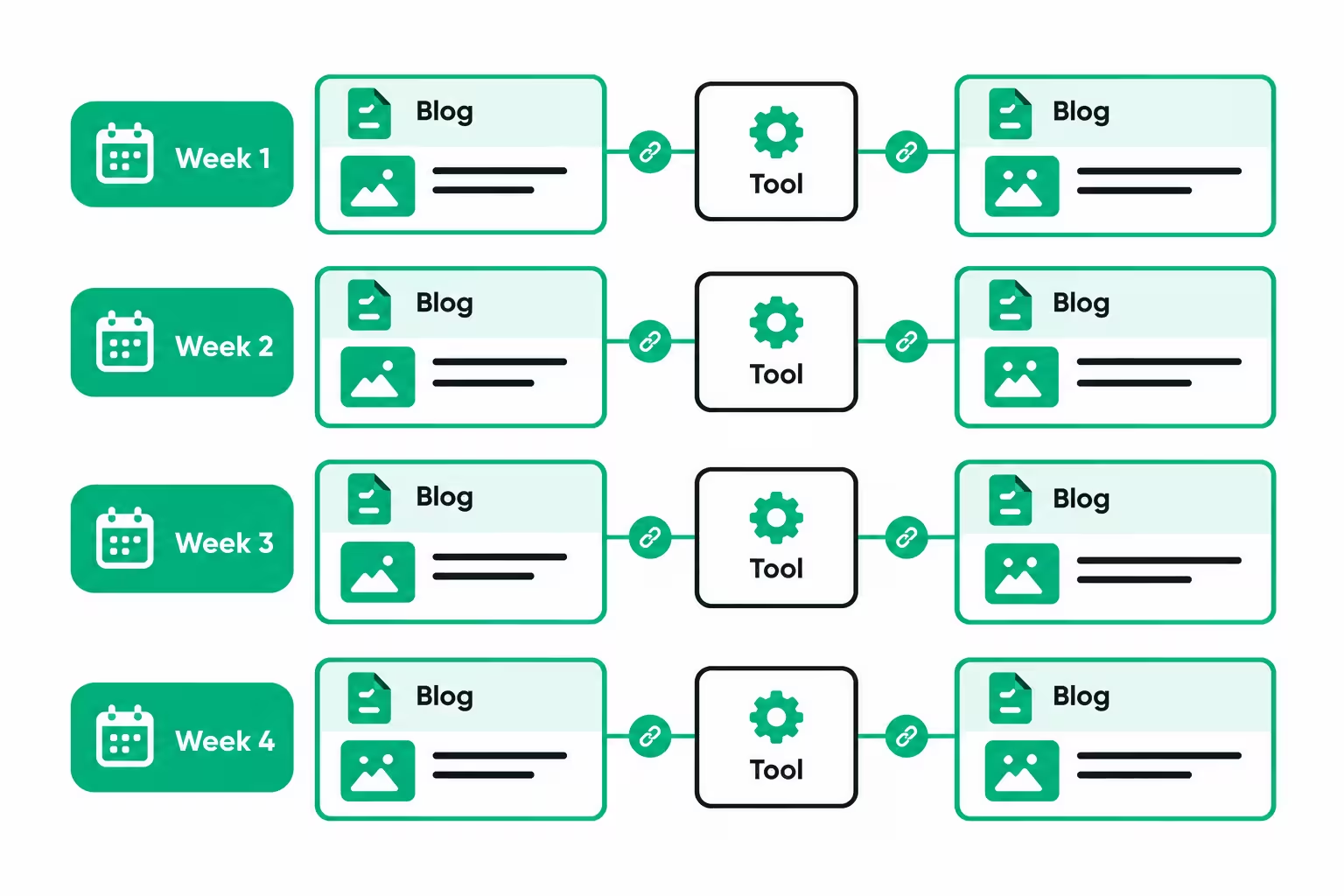
The right balance for a new tool site is 1 to 2 high quality blogs per week. Not 10 low quality blogs in one day and then silence for a month. Consistency beats bulk.
Each blog should support your tool niche. Examples:
- If your niche is study tools, write "How to Improve Your GPA in One Semester" and link to your GPA calculator.
- If your niche is text tools, write "Word Count for Essays: How Many Words Do You Really Need" and link to your word counter.
- If your niche is image tools, write "How to Compress Images Without Losing Quality" and link to your image compressor.
This is called content support. The blog answers the question behind the tool. The tool solves the problem. Together, they rank better than either one alone.
Each blog should be original, SEO optimized, and easy to read. Use a clear title, headings, short paragraphs, and one main keyword plus a few related keywords. Add an internal link to your tool page and to one other related blog. Add one image with proper alt text. Do not stuff keywords. Write for humans first, Google second.
After 2 to 3 months of 1 to 2 blogs per week, you will have 8 to 24 supporting blogs plus your tool pages. That is a real site, not a thin one page site. That is the kind of site AdSense likes to approve.
Part 8: Step 6, when and how to apply for Google AdSense
Do not apply on day one with one tool and zero traffic. AdSense reviewers can see that, and rejection wastes time and confidence.
Apply when you see these signals together:
- Your important pages are complete: About, Contact, Privacy Policy, Terms, Disclaimer.
- Your tool works correctly on mobile and desktop.
- You have several tool pages or one strong tool plus supporting blogs.
- Your pages are indexed in Google Search Console.
- You have steady organic traffic, not just visits from friends or social media links. There is no official minimum traffic number from Google, but a site with regular Google visitors for a few weeks looks much stronger than a site with zero search traffic.
- Your content is original and your site has no copied text, no adult content, no copyrighted material, and no misleading claims.
When those signals are ready, apply inside your AdSense account. You will add your site, connect it, and place a verification code on your site. Google will review your site. Review can take a few days to a few weeks. Be patient and do not change your site drastically during review.
Common AdSense rejection reasons and how to fix them
- Low value content: This is the most common rejection for tool sites. Fix it by adding original explanations on tool pages and publishing 1 to 2 supporting blogs per week for at least a month before reapplying.
- Site not ready or under construction: Fix it by completing navigation, fixing broken links, removing "coming soon" pages from your menu, and making sure every linked page actually opens.
- Policy violation: Fix it by removing copied content, misleading content, or any content that breaks AdSense policies. Read the policy page once, fully, before reapplying.
- No traffic or low traffic quality: Fix it by focusing on SEO and ranking first, not by buying fake traffic. Fake traffic can get you banned permanently. Real Google traffic, even if small, is safe traffic.
If you get rejected, do not reapply the next day with zero changes. Read the reason, fix it properly, wait for real improvement, then reapply. Many successful site owners were rejected once or twice before approval. Rejection is feedback, not a final verdict.
Part 9: Step 7, after approval, how to start earning and reach first payment
Approval is not the finish line. It is the starting line for earning.
Place ads wisely
Place ads where visitors naturally see them, but never block the tool itself. Good places are above or below the tool, in the sidebar on desktop, and between sections of a blog post. Do not place so many ads that the page becomes slow or hard to use. A clean page with 2 to 3 ad units often earns better long term than a messy page with 8 ad units, because visitors stay longer and return.
Never click your own ads. Never ask friends or family to click your ads. Never tell visitors "click ads to support me" in a way that encourages invalid clicks. Google detects invalid clicks quickly, and it can close your account and hold your earnings. Earn from real visitors only.
Track what works
After approval, check AdSense reports weekly. Which pages earn most? Which pages get traffic but low RPM? Improve low pages. Fix slow pages. Add a better explanation or a related tool link to pages that already rank.
Also keep publishing 1 to 2 blogs per week after approval. Approval does not mean you can stop. Sites that stop updating slowly lose rankings. Sites that keep improving keep growing.
Your first payment journey
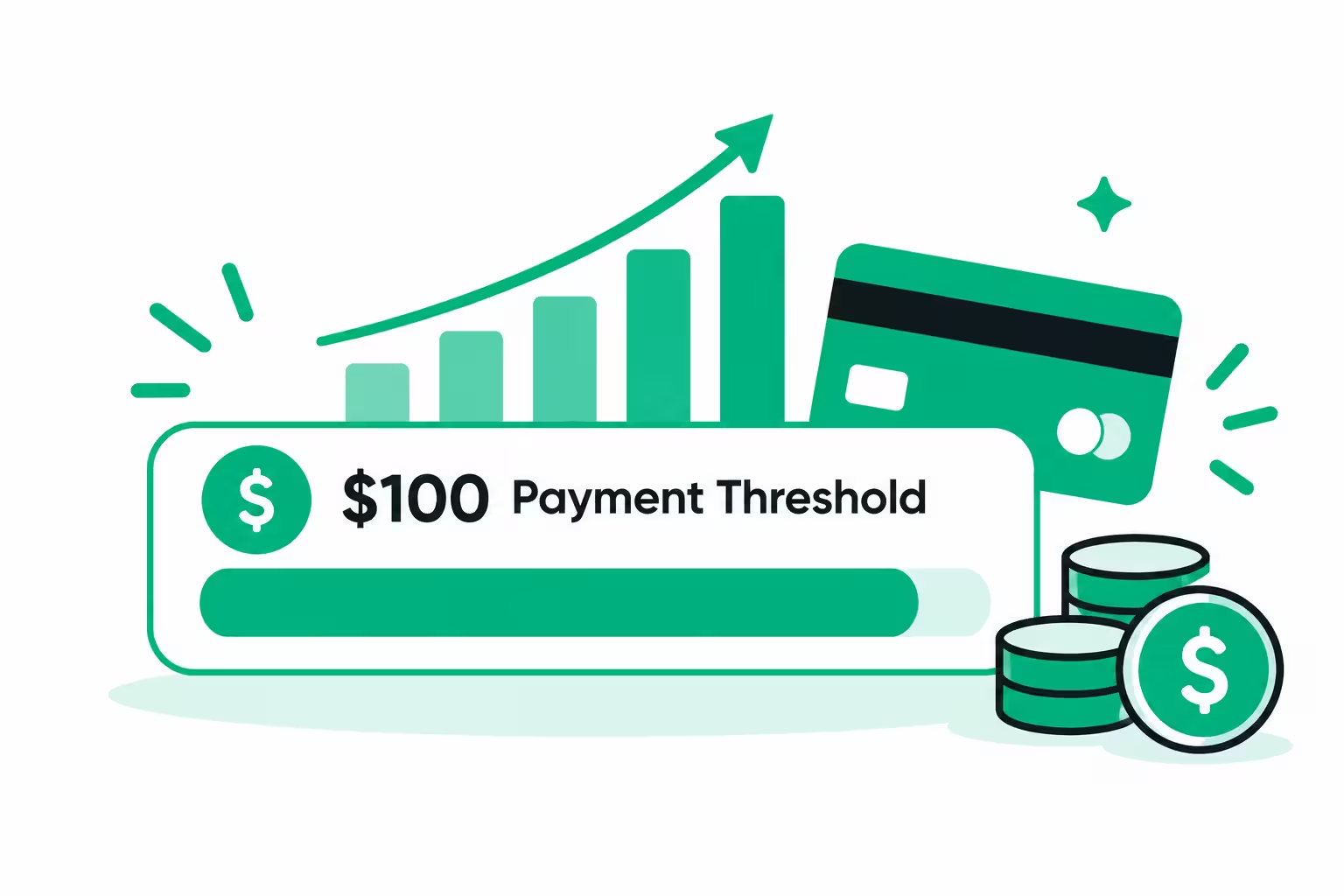
AdSense has a payment threshold. In most countries, you need to reach 100 dollars in approved earnings before Google sends your first payment. This is important to understand, because your first few months may show small earnings that have not yet reached payout.
The normal journey is:
- You earn small amounts and they accumulate in your AdSense balance.
- When your balance crosses the verification threshold, Google sends a PIN by post to verify your address. Enter that PIN in AdSense.
- You add your payment method, for example bank transfer. In Pakistan, many creators receive AdSense payments directly to a local bank account.
- When your balance reaches 100 dollars, Google issues payment around the monthly payment cycle.
So "first payment" does not mean first dollar. It means first 100 dollars collected, verified, and paid. For a beginner, reaching that first 100 dollars can take 3 to 6 months of consistent work. That is normal. Celebrate it when it happens, because it proves the system works.
Keep records from day one. Note your traffic, your RPM, and your earnings each month. This helps you see growth clearly and helps you later for tax and planning. All figures should be treated as pre tax income unless you confirm otherwise with a local tax professional.
Part 10: Tips that actually matter
Here are the tips that separate winners from people who quit in month two. They are simple, but they work only if you follow them every week.
- 1. Pick low KD keywords, 0 to 20, to rank fast for a new domain.
Do not fight big sites on day one. Win small keywords, build authority, then go bigger. - 2. Check competitors after keyword selection.
If 5 or more sites on Google page one have DR between 0 and 19, that keyword is winnable. If page one is full of giants, skip it for now. - 3. Check the trend for the whole year.
A tool that works only in one season cannot pay your bills all year. Your first tool should have steady demand. Seasonal tools are good as second or third tools, not as your foundation. - 4. Write SEO optimized, high quality, original content.
No copy pasting. No copying from other sources and changing a few words. Write in your own words, in easy English, with clear headings and real value. Google and AdSense both reward originality. - 5. Add 1 to 2 blogs weekly for content support, even after approval.
This is how AdSense sees your site as active and helpful, and how Google keeps sending you traffic. Consistency matters more than one viral post. - 6. Make legal pages: About, Contact, Privacy Policy, Terms, Disclaimer.
Do this before you apply for AdSense, not after rejection. These pages are part of approval, not an extra. - 7. Consistency is the main key, and patience is the second key.
Most tool sites fail not because the idea was bad, but because the owner stopped after 30 days with no income. The owners who publish weekly, fix errors, and improve tools for 6 months are the ones who get paid.
Extra tips from experience:
- Focus on page speed. Compress images, avoid heavy plugins, and test on a real mobile phone, not just on your laptop.
- Fix broken links every month. A tool site with many 404 errors looks abandoned.
- Update your best tool every few months. Add one small feature, improve the design, or add a new example. Updated tools rank better than forgotten tools.
- Do not buy traffic, backlinks, or fake clicks. Shortcuts can kill an AdSense account permanently.
- Learn one niche deeply. When you understand your visitors' real problems, your next tool ideas will be much better than any keyword tool alone can give you.
Part 11: Mistakes that kill tool websites
Avoid these, and you already beat half of new tool sites.
- Building 20 random tools instead of 3 good tools in one niche.
- Picking a high KD keyword because traffic looks big, then never ranking.
- Copying tool pages and blog content from competitors.
- Applying for AdSense with an incomplete site and zero blogs.
- Buying cheap traffic to look popular.
- Clicking your own ads or asking others to click.
- Stopping after one month because income is zero.
- Never checking Search Console, so ranking errors stay hidden for months.
If you are making one of these mistakes now, fix it this week. It is never too late to correct course, but it is too late if your AdSense account gets banned for invalid activity. That mistake is hard to reverse.
Your 90 day action plan
Use this plan as your checklist. Adjust dates to your own start date, but keep the order.
- Days 1 to 14: Research
Pick one niche. Research 20 tool ideas. Check volume, KD 0 to 20, trend, and competitors with DR under 20. Pick your first tool. Buy domain and hosting. - Days 15 to 30: Build
Build your first tool with a free AI tool. Test it on mobile and desktop. Create About, Contact, Privacy Policy, Terms, and Disclaimer pages. Write original text for the tool page. - Days 31 to 45: Technical setup
Create sitemap and robots.txt. Submit sitemap to Google Search Console. Attach Google Analytics. Fix speed and mobile issues. Publish your first 2 supporting blogs. - Days 46 to 75: Content and ranking
Publish 1 to 2 blogs per week. Build your second tool in the same niche. Check Search Console weekly and fix errors. Improve your first tool based on real visitor behavior. - Days 76 to 90: Review and apply
Check your signals: indexed pages, steady organic traffic, complete pages, original content. If ready, apply for AdSense. If not ready, continue content for 2 to 4 more weeks and then apply. Do not rush a weak application.
After approval, continue the same weekly rhythm: improve tools, publish supporting blogs, check data, and grow slowly. That rhythm is the real secret behind most successful tool sites.
Frequently asked questions
Can I make a tool website without coding?
Yes. With AI tools like Gemini, ChatGPT, DeepSeek, and Claude, plus paid builders like Lovable and Bolt, a beginner can build a simple working tool by explaining it clearly. You still need to test it and fix errors, but you do not need to learn coding first.
How many tools do I need before AdSense approval?
There is no fixed number. One excellent tool with complete legal pages and several original supporting blogs can be approved. Ten broken tools with no content usually cannot. Quality and completeness matter more than quantity.
Do I need paid Semrush or Ahrefs to start?
No. Start free with Google Trends, Google Search, Google Search Console, and the free Ahrefs DR checker. Use a paid tool later when your site starts earning and the time saved is worth the cost.
How long does AdSense approval take?
Review often takes a few days to a few weeks. If your site is complete and has real traffic, approval is faster. If your site is thin or has policy issues, it can take longer or be rejected.
How much traffic do I need to earn 100 dollars?
It depends on RPM. At 2 dollars RPM, you need about 50,000 page views to reach 100 dollars. At 5 dollars RPM, you need about 20,000 page views. Higher RPM topics need less traffic, but they are usually harder to rank for. Focus on growing traffic and improving RPM together.
Can I use the same site for blogging and tools?
Yes, and you should. Tools bring repeat visitors. Blogs bring new visitors from questions and explain the problem behind the tool. Together they make a stronger site than tools alone or blogs alone.
What if my first tool idea fails?
That is normal. Check your data. Was there no search demand? Was competition too high? Was the tool broken or slow? Learn from it, pick a better keyword using the rules in this post, and build your next tool in the same niche. Do not jump to a completely new niche after every failure.
Final words: build slow, build real, get paid
A tool website is not a trick. It is a service. You help people solve a small problem for free, many times a day, and Google pays you for bringing those people together in one trusted place.
Do the research properly. Pick a low competition keyword. Check competitors honestly. Build one good tool, not ten weak ones. Complete your legal pages. Set up Search Console and Analytics correctly. Publish 1 to 2 helpful blogs every week. Stay patient and consistent.
That path is slower than the fake promises on the internet. It is also the only path that actually leads to a first AdSense payment and then to regular monthly income.
Start this week with research, not with building. Your first 14 days of careful keyword research will decide your next 12 months of results.
Good luck, and build something people actually want to use again.
Earnings disclaimer: All earning figures in this post are estimates before tax and for learning purposes only. Actual AdSense income varies by topic, country, traffic source, ad placement, and season, and is not guaranteed.
Next step for you: Pick your niche today, research 20 tool ideas with the KD 0 to 20 rule and the DR competitor check, and pick only one tool to build first.
Share this article
Link copied to clipboard!