


Finding a free coding assistant that actually works feels like a win. OpenRouter gives you access to many AI models through one API, and several of them cost zero dollars. On July 27, 2026, the platform listed 15 free models. But not all of them handle programming well. Some excel at chat, while others focus on image tasks. This guide helps you pick the right one for writing code, debugging scripts, and building automation workflows. We checked the live list so you do not have to.
What Is OpenRouter and How Does It Work?
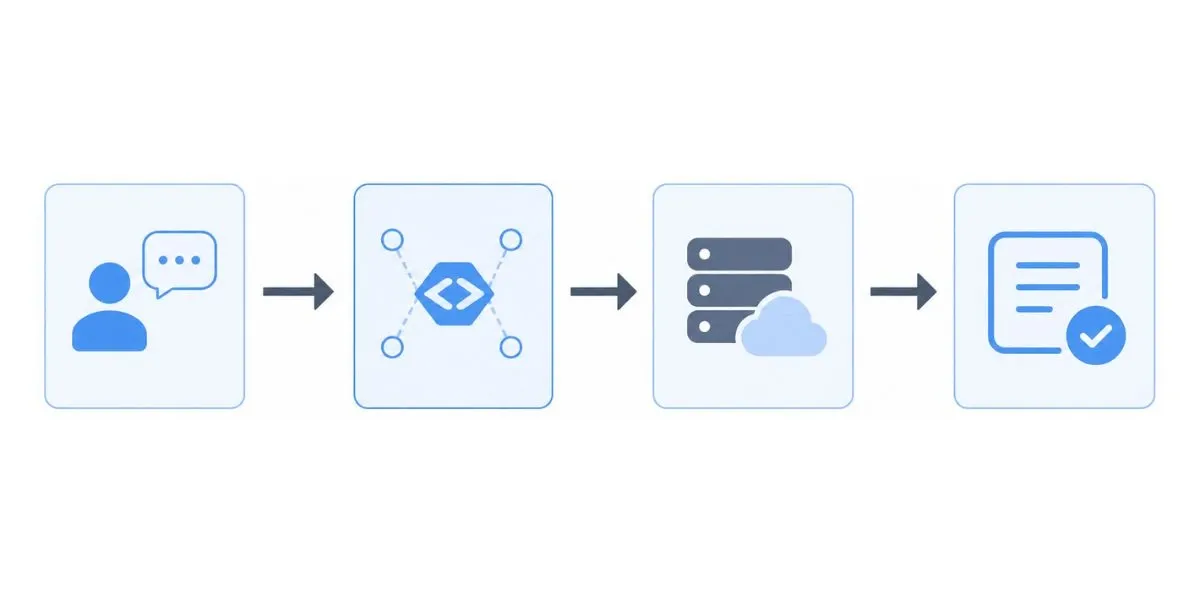
OpenRouter is a platform that connects your application to dozens of AI models through a single API. You create one account and generate one API key. Instead of managing separate logins for OpenAI, Google, or Meta, you send a prompt to OpenRouter. The platform routes your request to the chosen provider and returns the response.
Why Developers Use OpenRouter for Coding
Developers use OpenRouter because it saves time. Testing different models normally requires setting up multiple accounts. OpenRouter lets you switch models instantly by changing one line of code. You can compare how Qwen3 Coder handles a bug fix versus how Poolside Laguna M.1 plans a full feature. This makes it a practical tool for building AI agents, WordPress automation, and code review workflows.
Top Free OpenRouter AI Models for Programming (Live List for August 2026)
Quick Comparison Table – Pick Your Model by Task
| Model Name | Best For | Context Window | Key Strength |
|---|---|---|---|
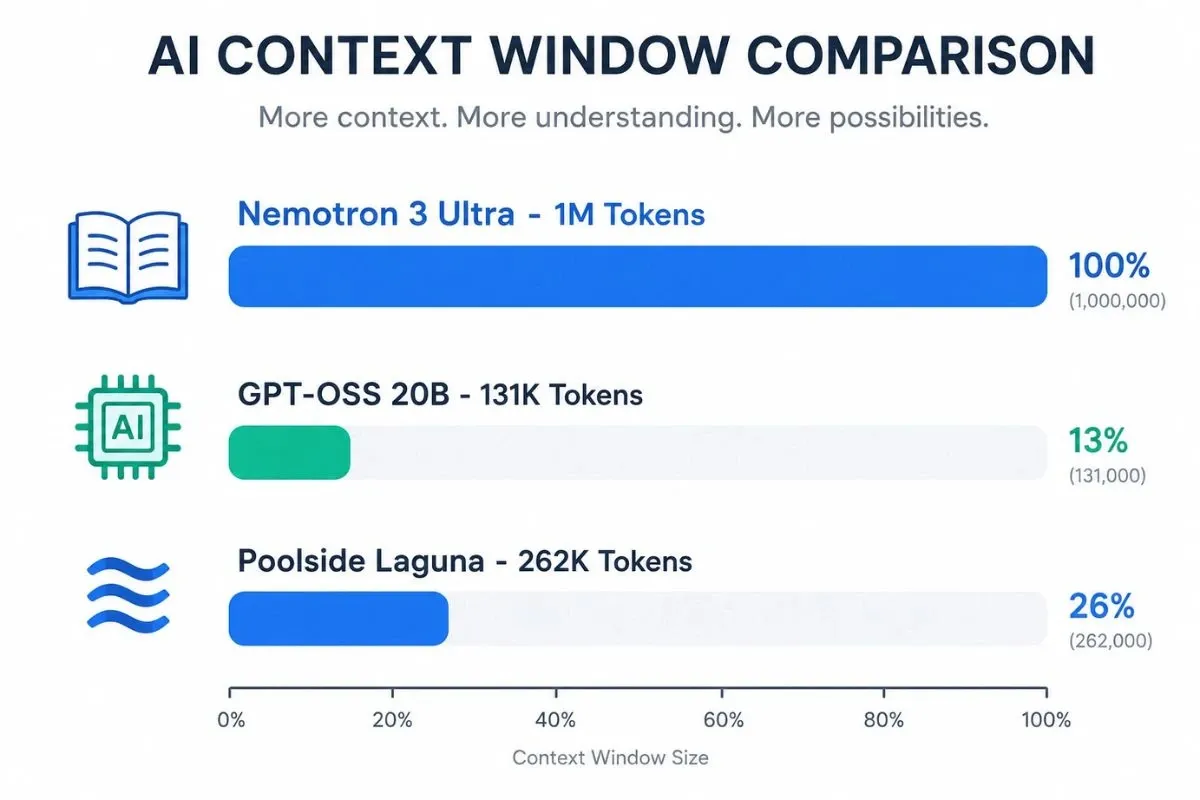
| Poolside Laguna M.1 | Complex agentic coding | 262K tokens | Multi-step reasoning and tool calling |
| Cohere North Mini Code | Fast terminal tasks & tests | 256K tokens | Lightweight, low-latency code generation |
| NVIDIA Nemotron 3 Ultra | Deep planning & debugging | 1M tokens | Long-context orchestration and logic |
| OpenAI GPT-OSS 20B | General coding assistant | 131K tokens | Structured outputs and tool use |
| Google Gemma 4 26B | Coding with images/docs | 262K tokens | Multimodal input (text + images) |
| NVIDIA Nemotron 3 Super | Agentic workflows | 262K tokens | High compute efficiency for multi-agent tasks |
Model 1 – Poolside Laguna M.1 (Best for Agentic Coding)
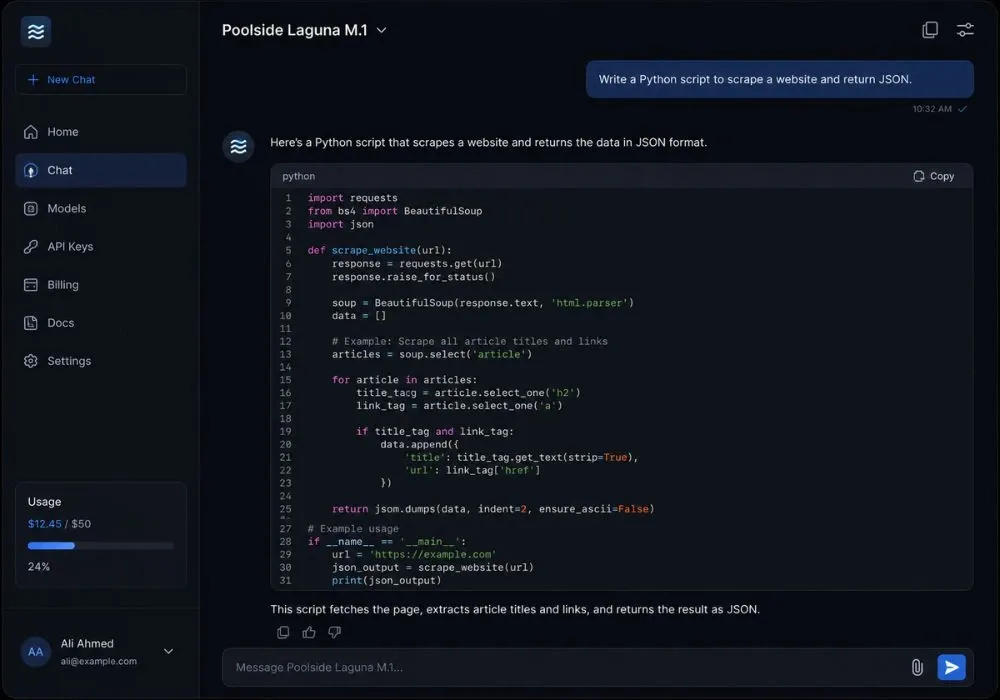
Poolside Laguna M.1 is a 118B total parameter model with 8B active parameters. It scores 70.2% on Terminal-Bench 2.1 and 40.4% on DeepSWE, making it one of the strongest coding models available for free. It handles tool calling and multi-step engineering tasks well. Use this model when you need an AI agent to plan, write, and debug code automatically.
Model 2 – Cohere North Mini Code (Best for Fast, Lightweight Tasks)
Cohere North Mini Code is a sparse mixture-of-experts model with 30B total parameters and 3B active parameters. It supports a 256K context window and up to 64K output tokens. This makes it great for CLI-style coding help, generating tests, and creating JSON schemas. It is fast because it activates fewer parameters per forward pass, which reduces latency during real-time work.
User: Write a Python function to sort a list of dictionaries by a key.
Cohere North Mini Code: [Returns exact Python code]
Model 3 – NVIDIA Nemotron 3 Ultra (Best for Long Reasoning)
NVIDIA Nemotron 3 Ultra is a frontier-reasoning model with 55B active parameters out of 550B total parameters. It has a 1M token context window. This means it can read an entire code repository in one go. It excels at planning complex workflows, debugging deep logic, and orchestrating multiple AI agents. If you need to design a new feature from scratch, start here.
Model 4 – OpenAI GPT-OSS 20B (Best General Assistant)
OpenAI GPT-OSS 20B is an open-weight model with 21B total parameters and 3.6B active parameters. It uses a mixture-of-experts architecture optimized for low-latency inference. It supports function calling, tool use, and structured outputs. Use it for general programming help like formatting API responses, explaining code, or writing automation scripts. It is a solid backup when your primary coding model is busy or rate-limited.
Model 5 – Google Gemma 4 26B (Best for Multimodal Coding)
Google Gemma 4 26B is an instruction-tuned mixture-of-experts model from Google DeepMind. It has 25.2B total parameters but only 3.8B activate per token. It supports multimodal inputs including text, images, and videos (up to 60 seconds). This matters when your coding task includes screenshots of UI bugs, charts, or document images. It also supports configurable thinking and reasoning modes.
Understanding OpenRouter Rate Limits and Free Usage
How Many Free Requests Do You Get Per Day?
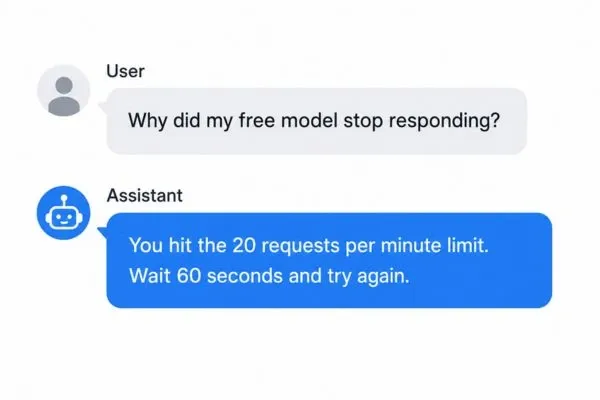
OpenRouter enforces specific limits on free models. If you have never added credits, you get 50 requests per day. After you add at least $10 in credits, your daily limit increases to 1,000 requests. The per-minute limit is 20 requests, regardless of your credit history. You can check the exact numbers in OpenRouter's rate limits documentation.
What Happens When a Free Model Gets Removed?
The free model lineup changes often. On July 19, 2026, OpenRouter delisted Qwen3 Coder and the entire free Meta Llama tier. These models disappeared with little warning. That is why you should not build a production workflow around a single free endpoint. Always check the live free models list before committing to one.

Case Study: A freelance developer relied on Qwen3 Coder for code generation. When it vanished on July 19, they lost 2 days of work redesigning their automation. They now use Poolside Laguna M.1 as their primary and GPT-OSS 20B as a fallback.
Practical Use Cases – How to Use Free Models in Real Workflows
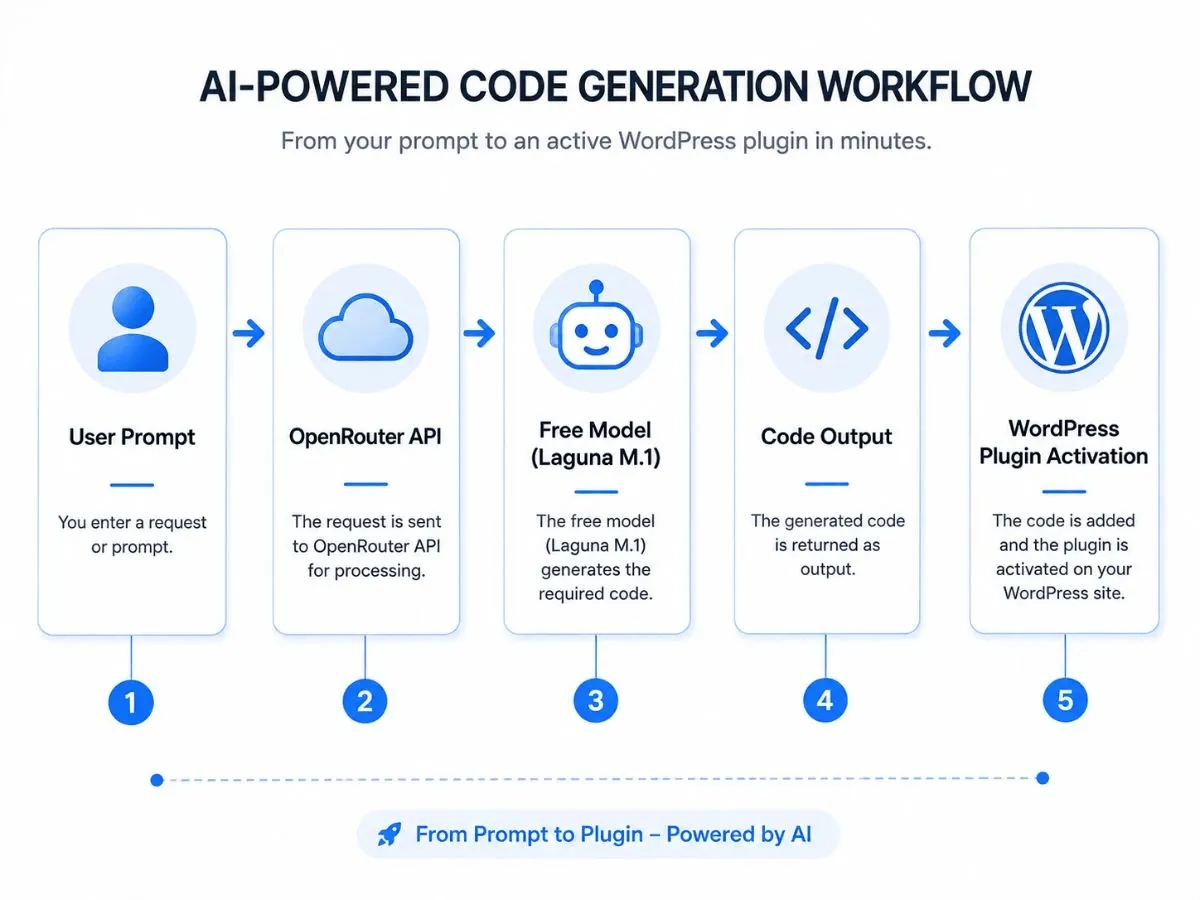
Use Case 1 – Building a WordPress AI Coding Agent
You can use OpenRouter free models inside WordPress to automate plugin development, generate WooCommerce descriptions, or review support tickets. Start with Qwen3 Coder for technical tasks. Switch to Nemotron 3 Ultra for planning multi-step automation logic. Always keep a paid fallback model ready in case the free model becomes unavailable.
Use Case 2 – Debugging Complex Logic
Use Nemotron 3 Ultra for debugging because of its 1M context window. Paste your entire error log, the stack trace, and the related file. The model reads everything at once and explains the root cause. This saves hours of manual line-by-line checking.
Use Case 3 – Generating and Testing Code Snippets
Use Cohere North Mini Code for quick snippets. It is fast and reliable for small functions. Run the output through a test harness like OpenCode to verify it works. This reduces the risk of deploying broken code.
How to Set Up OpenRouter and Start Coding for Free
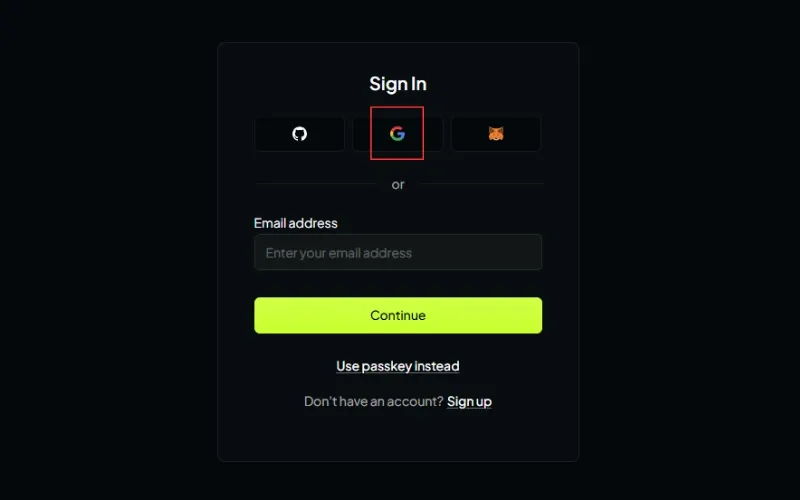
Step 1 – Create Your Account
Go to OpenRouter.ai. Sign up with Google, GitHub, or your email. You do not need a credit card for this step.
Step 2 – Generate Your API Key
Go to the Keys section in your dashboard. Click "Create Key". Copy the key immediately. OpenRouter only shows the full key once. Save it in a password manager or a .env file.
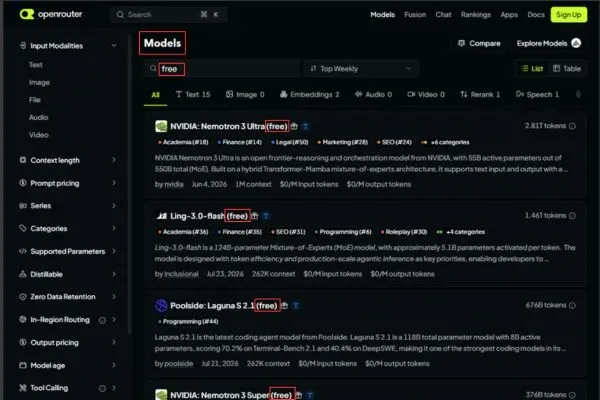
Step 3 – Find a Free Coding Model
Open the Models page. Filter by "Price: Free". Look for models like poolside/laguna-m.1:free or cohere/north-mini-code:free. Check the context window size to ensure it can handle your file lengths.
Step 4 – Connect to Your Coding Tool
Plug the API key and model slug into your tool. This can be an n8n AI node, a VS Code plugin, or a custom Python script.
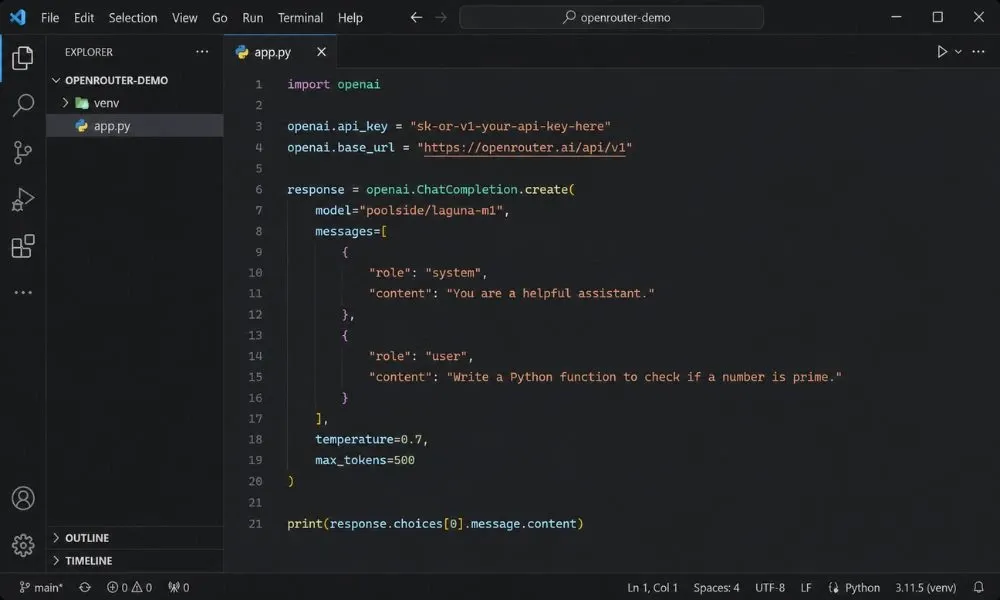
import openai
openai.api_key = "YOUR_OPENROUTER_KEY"
openai.base_url = "https://openrouter.ai/api/v1"
response = openai.ChatCompletion.create(
  model="poolside/laguna-m.1:free",
  messages=[{"role": "user", "content": "Write a bubble sort in Python"}]
)
print(response.choices[0].message.content)
How to Avoid Outdated Information and Spammy Guides
Why Most "Best Free Models" Lists Are Wrong
Many blog posts copy old data from weeks ago. Since OpenRouter delists models without notice, those guides become useless quickly. Always check the live models page on OpenRouter's website before you start coding. Treat any third-party list as a starting point, not a guarantee.
The Safe Strategy – Build with Fallback Models
Do not hard-code one free model into your production system. Set up a routing ladder: use a free model for extraction and drafting, then escalate to a paid frontier model (like GPT-5.1 or Claude Sonnet 5) for final decisions. This approach saves money and prevents workflow breaks.
Leave a Comment
Your comment is completely private and secure. We never publish comments publicly on our website. Your message will be sent directly to our team.